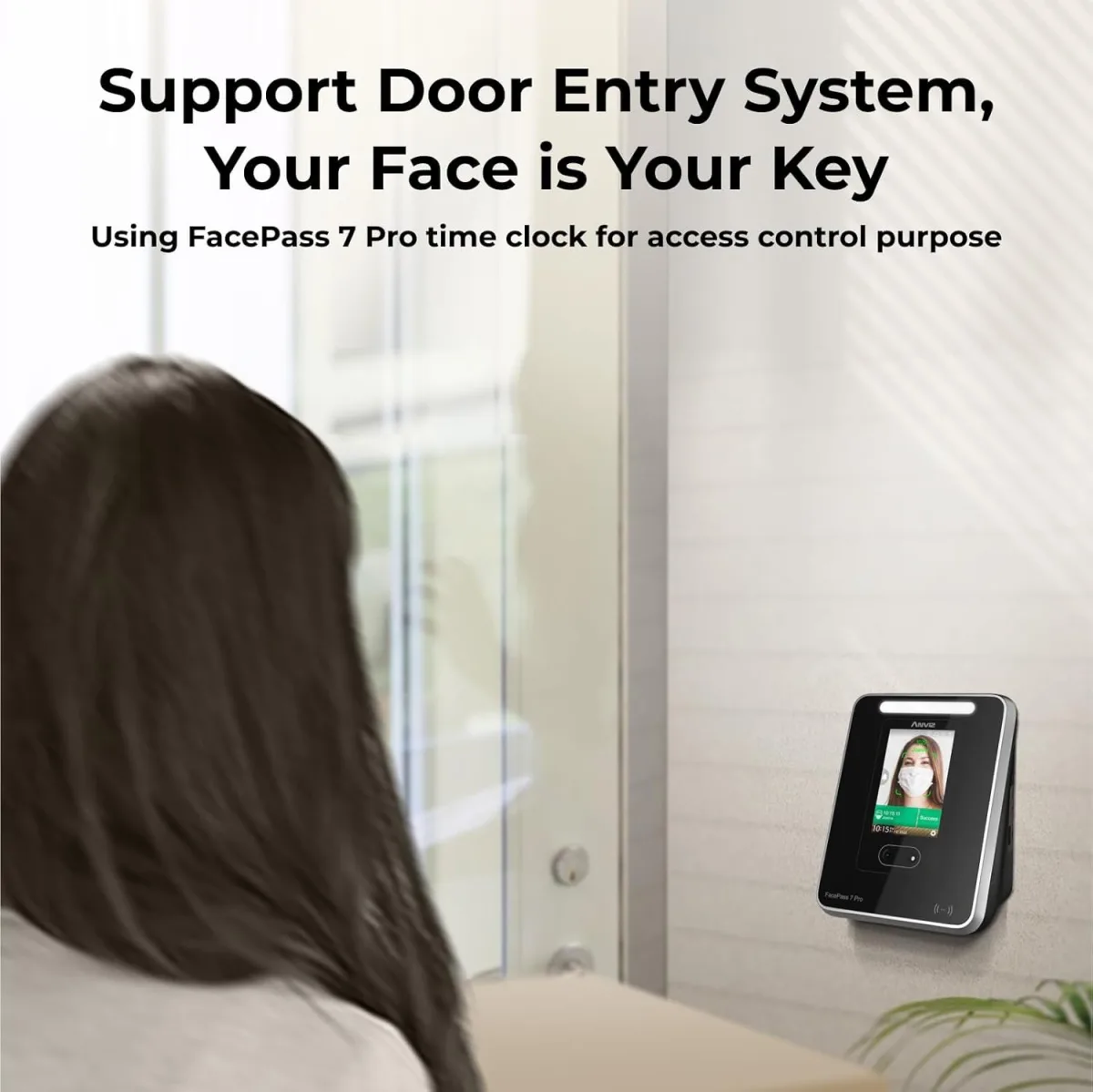
Finally, a Smart Way to Track Employee Hours
As a small business owner, one of the most tedious and error-prone tasks has always been managing employee time. I’ve tried everything from paper time sheets (which inevitably get lost or smudged) to clunky spreadsheets that still require manual entry and reconciliation. "Buddy punching" was also a persistent headache. So, when I decided to invest in a dedicated time clock, I was looking for something reliable, accurate, and easy to manage. That’s how I landed on the ANVIZ Fingerprint Time Clock, hoping it would be the solution I needed.
Unboxing & First Impressions: Solid and Simple
The ANVIZ clock arrived in a no-frills box, which I actually appreciate. Inside, I found the time clock unit itself, a power adapter, a small mounting plate with screws, and a user manual. The device feels pretty sturdy in hand – it’s not super heavy, but the plastic doesn’t feel cheap or flimsy, which is a good sign for something that’s going to be touched multiple times a day. The screen is a decent size, nothing fancy, but clear enough for punches and basic navigation. I noticed the buttons felt responsive, not mushy.
The Setup Journey: A Few Bumps, But Manageable
Alright, let’s talk setup. This is where many of these devices can either shine or become a nightmare. For the ANVIZ, it was somewhere in the middle. Physically mounting it was straightforward; the included plate made it easy to attach to the wall. Powering it on was no issue. The real work began with the software. I connected the device to my network via Ethernet (it also supports USB data transfer, but I wanted the network functionality). Installing the ANVIZ CrossChex Standard software on my Windows PC took a little longer than I expected, and finding the latest version on their support site wasn't as intuitive as I hoped. Once installed, connecting the software to the device on my network required a bit of IP address tweaking, but nothing too complex for someone with basic network knowledge.
Enrolling employees was next. This process is done directly on the device. Each employee needs to scan their finger multiple times for optimal recognition. I found that getting a good, clean scan from the start was crucial. For the most part, it worked well. A couple of my employees with very dry or faint fingerprints needed a few extra attempts, but we got there. Adding names and other basic info was simple enough using the device’s keypad.
Daily Operation: Smooth Sailing After Setup
Once everything was configured, the daily operation has been surprisingly smooth. My employees quickly adapted to punching in and out with their fingerprints. The recognition speed is pretty good – usually less than a second once they get the hang of positioning their finger correctly. We’ve had very few instances of failed scans, maybe one in fifty, which is acceptable. It’s certainly put an end to any "buddy punching" concerns, which brings a lot of peace of mind.
The CrossChex software is where the real magic happens for management. It allows me to pull up attendance records, view daily punches, manage shifts, and correct any errors (like someone forgetting to punch out). The interface isn't the most modern-looking, but it's functional and all the options are logically laid out. After a few weeks of using it, I've really come to appreciate how easy it is to generate reports. Exporting data for payroll is a breeze; I can get a clean Excel or CSV file with all the hours summarized, which cuts down my payroll processing time significantly. If you're considering making the switch yourself, you can check today's price.
Pros & Cons: The Real Talk
What I Loved (Pros):
- Accuracy: The fingerprint scanner is surprisingly accurate and fast once employees are properly enrolled. It virtually eliminates time theft.
- Data Export: Generating reports and exporting data for payroll is incredibly straightforward. It's saved me hours each pay period.
- Sturdy Build: The device feels well-made and durable enough for daily use in a typical small business environment.
- Offline Capability: Even if your network goes down, the device stores punches locally, so you don't lose data.
- Value for Money: For a one-time purchase, the features and functionality you get are excellent compared to subscription-based services. For the features it offers at this price point, it’s a solid investment you can grab it on Amazon.
What Annoyed Me (Cons):
- Initial Software Setup: Getting the CrossChex software installed and connected wasn't entirely plug-and-play. It required some troubleshooting, especially with network configuration.
- Dated Software Interface: The software works, but it definitely looks like something from the early 2000s. It’s not a dealbreaker, but a modern UI would be a welcome update.
- Manual Clarity: The included manual could be more detailed, particularly for network setup and advanced software features.
- Fingerprint Sensitivity: While generally good, employees with very wet, greasy, or damaged hands might occasionally struggle with recognition, requiring a few tries or a clean-up.
- No Cloud Option: This is a local software solution. If you're looking for a purely cloud-based system that integrates directly with online payroll services without local software, this isn't it.
Who Should Buy This?
This ANVIZ Fingerprint Time Clock is perfect for small to medium-sized businesses (I’d say 5-50 employees) who are fed up with manual time tracking methods. If you value accuracy, want to eliminate "buddy punching," and are comfortable with a local software solution, then this is a strong contender. It's especially good for those on a budget who want a reliable, one-time purchase without recurring subscription fees.
Who Should Skip It?
If your business is very large and requires complex HR system integrations, or if you absolutely need a fully cloud-based, subscription-model time tracking system, then this might not be the right fit. Also, if your employees frequently work in conditions where their hands are consistently very dirty, greasy, or wet, the fingerprint recognition might become more of a hassle than a help, though it generally handles minor issues well. Before you make your final decision, I recommend you see what others paid and read more reviews directly on the product page.
Final Thoughts: A Worthwhile Investment
Overall, the ANVIZ Fingerprint Time Clock has been a very positive addition to my business. While the initial setup had a few minor hurdles, the long-term benefits in terms of accuracy, time savings, and peace of mind have far outweighed them. It’s a solid, reliable device that does exactly what it promises, making payroll a much less daunting task. I'm genuinely happy with this purchase and would recommend it to other small business owners looking to upgrade their time tracking system.