My Journey to Smoother Smartphone Videos with the Osmo Mobile 2
Like a lot of people, I’d been trying for ages to get decent, stable video with my smartphone. Whether it was chasing my dog around the park, documenting family vacations, or just trying to capture a nice pan shot of a sunset, my footage always ended up looking like it was shot during an earthquake. I’d seen fancy gimbals for professional cameras, but I really just wanted something that would work with the camera I always had in my pocket. That’s when the DJI Osmo Mobile 2 caught my eye, and I decided to take the plunge and grab it on Amazon.
First Impressions & Build Quality
When it arrived, the first thing I noticed was the packaging – typical DJI, sleek and minimalist. Pulling the Osmo Mobile 2 out of its case, it felt substantial in my hand, though definitely lighter than I expected. It’s mostly made of a durable plastic, which I initially thought might feel cheap, but it actually contributes to its portability. The grip is comfortable, and the buttons are intuitively placed. I appreciated the simple power button, mode button, and a joystick for pan and tilt. It came with a little tripod base, which was a nice touch for setting it down or doing static shots.
Setting Up and Getting Started
Getting my phone into the cradle was straightforward. The spring-loaded clamp held my iPhone securely, even with a slim case on. The crucial part, though, is balancing. This takes a little practice. You slide the phone back and forth in the clamp until it sits mostly level when the gimbal is off. It’s not super precise, but it gets the job done. If it’s not balanced well, the motors have to work harder, which can drain the battery faster and sometimes lead to less smooth results. Once balanced, I downloaded the DJI Go app, connected via Bluetooth, and I was ready to roll.
Performance: Smoothness That Impressed
The moment I powered it on and started walking, the difference was night and day. Gone were the shaky, amateur-looking clips I was used to; instead, I got buttery-smooth footage that looked almost cinematic, even when I was practically jogging to keep up with my kids. The three-axis stabilization truly works wonders. Panning shots were incredibly fluid, and tilting up or down was just as seamless using the joystick. I tried walking, running, and even filming from a moving car (safely, of course), and the stabilization held up remarkably well for a smartphone gimbal in its price range.
I particularly enjoyed a few features:
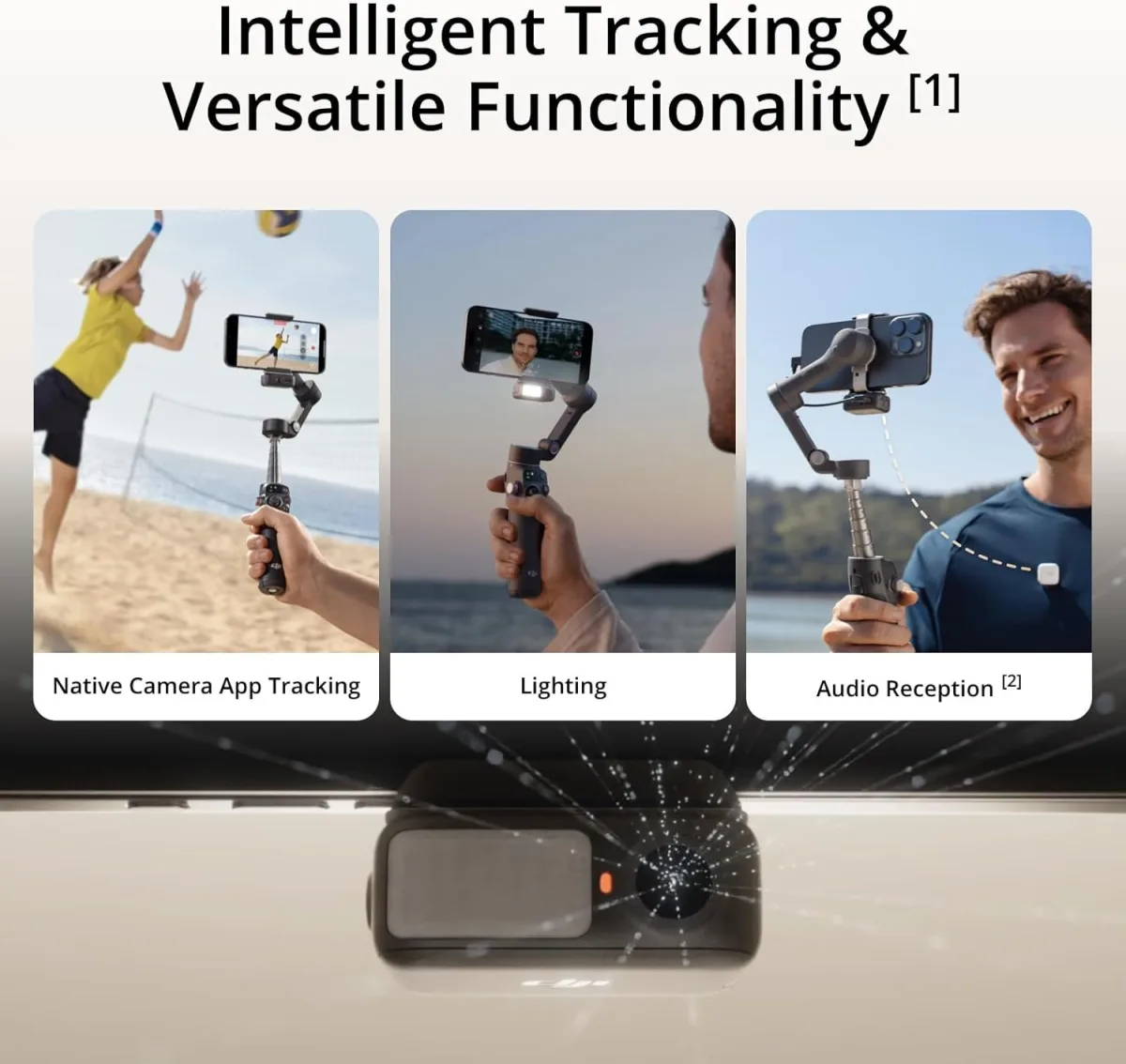
- ActiveTrack: This was a revelation. I could tap on a subject on my phone screen, and the gimbal would automatically follow them, keeping them in the center of the frame. It worked surprisingly well for people and pets, though it could sometimes lose track if the subject moved too fast or got obscured.
- Hyperlapse: Combining motion and time-lapse, this allowed me to create really cool, sped-up videos of journeys or changing scenes. The stabilization made these look incredibly professional.
- Motionlapse: Similar to hyperlapse but for static points. You can set multiple points for the gimbal to move through over a period, creating dynamic time-lapses.
- Zoom Control: While not a physical zoom ring, the side slider allowed for digital zoom directly from the gimbal, which was convenient, though relying on digital zoom often means a loss in quality, depending on your phone’s camera.
If you're curious about the current pricing or want to check today's price, it's worth a look.
Battery Life: A Pleasant Surprise
DJI claimed up to 15 hours of battery life, and while I never timed it precisely, I can tell you it lasted through long days of filming without a sweat. I could go on multiple outings, shooting hours of footage, and still have juice left. This was a huge plus, as I didn’t want another device I constantly had to worry about charging. It also has a USB port to charge your phone from the gimbal, which is a lifesaver when you're out and about and your phone's battery is taking a hit from continuous filming.
What Annoyed Me (Cons)
No product is perfect, and the Osmo Mobile 2 had a few things that consistently bugged me:
- Balancing Act: While not difficult, getting the phone perfectly balanced every time, especially if I swapped phones or removed a case, could be a bit fiddly and time-consuming. Larger or heavier phones sometimes felt like they were pushing the limits.
- App Dependent: Most of the advanced features, like ActiveTrack or Motionlapse, required using the DJI Go app. While the app was generally good, it occasionally had its quirks – a dropped connection here, a minor bug there. Using my phone’s native camera app meant losing those smart features.
- Non-Foldable Design: This is a generational thing, but compared to newer gimbals, the Osmo Mobile 2 is a single, fixed unit. It doesn't fold down, making it a bit bulkier to carry around, even in its provided case. It definitely takes up a fair bit of space in a backpack.
- Plastic Feel: While durable, the all-plastic construction doesn't scream "premium" like some metal-bodied gimbals. It's perfectly functional, but I always felt like I had to be a *little* careful with it.
Who Should Buy This?
Even though it's an older model, the DJI Osmo Mobile 2 still has a place for certain users. I'd recommend it to:
- Budget-conscious creators: If you want excellent smartphone stabilization without spending a fortune, this is still a solid performer.
- Casual videographers: For family events, travel videos, or just capturing everyday moments with much better quality, it’s fantastic.
- Aspiring vloggers/influencers: It’s a great entry-level tool to get professional-looking footage for your social media channels without needing expensive camera gear.
- Those who prioritize battery life: Its long-lasting battery is a major selling point for extended shoots.
Who Should Skip It?
However, it might not be for everyone:
- Pros or serious hobbyists: If you need the absolute latest features, a more robust build, or seamless integration with third-party camera apps, you might want to look at newer, more advanced (and more expensive) gimbals.
- Users with very large/heavy phones: While it supports a good range, extremely large phones or those with bulky cases might struggle with balancing or put too much strain on the motors.
- Those who need ultimate portability: If a compact, folding design is a must-have for easy pocketability, this model might feel a bit large for your needs.
Final Thoughts
The DJI Osmo Mobile 2 was a fantastic device for its time, and it still holds up surprisingly well for basic, effective smartphone stabilization. It genuinely transformed my shaky phone videos into smooth, watchable content. The battery life is phenomenal, and the core stabilization is top-notch. Yes, it has its quirks, especially compared to newer, more feature-rich (and often foldable) gimbals on the market today, but for raw stabilization power on a budget, it’s hard to beat. If you think it might be right for your needs, you can always pick one up here and see for yourself.