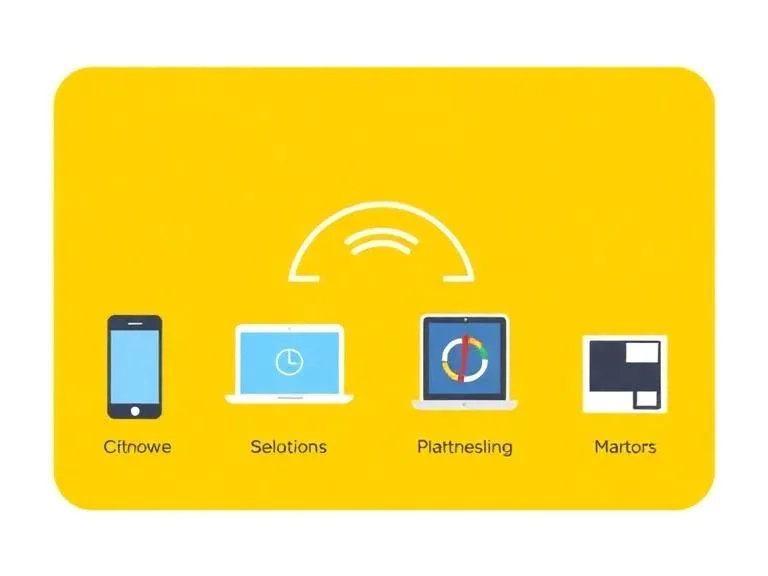
Imagine Sarah, a busy marketing manager, rushing out the door. She’d spent the last hour meticulously crafting a presentation deck on her desktop PC, then realized she needed to make a quick edit on her tablet during her commute. When she opens the file, there it is: her latest changes, perfectly preserved. This isn't magic; it's the intricate, often invisible, symphony of data synchronization at play, a fundamental pillar of our multi-device existence. A 2023 report from Statista revealed that the average American household owns more than 10 connected devices, making the ability to access consistent, up-to-date information across them not just a convenience, but an absolute necessity.
- Cloud services act as central hubs, facilitating data exchange and consistency across disparate devices and operating systems.
- Application Programming Interfaces (APIs) and standardized protocols are the fundamental languages enabling diverse platforms to communicate and share data.
- Robust authentication and encryption are critical for securing sensitive data during its journey between devices and the cloud.
- Synchronization methods vary, from real-time updates for immediate consistency to scheduled batch processes for efficiency, each with trade-offs.
The Ubiquitous Cloud: Your Data's Central Nervous System
At the heart of how devices sync data across multiple platforms lies the cloud. Think of cloud computing not just as a remote storage locker, but as a vast, interconnected network of servers, databases, and software all working in concert. When you save a document to Google Drive, upload a photo to iCloud, or update a note in Evernote, you're not saving it directly to your device; you're sending it to a cloud server. This server then acts as the single source of truth for that particular piece of data. Your device, whether it's an iPhone, an Android tablet, or a Windows laptop, doesn't directly communicate with other devices for synchronization. Instead, each device communicates with this central cloud repository.
This architecture offers several distinct advantages. For one, it provides redundancy. If your phone gets lost, the data isn't gone; it's still safely stored in the cloud. For another, it ensures consistency. Every device pulling data from the same cloud server will receive the exact same, most up-to-date version. Cloud providers like Amazon Web Services (AWS), Microsoft Azure, and Google Cloud Platform offer the underlying infrastructure – the physical servers, storage, and networking – that application developers then leverage to build their synchronization services. Without this foundational layer, the seamless experience we've come to expect simply wouldn't be possible. It’s a testament to the power of distributed computing, allowing us to manage our digital lives with unprecedented flexibility.
APIs and Protocols: The Language of Interoperability
If the cloud is the brain, then Application Programming Interfaces (APIs) and communication protocols are the nervous system, allowing different parts to speak to each other. An API is essentially a set of rules and definitions that allows one software application to talk to another. When your photo app on an Android phone needs to upload an image to Google Photos, it uses Google’s Photos API. When an email client on your MacBook needs to fetch new messages from Outlook.com, it leverages Microsoft’s email APIs or standard protocols like IMAP and Exchange ActiveSync.
This is where cross-platform synchronization gets truly fascinating. Operating systems like iOS, Android, Windows, and macOS are fundamentally different. They run on different kernels, use different programming languages for their native apps, and have distinct security models. APIs provide a standardized bridge over these differences. Developers don't need to know the intricate inner workings of every single platform; they just need to know how to call the right API, send data in the expected format (often JSON or XML), and handle the responses. This abstraction layer is what makes it possible for a developer to write an app that works on virtually any device, provided they integrate with the relevant cloud services and their APIs.
Standardized Protocols: The Lingua Franca of Data
Beyond proprietary APIs, a host of standardized protocols ensure broader interoperability. For calendars, CalDAV is a widely adopted protocol that allows calendar clients (like Apple Calendar, Outlook, or Google Calendar) to access and manage calendar information on remote servers. Similarly, CardDAV is used for synchronizing contact information. For email, IMAP (Internet Message Access Protocol) allows clients to retrieve and manage emails from a server, while SMTP (Simple Mail Transfer Transfer Protocol) handles sending. These open standards are crucial because they don’t lock users into a single ecosystem. You can use Apple Mail to access your Gmail, or Outlook to manage your iCloud Calendar, all thanks to these agreed-upon communication frameworks. They ensure that even if you switch devices or prefer a different app, your core data remains accessible and consistent. For instance, the technology behind noise reduction in calls often relies on these same communication protocols to ensure clear audio transmission alongside data sync.
OAuth: Secure Authorization for Data Access
But wait, how do these apps and services get permission to access your sensitive data without you handing over your actual username and password? Here's the thing. They use protocols like OAuth (Open Authorization). OAuth allows users to grant third-party applications limited access to their resources (like contacts, calendars, or cloud storage) without exposing their credentials. Instead of your password, the app receives an "access token." This token has specific permissions (e.g., "read calendar" or "upload photos") and a limited lifespan. If the app is compromised, your main account credentials remain secure. It’s a critical security layer that underpins much of our multi-platform synchronization, making sure that while data flows freely, it does so under strict permission controls.
Authentication and Security: The Digital Gatekeepers
The sheer volume of data synced daily across platforms presents a massive security challenge. Ensuring that only authorized users can access and modify their data is paramount. This is where robust authentication and encryption mechanisms step in as the digital gatekeepers. When you log into an app or service on a new device, you're initiating an authentication process. This typically involves a username and password, often augmented by multi-factor authentication (MFA) – requiring a second verification, like a code from an authenticator app or a biometric scan. This layered approach significantly reduces the risk of unauthorized access.
Once authenticated, data needs to be protected both in transit (while moving between your device and the cloud) and at rest (when stored on cloud servers). Encryption is the primary tool for this. Data in transit is usually protected using Transport Layer Security (TLS), the successor to SSL, which encrypts the communication channel. This means that even if malicious actors intercept the data packets, they'd appear as scrambled, unreadable gibberish. Data at rest is also encrypted, often using algorithms like AES-256. Cloud providers manage encryption keys, or in some cases, offer client-side encryption where the user retains control of the keys, providing an even higher level of privacy. According to a 2022 survey by the Cloud Security Alliance, 70% of organizations consider data encryption a top priority for cloud security, highlighting its critical role in protecting synced information.
Dr. Eleanor Vance, Director of Cybersecurity Research at Stanford University, states, "The greatest vulnerability in cross-platform data synchronization isn't usually the encryption algorithms themselves, but often the human element – weak passwords, neglected MFA, or compromised access tokens. Organizations must prioritize user education alongside robust technical safeguards to truly secure the sync pipeline. Our research indicates that phishing remains a primary vector for credential compromise, directly impacting data sync integrity, with a 2023 study showing a 67% increase in targeted phishing attacks compared to the previous year."
Real-Time vs. Batch Sync: When and Why
Not all synchronization happens instantaneously, nor should it. The choice between real-time and batch synchronization depends heavily on the type of data, the urgency of its consistency, and resource considerations. Understanding these distinctions is key to appreciating the nuance of how devices sync data across multiple platforms.
Real-time synchronization aims for immediate consistency. As soon as you make a change on one device, that change is pushed to the cloud and then pulled by all other connected devices almost instantly. This is crucial for collaborative documents, messaging apps, and shared calendars where multiple users might be interacting with the same data simultaneously. Google Docs, Slack, and Apple Notes are prime examples of applications that rely heavily on real-time sync. This method often uses persistent connections or web sockets, allowing the server to 'push' updates to clients rather than clients constantly 'pulling' for new information. While offering unparalleled immediacy, real-time sync can be resource-intensive, requiring constant network activity and processing power.
Batch synchronization, on the other hand, involves collecting changes over a period and then updating the cloud (or devices) in a single, scheduled operation. This is often used for less critical data or when resource efficiency is prioritized. Think of photo backups that might only sync when your phone is connected to Wi-Fi and charging, or large file transfers that can be queued. Email clients might fetch new mail every 15 minutes, rather than maintaining a constant open connection. Batch sync conserves battery life, reduces network traffic, and can be more resilient to intermittent connectivity. The trade-off is a slight delay in data consistency across devices. Many services offer a hybrid approach, using real-time for critical changes and batching for larger, less urgent data transfers. For instance, what happens inside wireless earbuds when you use them illustrates how settings and firmware updates might be batched, while play/pause commands are real-time.
Navigating Cross-Platform Ecosystems and Challenges
While APIs and protocols strive for universal communication, the reality of cross-platform synchronization is often fraught with challenges, largely due to competing ecosystems. Apple, Google, and Microsoft each have their own tightly integrated services and preferred data formats. Getting data to flow smoothly between, say, Apple's Reminders and Google's Tasks can be tricky. Often, third-party developers step in to bridge these gaps, building apps or services that translate data between ecosystems. These aggregators might use a combination of public APIs, web scraping, and custom connectors to provide a unified view.
Data format discrepancies are another significant hurdle. A contact card on iOS might store fields that Android doesn't natively recognize, or vice versa. When syncing, a service needs to either discard the unrecognized data, map it to an equivalent field, or store it in a generic custom field, potentially leading to data loss or inconsistencies. Conflict resolution is another complex area: what happens if you edit the same document on two different devices simultaneously before they've had a chance to sync? Advanced sync engines employ algorithms to detect these conflicts, often saving multiple versions or prompting the user to choose which version to keep. The ideal is seamless merging, but it's not always achievable. Maintaining this delicate balance, ensuring a positive user experience while managing diverse technical underpinnings, is a constant battle for developers striving for true cross-platform functionality. Even fundamental device interactions, like how touchscreens detect your fingers so precisely, have underlying data structures that need to be consistently interpreted across different OS.
The Future of Seamless Synchronization
The trajectory of data synchronization points towards even greater seamlessness, more intelligent conflict resolution, and enhanced privacy. We're already seeing the rise of "ambient computing," where devices anticipate our needs and provide information without explicit requests. This will necessitate an even more sophisticated and invisible synchronization layer. Imagine walking into your office, and your desktop automatically pulls up the tabs and documents you were using on your laptop at home, without you lifting a finger. This level of predictive syncing relies on machine learning to understand user habits and context.
Furthermore, privacy-preserving synchronization methods, such as federated learning, are gaining traction. Instead of sending all your raw data to a central cloud for processing, federated learning allows models to be trained on data directly on your device, with only the aggregated learning updates sent back to the cloud. This reduces the exposure of sensitive personal information. Interoperability initiatives, driven by industry demand and regulatory pressure, are also pushing for more open standards and easier data portability between platforms. The goal isn't just to sync data; it's to create a truly unified digital experience that respects user choice and privacy while making technology disappear into the background.
| Cloud Storage Service | Platform Support | Free Storage (GB) | Client-Side Encryption | Real-time Sync | Key Differentiator |
|---|---|---|---|---|---|
| Google Drive | Android, iOS, Windows, macOS, Web | 15 | No (Server-side only) | Yes | Deep integration with Google Workspace |
| iCloud Drive | iOS, macOS, Windows, Web | 5 | No (Server-side only) | Yes | Native Apple ecosystem integration |
| Dropbox | Android, iOS, Windows, macOS, Linux, Web | 2 | No (Server-side only) | Yes | Strong third-party app integrations |
| OneDrive | Android, iOS, Windows, macOS, Web | 5 | No (Server-side only) | Yes | Native Microsoft Office integration |
| Sync.com | Android, iOS, Windows, macOS, Web | 5 | Yes | Yes | Zero-knowledge privacy, end-to-end encryption |
Actionable Steps for Managing Your Synced Data
Understanding the mechanisms is one thing; effectively managing your synced data is another. Here's what you can do:
- Review Sync Settings Regularly: Go into the settings of your cloud services and apps. Disable synchronization for data you don't need across all devices to save bandwidth and storage.
- Utilize Multi-Factor Authentication (MFA): Enable MFA on all your primary cloud accounts. This single step dramatically improves security, even if your password is compromised.
- Understand Data Retention Policies: Be aware of how long cloud services keep deleted data and consider implications for your privacy.
- Backup Critical Data Locally: While cloud sync is great, having a local, offline backup of your most important files provides an extra layer of protection against service outages or account compromises.
- Periodically Audit App Permissions: Check which third-party apps have access to your cloud data and revoke permissions for those you no longer use or trust.
- Stay Updated: Keep your operating systems and applications updated. Updates often include critical security patches that protect your synced data.
- Monitor Storage Usage: Keep an eye on your cloud storage limits. Knowing how much space you're using helps prevent sync interruptions due to exceeding quotas.
"By 2025, 85% of enterprises will have a 'cloud-first' strategy for data storage and processing, underscoring the indispensable role of robust synchronization mechanisms in modern business operations." – Gartner, 2023.
What This Means for You
For you, the end-user, this deep dive into data synchronization isn't just academic; it has profound practical implications. Understanding how devices sync data across multiple platforms empowers you to make informed decisions about your digital life. You'll be better equipped to choose services that align with your privacy preferences, troubleshoot issues when data doesn't appear where it should, and secure your personal information from potential threats. It means appreciating the engineering marvel that allows you to seamlessly transition from drafting an email on your phone to finishing it on your desktop, or sharing photos with family across different operating systems. This invisible technology shapes our daily interactions, making our increasingly complex digital world feel effortlessly connected. It’s a foundational layer that lets us focus on what we want to achieve, rather than worrying about file transfers or version control.
Frequently Asked Questions
Why isn't my data syncing across all my devices?
Common reasons for sync failures include poor internet connectivity, full cloud storage quotas, outdated app versions, incorrect account login details, or specific app/device sync settings being disabled. Check your Wi-Fi, available storage, app updates, and ensure you're logged into the same account on all devices.
Is it safe to sync sensitive data to the cloud?
For most reputable cloud providers, syncing sensitive data is generally safe due to strong encryption (in-transit and at-rest) and robust authentication protocols like multi-factor authentication. However, no system is entirely foolproof. Always use strong, unique passwords and enable MFA for critical accounts. For highly sensitive data, consider services offering client-side, zero-knowledge encryption.
Can I sync data between different cloud services (e.g., Google Drive and Dropbox)?
Direct native synchronization between different cloud services isn't typically offered by the providers themselves. However, third-party integration tools and services (like Zapier, IFTTT, or specific file managers) can be used to set up automated workflows that copy or move files between different cloud storage platforms, bridging these gaps.