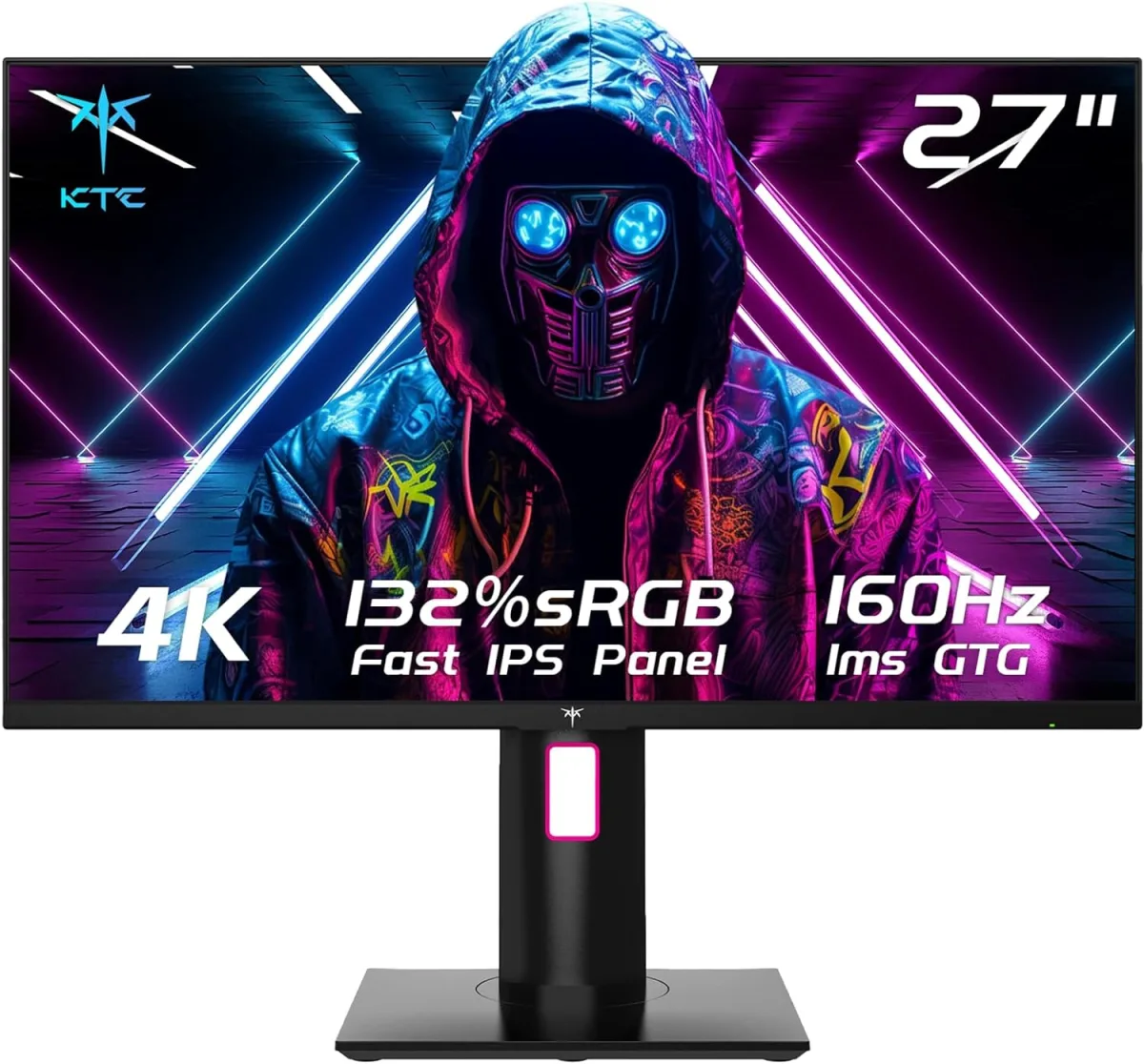
KTC 27" 4K UHD 160Hz Gaming Monitor: My Honest Take
As someone who spends way too much time staring at screens, whether it's battling online foes or pixel-peeping design layouts, finding a monitor that truly balances both worlds can be a real challenge. I've been on the hunt for a 27-inch 4K display with a high refresh rate that doesn't break the bank, and the KTC 27" 4K UHD 160Hz Gaming Monitor seemed to tick all the boxes on paper. After putting this monitor through its paces for several weeks, I'm ready to spill the beans on what I genuinely think.
My setup is fairly robust – an RTX 4080 GPU and a fast CPU, so I knew I could push this monitor to its limits. The promise of 4K at 160Hz with a 1ms GTG response time on a Fast IPS panel was incredibly enticing. I was looking for something that could handle my competitive gaming sessions in titles like Apex Legends and Cyberpunk 2077, but also provide the color accuracy and screen real estate needed for my graphic design work. Let's dive into the details.
First Impressions & Build Quality
Unboxing the KTC monitor was a pretty straightforward affair. The packaging was secure, and everything felt well-protected. Assembly was tool-less for the stand, which is always a plus. Out of the box, the monitor itself has a clean, minimalist aesthetic. It's not overly flashy with "gamer" RGB accents, which I appreciate. The bezels are reasonably thin, contributing to an immersive look.
The stand is where this monitor really started to impress me. It's robust and offers a full suite of ergonomic adjustments: height, tilt, swivel, and even pivot for portrait mode. I immediately set it up in standard landscape, but knowing I could easily rotate it for coding or document review was a huge bonus. The VESA mount compatibility is also there, so if you prefer an arm, you're covered. Overall, the build quality feels solid, certainly not flimsy, which is reassuring.
Gaming Performance: Fast, Fluid, and Fantastic
This is where the rubber meets the road for a "gaming monitor." I fired up a few demanding titles, and the KTC monitor absolutely shined. The 4K resolution at 27 inches provides incredible sharpness; everything from character models to environmental details looks stunning. Playing Cyberpunk 2077 at 4K with ray tracing was an absolute visual treat. The Fast IPS panel delivered vibrant colors and excellent viewing angles, making the experience truly immersive.
The 160Hz refresh rate (overclocked from 144Hz, which is easy to enable in the OSD) combined with the 1ms GTG response time made a noticeable difference in fast-paced games. I primarily play Apex Legends, and the fluidity of motion was superb. I didn't experience any significant ghosting or motion blur, even in hectic gunfights. FreeSync Premium Pro worked flawlessly with my NVIDIA card thanks to G-Sync compatibility, ensuring tear-free gaming. There's nothing worse than screen tearing when you're trying to hit a headshot, and I'm happy to report that wasn't an issue here.
HDR400 is present, and while it's not true HDR with local dimming, it does enhance contrast and brightness in compatible games. Don't expect OLED-level HDR, but it's a step up from SDR and adds a nice pop to visuals. For the price point, I think it's a perfectly acceptable implementation. If you're looking to grab it on Amazon, you're getting a very capable gaming display.
Productivity & Design Work: Sharpness and Color
Beyond gaming, this monitor holds its own for creative tasks. The 4K resolution on a 27-inch screen means text is incredibly sharp, making long hours of reading or writing much more comfortable. I noticed a significant increase in productivity simply due to the amount of screen real estate available. You can easily tile multiple applications without feeling cramped.
For design work, the 132% sRGB coverage is fantastic. Colors appear accurate and vibrant. While I wouldn't recommend it for professional-grade color grading without calibration, for general graphic design, photo editing, and web development, it's more than sufficient. I compared it to my older professional monitor, and the KTC held its own surprisingly well in terms of color reproduction and consistency across the panel. The ability to pivot the screen into portrait mode is also a godsend for designers working on vertical layouts or for coders. It's genuinely a versatile display.
Connectivity & Features
The KTC monitor comes equipped with the necessary ports: two HDMI 2.1 ports and one DisplayPort 1.4. The HDMI 2.1 is crucial for getting 4K at high refresh rates from modern consoles like the PS5 or Xbox Series X, or from a PC if your GPU supports it. I tested it with my PS5, and 4K 120Hz worked perfectly. The OSD (On-Screen Display) menu is navigable via a joystick on the back, which is my preferred method. It's intuitive and provides easy access to all the settings.
What I Loved (Pros)
- Stunning 4K Resolution: Everything looks incredibly sharp and detailed.
- High Refresh Rate (160Hz): Smooth, fluid gaming experience with minimal motion blur.
- Excellent Ergonomics: The fully adjustable stand is a huge plus for comfort and versatility, especially the pivot feature.
- Vibrant Colors: The Fast IPS panel with 132% sRGB coverage makes content pop.
- Responsive (1ms GTG): No noticeable input lag or ghosting in fast-paced games.
- Connectivity: HDMI 2.1 ports are great for console gaming or newer PCs.
- Value: Considering the features, it offers a lot for its price point. You can check today's price and see for yourself.
What Annoyed Me (Cons)
- HDR400 is Just Okay: While it adds a bit of pop, it's not true HDR. Don't expect mind-blowing contrast.
- External Power Brick: Not a dealbreaker, but I prefer internal power supplies for cleaner cable management.
- Speakers (If You Care): Like most monitors, the built-in speakers are fairly weak. I always use headphones or external speakers, so it didn't bother me, but worth noting if you rely on them.
- Initial OSD Navigation: The joystick is good, but navigating some of the deeper settings took a moment to get used to.
Who Should Buy This
If you're a gamer with a powerful GPU (RTX 3070/RX 6700 XT or better) who wants to experience 4K gaming at high refresh rates, this monitor is a fantastic choice. It's also ideal for designers, content creators, or anyone who needs a lot of screen real estate and accurate colors for productivity tasks. The full ergonomic stand and vertical mode make it incredibly versatile for multi-monitor setups or specific workflows. If you value a blend of performance and features without emptying your wallet for a premium brand, then you should seriously consider this KTC monitor.
Who Should Skip It
If you're on a tight budget and don't have a GPU capable of pushing 4K at high frames, you might be better off with a 1440p high-refresh monitor. Also, if you're a professional color grader who needs absolute, uncompromised color accuracy (Delta E < 1) for critical work, you'll likely need to spend significantly more on a dedicated professional display. Lastly, if you expect top-tier HDR with local dimming zones, the HDR400 here won't satisfy you.
Final Thoughts
I came into this review cautiously optimistic, and I'm leaving genuinely impressed. The KTC 27" 4K UHD 160Hz Gaming Monitor is a seriously strong contender in its category. It delivers on its promises for both gaming and productivity, offering a vibrant, fast, and highly adjustable experience. For the features it packs, the value is undeniable. It's become my daily driver, and I don't see that changing anytime soon. If you're ready for a serious upgrade, you can pick one up here and experience it for yourself.