My Journey into the World of Labeling: Why I Grabbed the Phomemo D30
I’ve always been one of those people who *wants* to be organized, but often falls short. My pantry looked like a disaster zone, my craft supplies were a tangled mess, and finding anything in my office drawers was a full-blown expedition. I’d seen those sleek, minimalist labels on social media and thought, "Hey, maybe that's the missing piece." So, after some browsing, I decided to take the plunge and grab the Phomemo D30 on Amazon. I needed something simple, compact, and ideally, ink-free. This little gadget promised all of that.
First Impressions: Small But Mighty
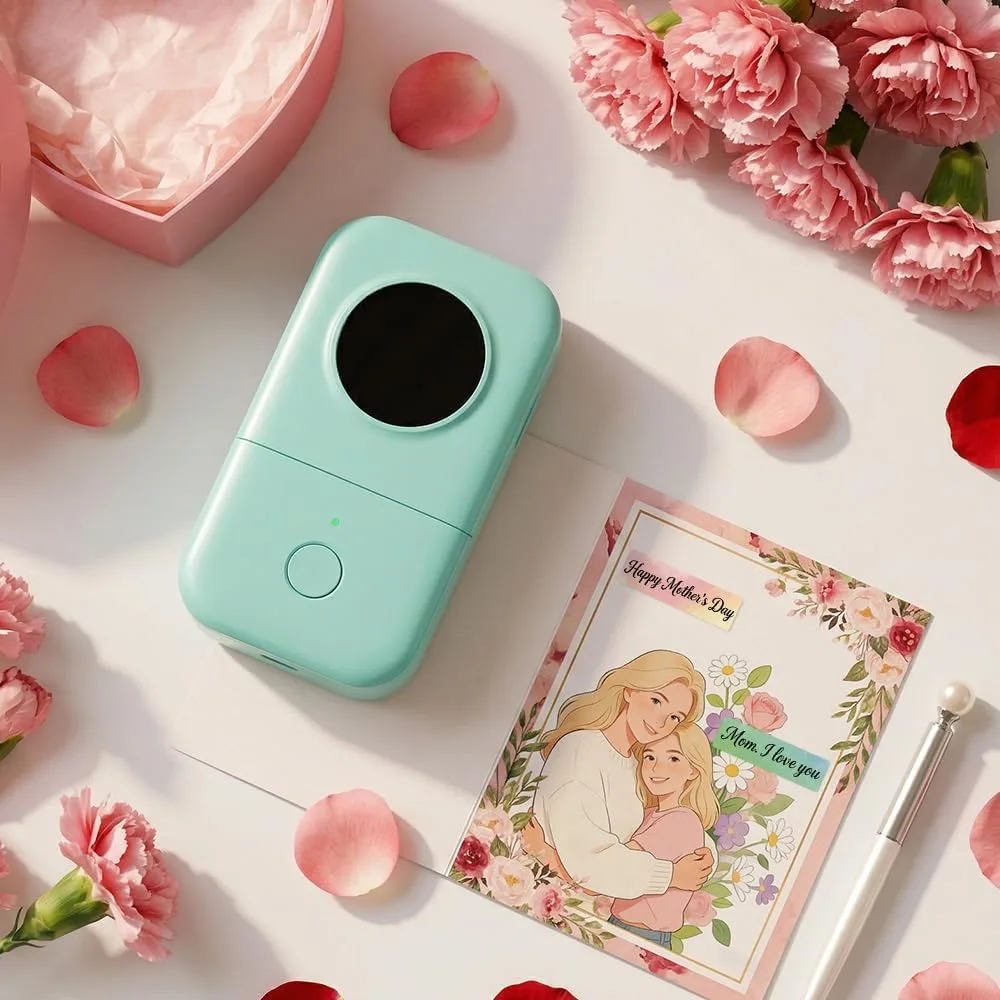
When the Phomemo D30 arrived, I was immediately struck by its size. It's really small and cute, fitting easily in the palm of my hand. The design is sleek and minimalist, which I appreciate. It felt surprisingly solid for such a compact device, not flimsy at all. Inside the box, you get the printer, a USB charging cable, and a small roll of white labels to get started. No complicated setup instructions, which was a huge relief.
Connecting and Using the App: The Brains Behind the Operation
The Phomemo D30 operates entirely via a smartphone app, which is something to keep in mind. Pairing it with my phone via Bluetooth was a breeze – literally, a few taps in the app, and it was connected. The app itself, called "Phomemo," is surprisingly robust. I've used other gadget apps before that were clunky and frustrating, but this one is intuitive.
I dove straight into creating my first label. The app offers a ton of customization options:
- Fonts: A wide variety, from simple and clean to more decorative.
- Icons/Symbols: Categories like home, office, kitchen, even some cute decorative elements. This was a pleasant surprise; I found icons for spices, laundry, and even little warning symbols.
- Templates: Pre-designed layouts for common uses like pantry labels, date labels, or cable tags. These are a real time-saver.
- Borders: Various frames and decorative borders to make labels pop.
What I really liked was the ability to adjust text size, alignment, and even create multi-line labels. I could preview everything before printing, which saved a lot of wasted labels. The learning curve was minimal; within 15 minutes, I was confidently designing custom labels for my spice jars.
Print Quality and Label Variety: Crisp, Clear, and Surprisingly Durable
Being a thermal printer, the Phomemo D30 doesn't use ink. This is a massive pro for me – no dried-up cartridges or smudged prints. It prints in black and white, which is perfect for most organizational tasks. The labels come out surprisingly crisp and clear. I started with the standard white labels and then branched out to some clear ones for a "no-label" look on glass jars, and even some patterned ones for craft projects. The adhesive is strong enough to stick well to various surfaces – glass, plastic, metal – but I found it was also removable without leaving a sticky residue if I needed to reposition something (at least if removed fairly quickly). After a few weeks of use, I noticed the labels holding up well, even in my slightly humid kitchen.
The only minor quibble is that, like all thermal prints, they *can* fade over extremely long periods or with constant direct sunlight exposure. But for everyday home organization, I don't anticipate this being an issue for years, if ever.
Performance & Battery Life: Reliable and Ready
The Phomemo D30 prints quickly and quietly. It's not a speed demon, but for individual labels or small batches, it's more than fast enough. The rechargeable battery is another win. I charged it fully when I first got it, and it lasted through several labeling sprees (pantry, fridge, office supplies, kids' toy bins) before needing another charge. I haven't measured exact hours, but it felt like a good, solid week or two of intermittent use on a single charge. It uses a standard USB cable, so charging is convenient.
What I Loved (The Pros):
- Incredibly Compact & Portable: Fits anywhere, easy to take with you if you're labeling at different locations.
- Ink-Free Thermal Printing: No messy cartridges, no running out of ink, ever. Just buy more labels.
- Excellent App Functionality: The Phomemo app is intuitive, feature-rich, and offers great customization with fonts, icons, templates, and borders.
- Variety of Labels: So many options – white, clear, colored, patterned, different sizes. This opens up a lot of creative possibilities.
- Easy to Use: Once you get the hang of the app, creating and printing labels is super straightforward.
- Great for Organization: My pantry has never looked better. Seriously, it’s a game-changer for getting things tidy.
- Rechargeable Battery: Long-lasting and convenient USB charging.
What Annoyed Me (The Cons):
- App-Dependent: You absolutely need your smartphone and the app to use it. No standalone functionality.
- Proprietary Labels: You have to buy Phomemo D30 specific labels. They’re readily available, but it’s not like you can just use any thermal paper. This also means you can't print in color.
- No Cutter Button: You have to tear the labels off manually against a serrated edge. While it works fine, a clean cut button would have been a nice touch for perfectly straight edges every time.
- Monochrome Only: Black print on a colored/white/clear background is all you get. If you need color coding or graphics, this isn't for you.
Who Should Buy This?
If you're like me and constantly battling clutter, or you just enjoy having things neatly labeled, this is a fantastic tool. It’s perfect for:
- Home Organizers: Pantry, fridge, spice jars, laundry room, storage bins, kids' toys.
- Crafters & Hobbyists: Labeling supplies, organizing beads, yarn, tools, or creating small tags for handmade items.
- Small Business Owners: For light-duty labeling of products, envelopes, files, or inventory bins.
- Students: Organizing notes, binders, or dorm room essentials.
- Anyone Who Hates Ink: Seriously, the ink-free aspect is a huge win.
If you’re looking for an affordable, easy-to-use label maker that delivers crisp results for everyday tasks, I highly recommend you check today's price.
Who Should Skip It?
This isn't for everyone. You might want to look elsewhere if you:
- Need Color Labels: This only prints in black.
- Require Industrial-Strength Labels: For heavy-duty, outdoor, or highly specialized labeling, you’ll need something more robust.
- Dislike App-Controlled Devices: If you prefer standalone gadgets or have limited phone storage, the app reliance might be a bother.
- Need Extreme Print Longevity: While good for most uses, thermal prints aren't archival quality and can fade over many years.
Final Thoughts: A Tiny Tool, Big Impact
The Phomemo D30 Bluetooth Label Maker has genuinely surprised me. I bought it on a whim to tackle my messy pantry, and it quickly became an indispensable tool for so many other organizational projects around the house. It's not just a label maker; it's a little motivation booster that makes tidying up feel less like a chore and more like a creative project. The ease of use, the customization options through the app, and the sheer convenience of ink-free printing make it a winner in my book. If you're on the fence, I'd say give it a shot – you might just find yourself labeling everything in sight. You can pick one up here and start your own organization journey!