My Honest Take on the Plaud NotePin S AI Voice Recorder
As someone who spends a good chunk of my week in meetings and conducting interviews, I'm always on the hunt for gadgets that can make my life easier. Taking notes by hand is often a losing battle, and re-listening to hours of audio is even worse. So, when I stumbled upon the Plaud NotePin S, a wearable AI voice recorder that promised to transcribe and summarize my recordings, my interest was definitely piqued. I decided to check today's price and give it a shot.
First Impressions: Small But Mighty
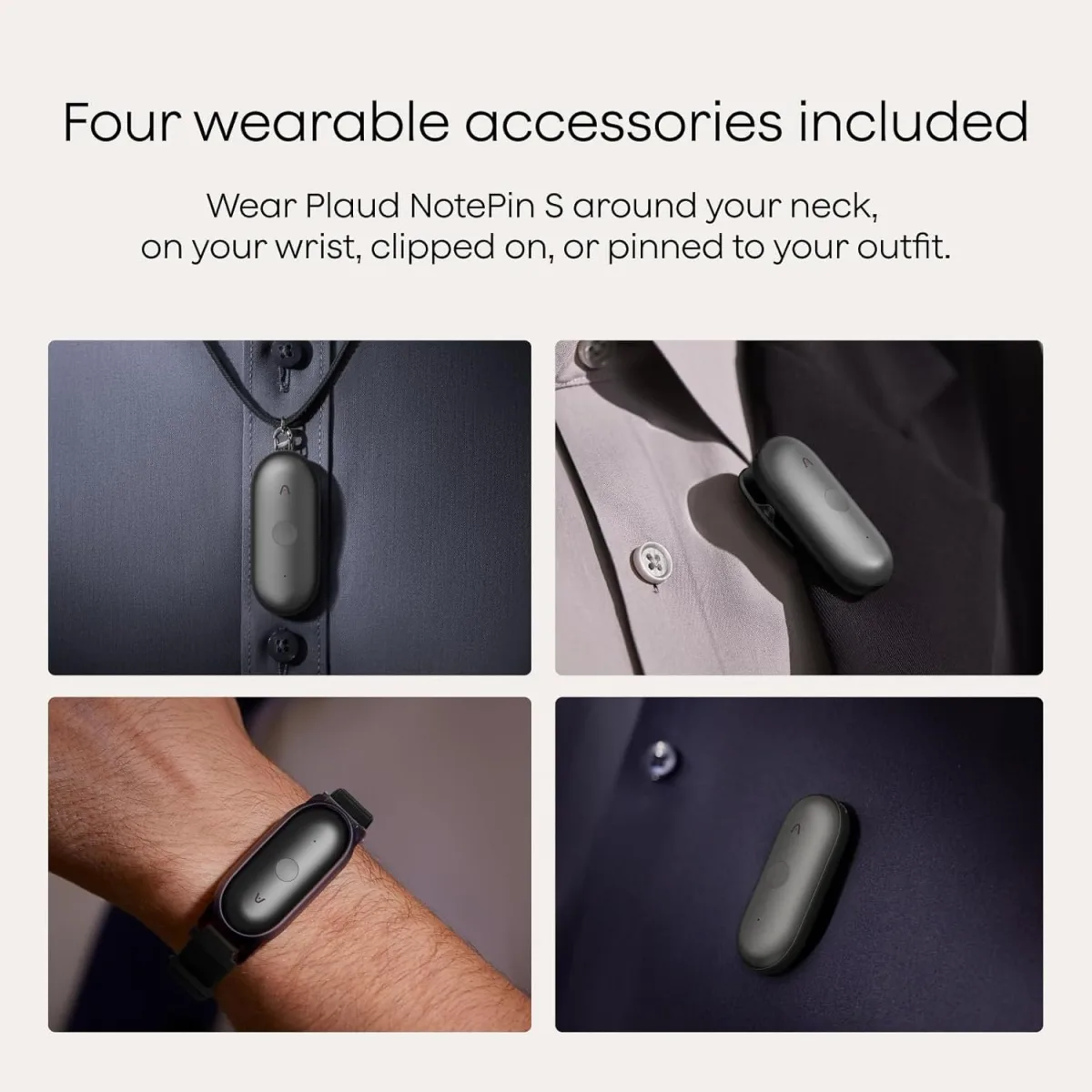
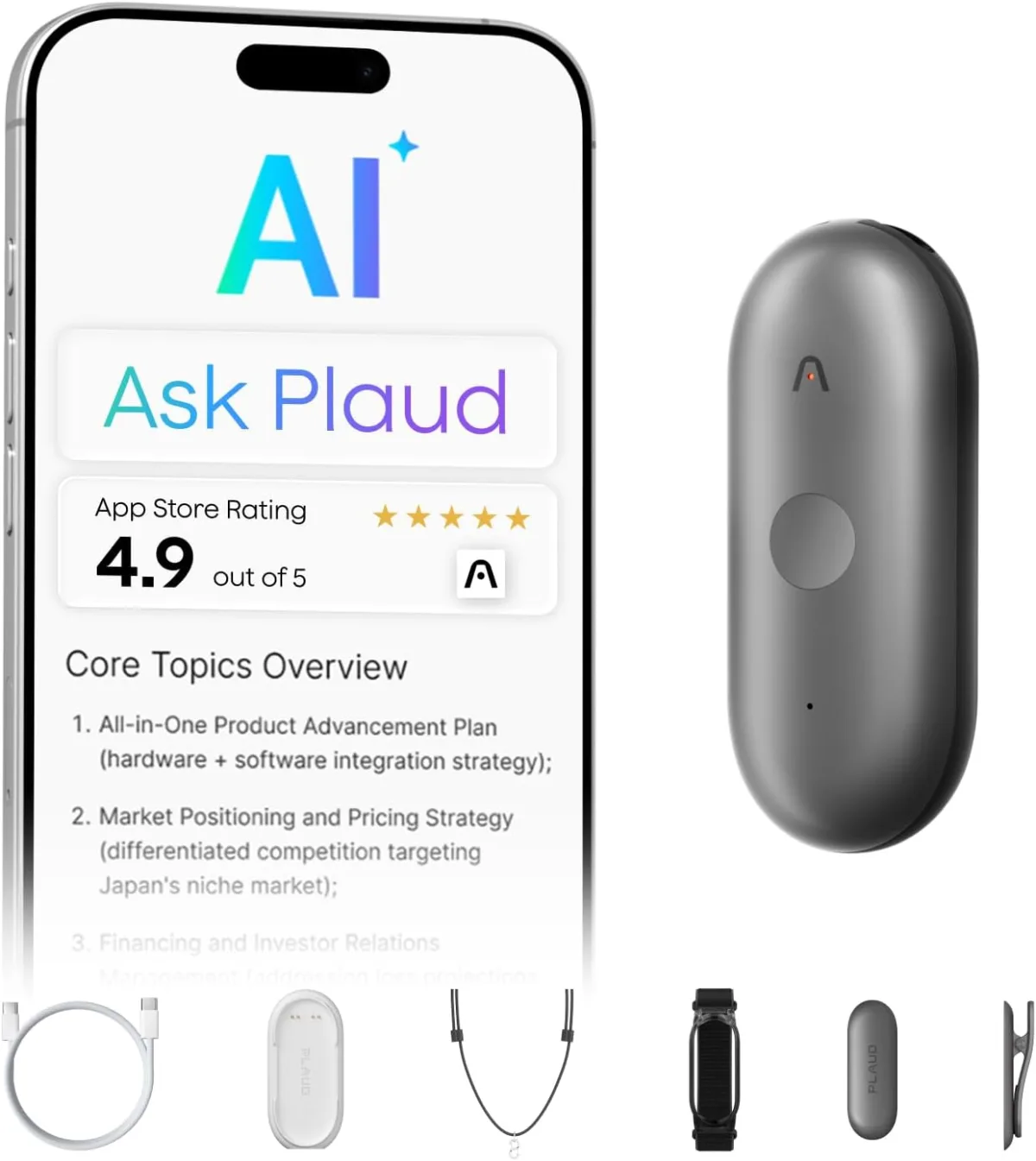
Out of the box, the NotePin S is surprisingly small and sleek. It’s about the size of a large thumb drive, with a minimalist design that feels pretty premium. It's got a nice weight to it, not too light that it feels cheap, but not so heavy it'd pull down your shirt pocket. The kit comes with four accessories: a magnetic clip (my favorite), a magnetic base, a lanyard, and a privacy cover. The magnetic clip is genius – I've been clipping it to my shirt collar, pocket, or even my laptop screen during virtual meetings. It's discreet and doesn't draw attention, which is a big plus for interviews.
Setting it up was pretty straightforward. You download the Plaud app, pair the device via Bluetooth, and you're good to go. I noticed the app is where all the magic happens for transcription and summarization.
Recording Quality: Clear and Crisp
The core function, of course, is recording, and the NotePin S does a solid job here. I tested it in various environments:
- Quiet Office Meeting: Voices came through incredibly clear. It picked up everyone around the table without issue.
- Noisy Coffee Shop Interview: This was a tougher test. While it did pick up some background chatter, the main voices were still distinguishable. I wouldn't say it's perfect for extremely loud environments, but for typical cafe noise, it held its own.
- Virtual Meeting (clipped to laptop): Worked perfectly, capturing my voice and the audio from the computer speakers without much fuss.
The 64GB of internal memory is more than enough for what I need. I haven't come close to filling it up, even with hours of recordings.
Transcription & Summarization: The Real Test
This is where the Plaud NotePin S really tries to shine, and honestly, it’s a mixed bag, but mostly on the positive side. Once you've recorded, you sync the audio to the app, and then you can initiate transcription and summarization. It supports 112 languages, which is impressive, though I mostly stuck to English.
- Transcription Accuracy: In quiet settings with clear speakers, the transcription is remarkably accurate, often hitting 90-95%. It handles accents fairly well too. Where it struggles, as expected, is with multiple speakers talking over each other or very soft-spoken individuals. You definitely need to review and edit the transcript, but it gives you an excellent starting point, saving tons of time.
- Summarization: This feature is a fantastic time-saver. After transcription, the app can generate a summary. For a 30-minute meeting, it usually spits out a concise paragraph or bullet points highlighting key decisions and action items. It's not always perfect, sometimes missing a nuance or two, but it provides a great overview, helping me quickly recall what happened without re-reading the full transcript.
The processing time depends on the length of the recording and your internet speed, but it's generally pretty quick for typical meeting lengths.
Wearability & User Experience
The wearable aspect is probably my favorite part. The magnetic clip is sturdy and lets me attach it discreetly. No more fumbling with my phone or a bulky recorder. The privacy cover is also a thoughtful addition for sensitive situations, giving a clear visual cue that recording is paused. The simple one-button operation (press to record, press again to stop) is intuitive, which is crucial when you just want to capture something quickly without thinking too much about it.
Battery life has been solid. I get several hours of continuous recording, easily enough for a full day of meetings or interviews without needing a recharge. It charges via USB-C, which is convenient.
What I Liked (Pros):
- Compact & Discreet Design: Super small, easy to hide, and the magnetic clip is fantastic.
- Good Audio Quality: Clear recordings, especially in quieter environments.
- Impressive Transcription: Saves a huge amount of time, even with minor edits needed.
- Useful Summarization: Great for quick recaps and identifying key points.
- Long Battery Life: Easily lasts through my workday.
- Generous Storage: 64GB is more than enough for my needs.
- Intuitive Operation: One button to record, super simple.
What Annoyed Me (Cons):
- Transcription isn't Flawless: You still need to proofread and edit, especially with multiple speakers or background noise. Don't expect 100% accuracy every time.
- App Dependent: All the smart features (transcription, summarization) happen in the app, so you need your phone and an internet connection for those.
- No On-Device Display: While simple, a tiny screen for battery life or recording status would be nice without needing the app.
- Pricing Model for Transcription: While the device itself is a one-time purchase, I discovered that the advanced transcription and summarization features have a subscription model after an initial free trial. This wasn't immediately obvious on the Amazon page and is definitely something to consider. Make sure to see what others paid and read the full product details regarding the subscription before you buy.
Who Should Buy This?
If you're a student, journalist, business professional, or anyone who regularly attends meetings, lectures, or interviews and needs to process spoken information efficiently, this device could be a game-changer for you. It's perfect for people who want to focus on the conversation rather than constantly scribbling notes. If you appreciate discreet recording and value your time, you'll likely find this very useful.
Who Should Skip It?
If you need 100% perfect, unedited transcripts every single time without any effort, or if you primarily record in extremely noisy environments, this might not meet your expectations. Also, if you're not comfortable with an app-dependent workflow or don't want to deal with potential subscription costs for advanced features, you might want to look elsewhere. Finally, if you just need a basic audio recorder without any smart features, there are cheaper options out there.
Final Thoughts
The Plaud NotePin S is a clever piece of tech that genuinely helps streamline the note-taking process. It's not a magical device that eliminates all human effort, but it significantly reduces it. The convenience of its wearable design, combined with decent audio capture and surprisingly good transcription/summarization, makes it a valuable tool in my gadget bag. Just be aware of the subscription model for its full smart features. Overall, I'm pretty impressed, and if you're in the market for something like this, you can grab it on Amazon.