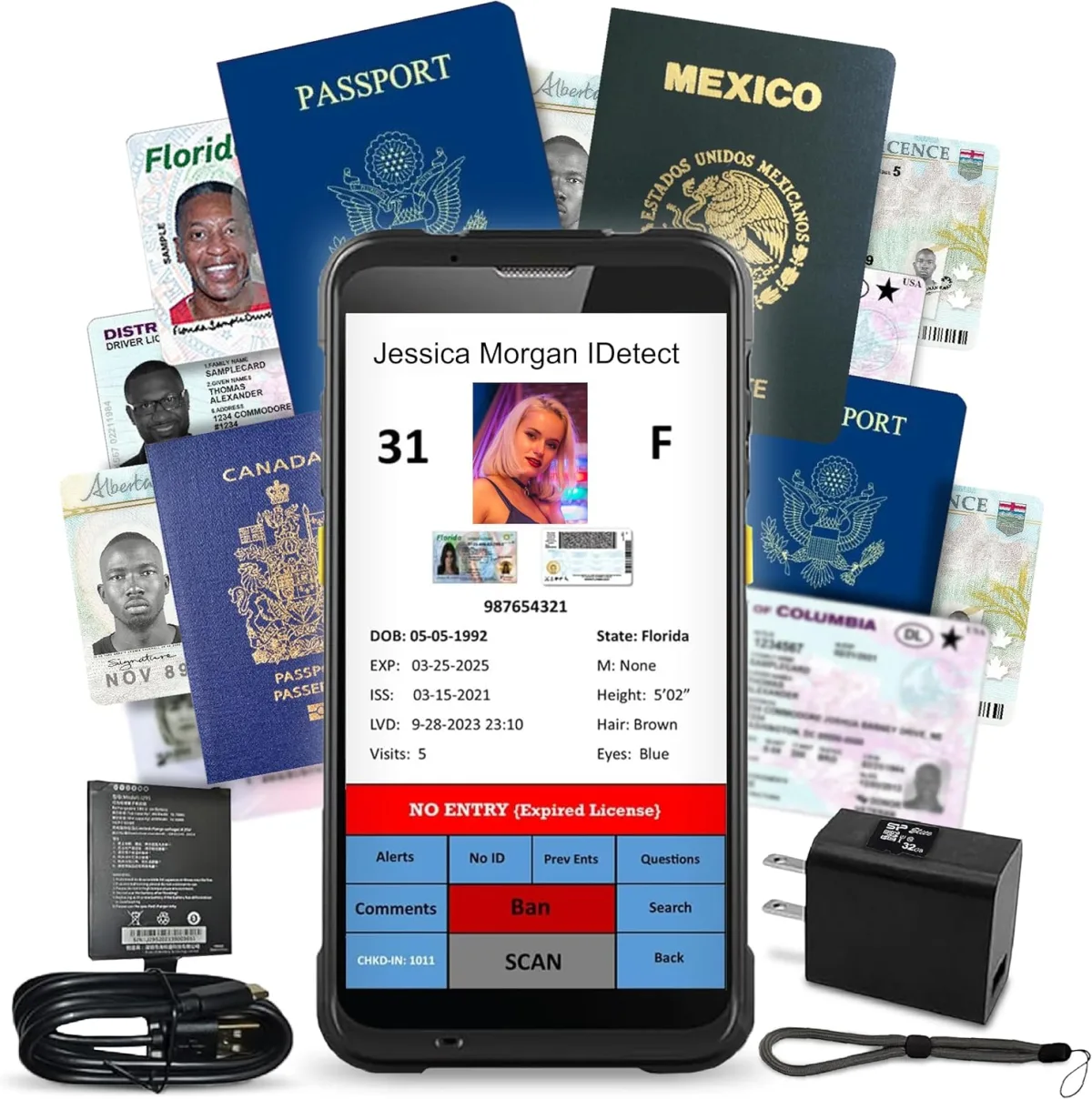
My Real-World Experience with the Quantum Edge V3 ID Scanner
As someone who runs a small venue that requires strict age verification and occasionally needs to track customer entry, I’ve been on the hunt for a reliable ID scanner for a while. Manual checks are slow, prone to human error, and frankly, a pain when you have a line wrapping around the block. That’s why I decided to invest in the Quantum Edge V3 Drivers License and Passport Reader. I was hoping it would streamline our entry process and give us peace of mind regarding compliance. After several weeks of putting it through its paces, I've got some honest thoughts to share.
First Impressions & Setup
The package arrived well-protected, which is always a good start. Out of the box, the handheld scanner itself feels substantial and durable, not flimsy plastic. It has a good weight to it, suggesting quality components. It came with a nice outer carry case and all the necessary accessories, including a charging dock, which is a huge plus for keeping things organized at the door.
Setting it up was mostly straightforward. You download the software, install it on a PC (it runs on Windows, which is what we use), and then connect the scanner. I did hit a minor snag with driver installation initially, but a quick restart and following the instructions precisely solved it. It’s not quite "plug-and-play" for the software side, but it's manageable if you have basic computer skills. Once installed, pairing the handheld unit was simple.
Performance: Speed and Accuracy
This is where the Quantum Edge V3 really needs to shine, and for the most part, it does. For standard US driver's licenses, it's incredibly fast. Most IDs scan in under two seconds, often closer to one, which is exactly what we needed to keep the line moving. The scanner reads both the 2D barcode on the back and the magnetic stripe (though most modern IDs rely on the barcode). The age verification display is clear and immediate – a big, green "APPROVED" with the birth date and calculated age, or a red "DENIED" if they're underage. This instant feedback is fantastic for new staff members, reducing hesitation and errors.
I noticed it handles less-than-perfect IDs reasonably well. Heavily scratched or slightly bent IDs sometimes require a second pass or adjusting the angle, but it’s rare that an ID simply won't read. Passport scanning is also surprisingly quick, though it requires a more deliberate placement on the scanner's window. It extracts the relevant data accurately, which is great for international visitors.
One minor annoyance: in very dim lighting, the scanner can sometimes be a bit finicky. We had to ensure our entry point had decent overhead light for consistent results. It’s not a deal-breaker, but something to be aware of depending on your operating environment. If you're already in the market for a serious ID solution, you can check today's price.
Software and Customer Management Features
The included software handles more than just age verification. It logs every scan, which is fantastic for compliance and incident tracking. You can see entry times, dates, and all the extracted ID data. The "customer management" aspect is fairly basic but functional. It lets you build a database of patrons, flag problem individuals, or even track repeat visitors. I found it useful for our loyalty program, though it’s not a full-fledged CRM by any means. It’s more about recording who came in and when.
The interface of the software isn't the prettiest – it looks a bit utilitarian – but it's intuitive enough. Exporting data for reports is straightforward, which is a must for our record-keeping. I also appreciate that there are no recurring subscription fees for the basic scanning and age verification features, which many competitors charge for. This was a significant factor in my decision to grab it on Amazon. Considering the features and the overall build, I think it offers solid value, and you can grab it on Amazon if it sounds right for your operation.
Portability, Durability, and Battery Life
The handheld scanner is quite portable. It’s not pocket-sized, but it’s easy to hold and pass around if needed. The outer carry case is a thoughtful addition, protecting the unit when not in use or during transport. It feels like it could withstand the occasional bump or drop, which is important in a busy environment. We haven't accidentally dropped it yet, but it inspires confidence.
Battery life has been impressive. A full charge lasts us through an entire busy night (typically 6-8 hours of continuous scanning) with power to spare. The charging dock makes it easy to just drop it in at the end of the night, ensuring it’s ready for the next day. This is crucial; nothing's worse than a dead scanner mid-shift.
Pros: What I Really Liked
- Blazing Fast Scans: Seriously, it’s quick, especially for driver’s licenses. Keeps lines moving.
- Accurate Age Verification: Clear, immediate feedback is invaluable for compliance.
- Robust Build Quality: Feels like a professional tool that can handle daily wear and tear.
- Comprehensive Data Logging: Essential for record-keeping and incident reports.
- No Recurring Fees: A huge cost-saver compared to other systems.
- Good Battery Life: Easily lasts a full busy shift.
- Includes Carry Case & Dock: Thoughtful additions for protection and convenience.
Cons: What Could Be Better
- Software Interface: A bit dated visually, though fully functional.
- Initial Setup: Driver/software installation can be a minor hurdle for less tech-savvy users.
- Dim Lighting Sensitivity: Can require extra effort to scan in poorly lit areas.
- Passport Scanning: A bit slower and more particular than license scanning.
- Customer Management is Basic: Don't expect a full CRM suite. It's more about logging and simple flagging.
Who Should Buy This
This scanner is perfect for businesses that need reliable, high-volume age verification and basic customer entry logging. Think bars, nightclubs, dispensaries, liquor stores, concert venues, or any establishment that regularly checks IDs. If speed, accuracy, and compliance are top priorities, and you appreciate a durable, professional-grade tool without ongoing subscription costs, the Quantum Edge V3 is definitely worth considering.
Who Should Skip It
If you only occasionally need to check an ID, or if your primary need is a comprehensive customer relationship management (CRM) system with advanced marketing features, this might be overkill. Small, low-volume operations might find the initial investment a bit steep for their needs. Also, if you exclusively rely on a Mac system, you'll need a Windows machine to run the software.
Overall Verdict
The Quantum Edge V3 has become an indispensable tool for my business. It has significantly sped up our entry process, reduced errors, and given us robust logging capabilities. While the software isn't flashy, it's functional and reliable, which is what truly matters. The initial setup might ask for a moment of your time, but the long-term benefits and the lack of subscription fees make it a smart investment. Ultimately, if you need a reliable, professional ID scanner for serious operations, this is a strong contender. You can pick one up here and see if it fits your needs.