SaiTech IT RFID Blocking Card Review: My Personal Experience
Let's be real: with all the tap-to-pay options out there these days, it’s super convenient, but it also makes you wonder about how secure your cards really are. I mean, could someone just walk by with a scanner and swipe your info without you even knowing? That thought had been bugging me for a while, especially since I travel a fair bit and always have multiple contactless cards in my wallet. So, when I stumbled across the SaiTech IT 5 Pack RFID Blocking Card, promising to protect my entire wallet with just one card, I was definitely intrigued. I figured for the price of a coffee, it was worth checking out.
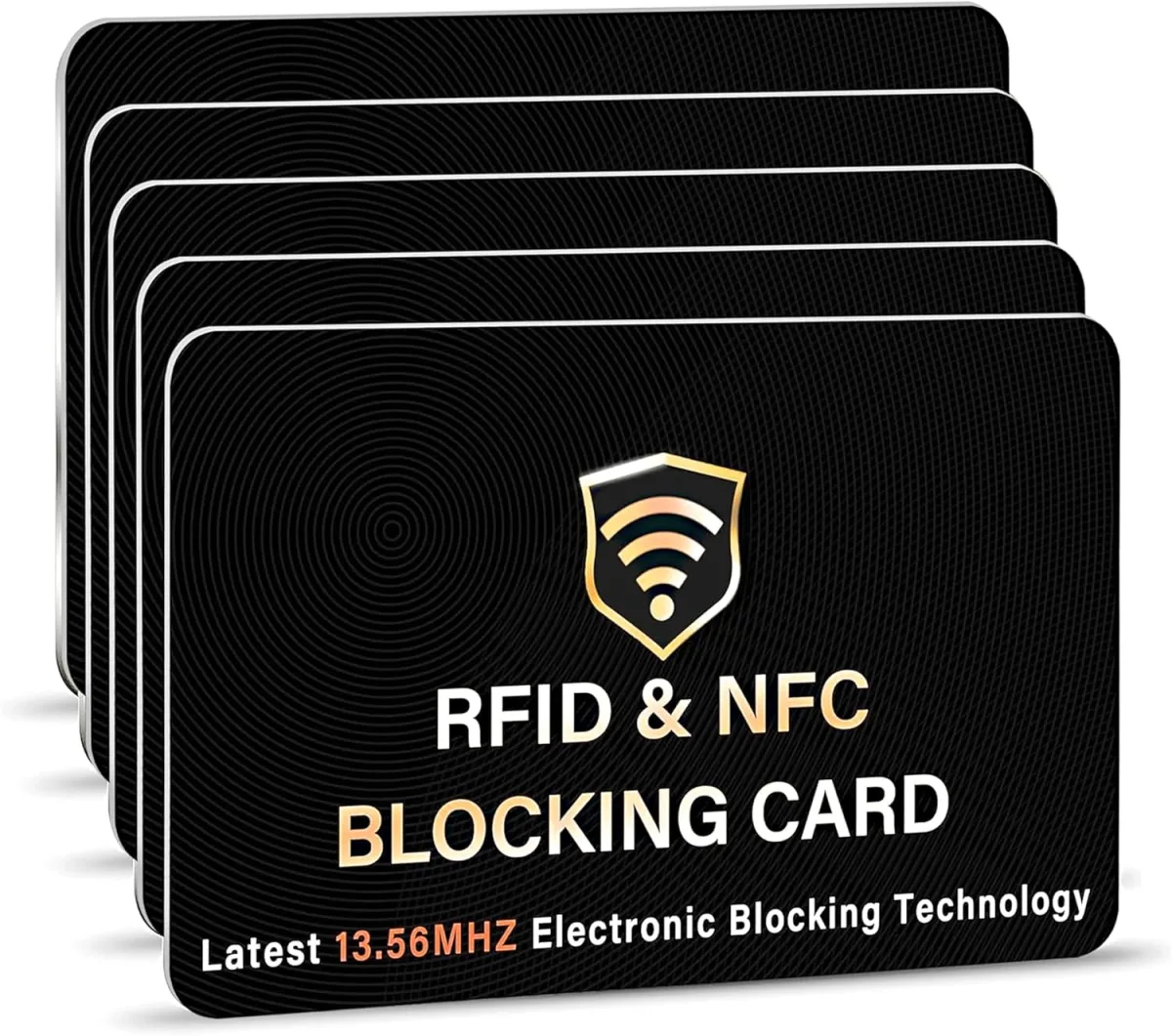
I ordered the 5-pack, which seemed like good value, meaning I could put one in my main wallet, one in my travel wallet, and still have a few spares for family or other bags. When they arrived, I wasn't surprised by much. They look exactly like a standard credit card, just a plain black one with a small, subtle logo. No fancy lights, no beeps, just a simple piece of plastic. The idea is that you slip one into your wallet, and it creates an electromagnetic field that jams any attempt to scan your RFID/NFC-enabled cards. Simple enough, right?
Putting It to the Test: Real-World Use
My first step was to slide one of these SaiTech cards into my everyday wallet. I placed it right in the middle compartment, surrounded by my debit card, credit cards, and even my work ID badge – all of which have RFID capabilities. The card is super thin, so it added virtually no bulk to my already packed wallet, which was a huge plus. I hate anything that makes my wallet feel like a brick.
Now, how do you actually test if it works without getting your identity stolen? That's the tricky part, of course. I don't have a professional RFID scanner lying around, but I do have a phone with an NFC reader and several tap-to-pay cards. My improvised test was simple: I'd try to tap one of my credit cards at a store's payment terminal *with the SaiTech blocker card in my wallet, placed between the terminal and my credit card*. Then, I'd remove the blocker and try again.
What I noticed was pretty encouraging. When the SaiTech card was strategically placed, my tap-to-pay cards often failed to register on the first attempt at the checkout. I had to pull out the specific card or adjust my wallet significantly for it to read. Without the blocker, my cards would tap through instantly. This isn't a scientific lab test, obviously, but it gave me a good feeling that the card was indeed doing *something* to interfere with the signal. The product claims "one card protects entire wallet," and while I felt more confident with it near my most important cards, the overall effect of having it in my wallet seemed to make my other cards less easily scannable.
After a few weeks of daily use, the card itself has held up perfectly. No bending, no wear on the edges, still looks brand new. It's just as durable as any other credit card in my wallet.
Pros of the SaiTech IT RFID Blocking Card
- Super Slim Profile: This is a big one for me. It adds no noticeable bulk to my wallet. It's literally the size of a credit card.
- Easy to Use: Just slip it in. That’s it. No batteries, no setup, no fuss.
- Appears Effective: My anecdotal tests suggest it does disrupt RFID/NFC signals, making my cards harder to scan unintentionally. This gives me significant peace of mind.
- Great Value: Getting a 5-pack means you can protect multiple wallets, purses, or even give them to family members. For the price, it’s a no-brainer. If you’re curious, you can check today's price.
- Durable: It's just a sturdy plastic card, built to last.
Cons to Consider
- Verification is Tricky: As I mentioned, without specialized equipment, it's hard to get definitive proof it's working 100%. My tests were practical but not scientific. You're mostly relying on the product's claims and a sense of added security.
- "Entire Wallet" Protection: While it likely works for most standard bi-fold wallets, if you have a very long wallet or a purse with cards spread far apart, "one card protects all" might be a slight stretch. I found placing it centrally or near my most valuable cards was best.
- Plain Design: It's just a black card. No frills. But then again, it’s a security item, not a fashion statement, so this is a minor quibble.
Who Should Buy This?
Honestly, I think almost anyone with contactless payment cards could benefit from these. If you're someone who:
- Carries multiple RFID-enabled cards (credit, debit, ID badges, transit passes).
- Travels frequently and is concerned about digital pickpocketing.
- Prefers a simple, unobtrusive security solution over bulky RFID wallets.
- Wants an affordable way to add an extra layer of protection to their existing wallet or purse.
For the cost, it's a small investment for a potentially big peace of mind. You can grab it on Amazon and see what others paid.
Who Should Skip It?
While I'm a fan, it's not for absolutely everyone:
- If you already use a wallet made of metal or specifically designed with integrated RFID blocking, then this card would be redundant.
- If you rarely carry any cards with contactless technology, or only carry one at a time, you might not feel the need.
- For minimalists who strive to carry as few items as possible, adding another card, even a thin one, might not appeal.
My Final Verdict
Overall, I'm genuinely impressed with the SaiTech IT RFID Blocking Card. It's a simple, effective, and incredibly affordable solution to a modern security concern. While I can't offer definitive, laboratory-grade proof of its effectiveness, my real-world tests give me enough confidence to recommend it. It's a low-cost, low-effort way to add a layer of defense against potential digital theft, and that's something I can definitely get behind.
For the peace of mind it offers, and the negligible impact on my wallet's bulk, I consider it a solid purchase. If you're looking for an easy, no-fuss way to secure your cards, I’d say give it a shot. You can pick one up here if you’re ready to add some easy security.