Elevating Our Remote Meetings: My Experience with the TONGVEO 4K Conference System
I was on the hunt for a better video conferencing setup for my small business office. My old webcam just wasn't cutting it for meetings with multiple people in the room, and I really wanted something that felt more professional and less like a static webcam. The TONGVEO 4K Conference Room Camera System with Gesture Control, AI Auto-Tracking, and the included speakerphone set looked incredibly promising on paper, especially with its promises of auto-tracking and integrated audio. I decided to take the plunge and see if it could truly elevate our remote meeting game.
First Impressions and Setup
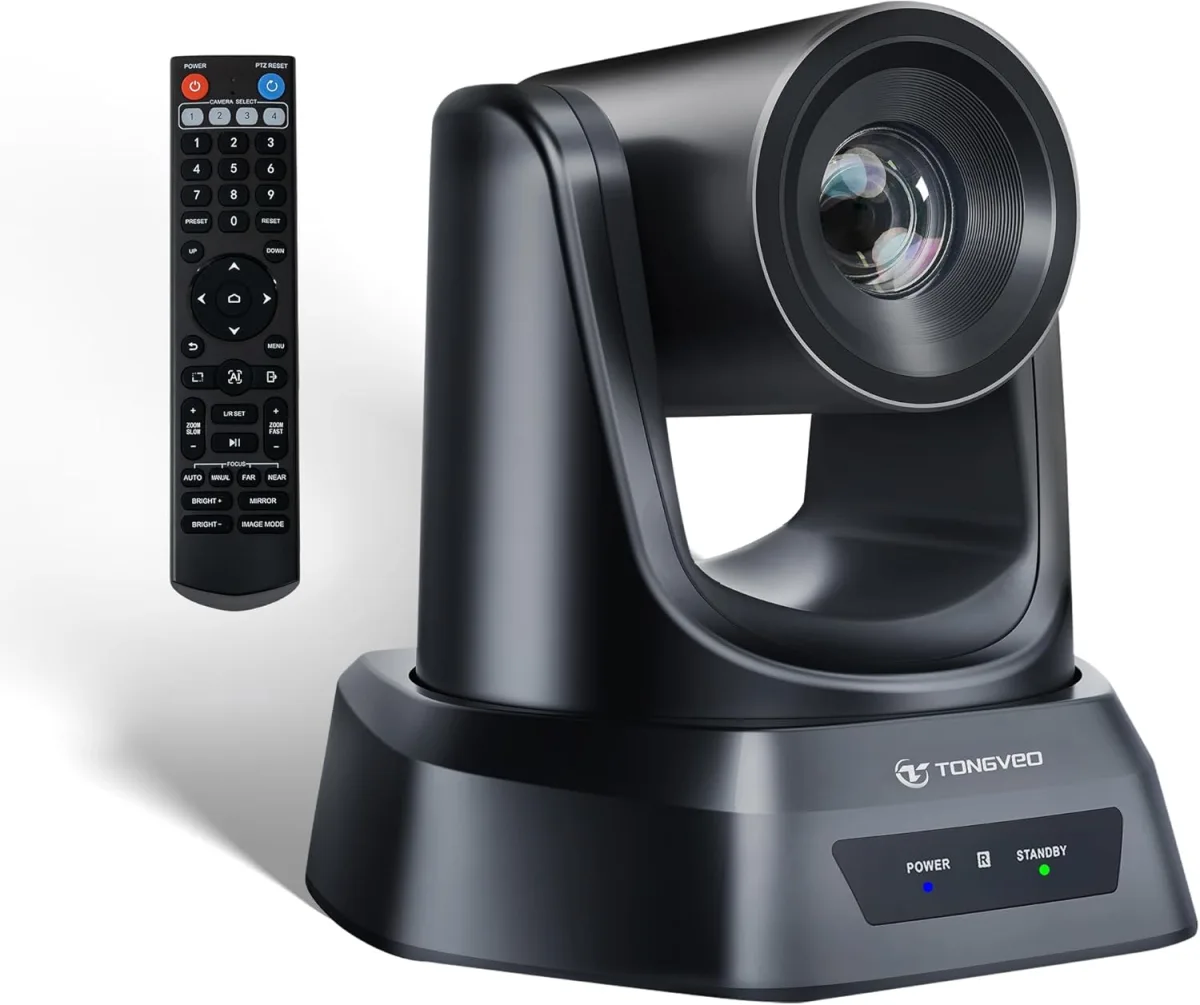
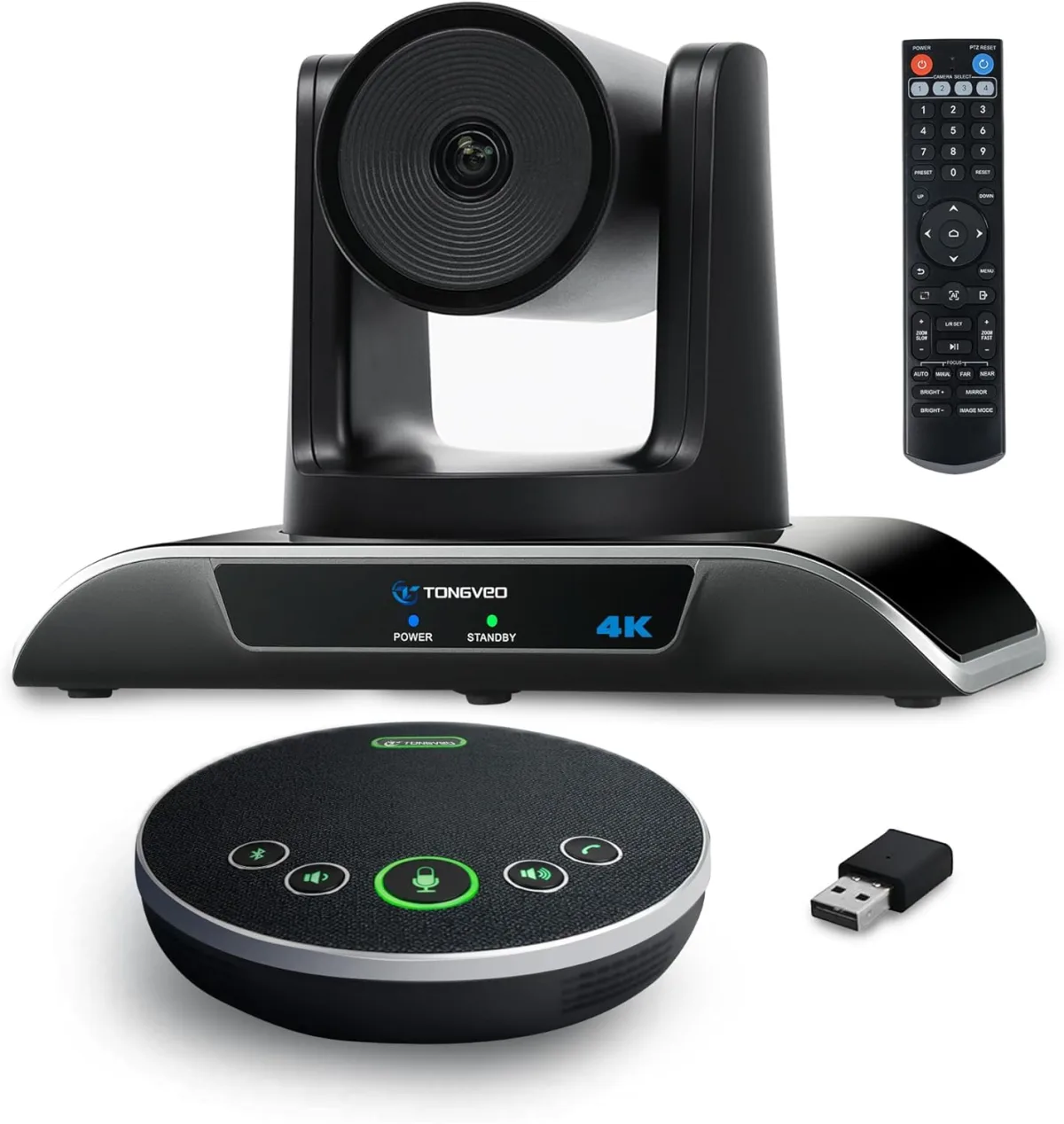
Unboxing the TONGVEO system, I found everything neatly packed and well-protected. The camera itself feels solid and well-built, definitely not cheap plastic, which was a good sign. The speakerphone unit is sleek, compact, and unobtrusive, fitting nicely on our conference table without drawing too much attention. Connecting it all was surprisingly straightforward, which I always appreciate. It was essentially a plug-and-play experience:
- One USB 3.0 cable goes from the camera directly to my computer.
- Another cable connects the speakerphone unit to the camera.
Windows recognized it instantly, and it showed up as an available camera and microphone option in both Zoom and Microsoft Teams without any fuss. No special drivers to download or software to install, which was a huge relief. Within minutes, we were ready to test it out.
Video Quality: Crisp and Wide
This is where the "4K" really shines. The picture quality is incredibly crisp, clear, and vibrant. I noticed a significant upgrade in detail and color accuracy compared to my old 1080p webcam, even in our office's standard fluorescent lighting. The 120° wide-angle lens is fantastic for smaller conference rooms or when you have a few people gathered around a table; it captures everyone comfortably within the frame without making them look like tiny dots. It's a lifesaver for ensuring all participants are visible and engaged.
The 5X digital zoom works surprisingly well, too. While it's digital, not optical, the native 4K resolution provides enough headroom that zooming in a bit still looks remarkably good. It's not going to replace a dedicated, high-end optical PTZ camera for a huge auditorium, but for a typical conference room or a larger home office, it's more than adequate for focusing on a presenter or a whiteboard.
Audio Performance: Clear and Robust
The speakerphone unit is definitely a standout component of this system. The sound coming out of it is clear, well-balanced, and fills our small-to-medium-sized room easily. More importantly, the microphones are excellent. I tested it from different spots in our office, ranging from right in front to several feet away, and my voice consistently came through clearly to the other side. There was minimal echo, and it did a decent job of filtering out common background noises like the hum of the air conditioner or keyboard typing. This single unit really simplifies the audio setup, removing the need for separate microphones and speakers, which keeps the table clutter-free.
Key Features I Put to the Test
AI Auto-Tracking
This was one of the main reasons I wanted to pick one up here. I've seen other systems promise this, but often they're jerky or unreliable. The TONGVEO's auto-tracking is genuinely impressive. When I'm presenting and moving around the front of the room, the camera smoothly follows me, keeping me centered in the frame. It's not at all jerky or distracting for the remote participants, and it keeps me in frame almost perfectly. There were a couple of instances where I moved a bit too fast or someone else unexpectedly walked into the frame, and it took a second to re-center, but 95% of the time, it just works flawlessly. It makes solo presentations feel much more dynamic and professional.
Gesture Control
This feature sounded like a bit of a gimmick initially, but I found myself using it more than I expected. A simple "OK" gesture can turn the tracking on or off, and other gestures can zoom in or out. It's surprisingly handy when you don't want to reach for the physical remote or click through software menus. It takes a little practice to get the gestures just right so the camera recognizes them consistently, but once you do, it's a neat and useful trick that adds to the hands-free experience.
PTZ Functionality
Beyond the auto-tracking, you can, of course, manually pan, tilt, and zoom the camera using the included remote. The manual movements are smooth and precise, allowing you to fine-tune your shot. I really appreciated the ability to save presets, which is super useful for quickly switching between different areas of your room – perhaps focusing on a whiteboard, then a main speaker, then the group. It saves a lot of fiddling during a live call.
Pros: What I Loved
- Excellent 4K Video Quality: The image is sharp, clear, and vibrant, with a great 120° wide field of view.
- Impressive AI Auto-Tracking: Smoothly keeps the presenter in frame without being distracting.
- Clear, Robust Speakerphone: Both input and output audio are top-notch, reducing echoes and background noise.
- Easy Plug-and-Play Setup: Truly just connects via USB 3.0, no complicated drivers.
- Handy Gesture Controls: A surprisingly useful feature for quick, hands-free adjustments.
- Smooth Manual PTZ: Precise control and useful preset options.
- Good Value: For a complete camera and speakerphone system with these features, it's competitively priced.
Cons: What Annoyed Me a Little
- Digital Zoom Limitations: While good, it's still digital zoom, meaning it won't match the clarity of optical zoom for extreme close-ups or very large rooms.
- Gesture Control Learning Curve: It can be a little finicky until you consistently perform the gestures correctly.
- Tracking Re-Adjustment: The auto-tracking sometimes needs a moment to re-adjust if multiple people enter the frame quickly or someone moves very erratically.
- Physical Size: The camera unit itself is a bit larger than a standard desktop webcam, so you need to consider your mounting or placement options carefully.
Who Should Buy This
This TONGVEO system is ideal for small to medium-sized conference rooms, huddle spaces, or even advanced home office setups where you need to present professionally and move around. If you frequently host meetings with 2-6 people in the same physical space and want a seamless, high-quality audio and video experience without multiple devices cluttering your table, this is a solid choice. It's also great for educators, trainers, or anyone who needs to move while lecturing and wants to remain consistently in frame. If you're tired of poor audio and grainy video, and want to check today's price for an upgrade that truly makes a difference, this is definitely worth considering.
Who Should Skip It
If you only do solo meetings from a fixed desk position and don't need to move around, a simpler, less expensive 4K webcam might suffice. Also, if you need a camera for a very large auditorium with complex, long-distance optical zoom requirements, you'll need a more specialized, higher-end PTZ solution. Finally, if you're on a super tight budget and any basic webcam will do the trick for your needs, this might be overkill.
My Final Thoughts
After using the TONGVEO 4K Conference Room Camera System for several weeks, I'm genuinely impressed. It delivers on its promises, offering fantastic video and audio quality, with features like AI auto-tracking and gesture control that actually add significant value to the meeting experience. It's transformed our remote meetings, making them feel much more professional, engaging, and less clunky. For its price point, you're getting a lot of sophisticated technology that works pretty darn well right out of the box. If you're looking to significantly upgrade your conferencing setup and want a complete, integrated solution, I wholeheartedly recommend you grab it on Amazon.