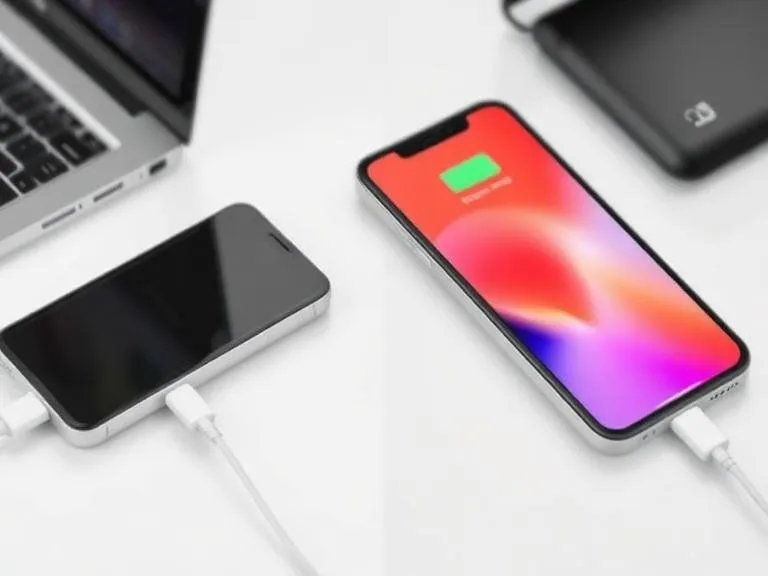
You've been there: frantically searching for an outlet, plugging in your dying smartphone, and then watching the battery percentage tick up at a snail's pace. But then, with a different charger, the numbers leap, hitting 50% in what feels like minutes. It’s not magic, nor is it random chance. The bewildering discrepancy in charging speed, a common frustration for device owners, is a direct result of intricate engineering decisions and evolving technological standards that govern how power flows from the wall to your gadget. Understanding why some chargers work faster than others unlocks not just quicker power-ups, but also a deeper appreciation for the silent, sophisticated ballet of electrons that powers our digital lives.
- Charging speed hinges on a charger's wattage (voltage x amperage) and the device's ability to accept that power.
- Modern fast charging relies on sophisticated communication protocols like USB Power Delivery (USB-PD) and Qualcomm Quick Charge.
- The quality and specification of your charging cable are crucial, as inadequate cables can throttle power delivery.
- Device compatibility and internal battery management systems dictate the maximum charging rate a device can safely achieve.
The Fundamental Physics of Power Delivery: Watts, Volts, and Amps
At the heart of every charger's capability lies the fundamental relationship between voltage, amperage, and wattage. Think of it like water flowing through a pipe. Voltage (measured in volts, V) is the pressure pushing the water, while amperage (measured in amps, A) is the volume of water flowing through the pipe. Wattage (measured in watts, W), the ultimate measure of power, is simply voltage multiplied by amperage (W = V x A). A higher wattage charger can deliver more total power to your device, theoretically charging it faster.
Early USB standards were quite modest. A standard USB 1.0/2.0 port delivered just 5V at 0.5A, totaling a mere 2.5W. This was fine for early flip phones or small accessories, but it's woefully inadequate for today's power-hungry smartphones and tablets. USB 3.0 increased this slightly to 5V at 0.9A (4.5W). The real game-changer arrived with USB-C, which, when paired with the Power Delivery (PD) specification, can negotiate much higher voltages and amperages, pushing power delivery up to 100W, and even 240W with the latest USB PD 3.1 Extended Power Range (EPR) specification. This massive leap in available power is the primary reason newer chargers seem to perform miracles compared to their older counterparts.
However, it's not just about the charger's output. Your device must also be designed to *accept* that higher wattage. A 100W charger won't charge an older iPhone 8 at 100W, because the iPhone 8's internal charging circuitry can only handle around 18-20W. It's a two-way street, a handshake between the charger and the device, mediated by complex internal electronics.
Charging Protocols: The Language of Fast Power
Simply having a high-wattage charger isn't enough; the charger and the device need to speak the same language to negotiate that power transfer. This "language" comes in the form of charging protocols. Without them, even the most powerful charger might default to a slow, basic 5V/1A output to prevent damage.
USB Power Delivery (USB-PD)
USB-PD is the reigning champion in modern fast charging. It's an open standard that allows devices and chargers to communicate and dynamically adjust voltage and current levels. This means a USB-PD compatible charger can deliver 5V, 9V, 15V, or even 20V at various amperages, optimizing the power transfer for the specific device connected. It's why one USB-C charger can power a smartphone, a tablet, and even a laptop. A 2022 study by the European Commission found that USB-C, driven largely by USB-PD, has become the dominant charging port, with 44% of smartphones sold in the EU already featuring it, making it the de facto standard for cross-device compatibility (European Commission, 2022).
This dynamic negotiation is critical for safety and efficiency. Your phone doesn't just blindly accept maximum power; it requests what it needs, and the charger delivers it within its capabilities. This intelligence is what truly differentiates modern fast chargers.
Qualcomm Quick Charge and Other Proprietary Standards
Before USB-PD gained widespread adoption, many manufacturers developed their own proprietary fast-charging standards. Qualcomm's Quick Charge (QC) is perhaps the most well-known, with various iterations (QC 2.0, 3.0, 4.0, 5.0) offering increasingly faster speeds. Other examples include Samsung's Adaptive Fast Charging, OnePlus's Warp Charge (formerly Dash Charge), Huawei's SuperCharge, and Apple's own proprietary protocols before they widely embraced USB-PD. While these protocols deliver impressive speeds, their primary limitation is compatibility. A Quick Charge 3.0 charger will only fast charge a device that supports QC 3.0; otherwise, it will revert to a slower, basic USB charging mode. This fragmentation has often left consumers with a drawer full of incompatible fast chargers, highlighting the advantage of a universal standard like USB-PD.
The Often Underestimated Role of Your Charging Cable
Think of your charging cable as the highway for power. You can have the most powerful engine (charger) and the most sophisticated destination (device), but if the highway (cable) is a single-lane dirt road, you're not going to get anywhere fast. This is a common oversight when people wonder why some chargers work faster than others.
Not all cables are created equal. Older or cheap USB-A cables, for instance, are often only rated for low current (e.g., 0.5A or 1A) and can't handle the higher amperages required by fast charging. Trying to push 3A or 5A through such a cable would not only be inefficient but could also generate excessive heat, posing a safety risk. For USB-C cables, the situation becomes even more nuanced. A basic USB-C cable might only support USB 2.0 data speeds and limited power delivery (e.g., 60W).
For high-speed charging, especially with USB-PD, you need a cable specifically rated for the power levels you intend to use. For example, to achieve 100W charging, you need a USB-C to USB-C cable that is "e-marked" (electronically marked). These cables contain a small chip that communicates the cable's capabilities (like maximum voltage and current support) to the connected devices. Without an e-marked cable, even a 100W charger might limit its output to a safer, lower wattage (often 60W) to prevent damage. This is a common reason why you might not be getting the full fast-charging potential from your powerful charger. If you're encountering slow charging, always check your cable. It's a surprisingly frequent culprit, often overlooked in favor of blaming the power brick itself. You might also be interested in "The Hidden Sensors Inside Your Smartphone You Never Notice" which details how devices monitor current and temperature, partly influenced by cable quality.
Device Compatibility and Its Internal Limits
Even with the perfect charger and cable, your device itself is the ultimate gatekeeper of charging speed. Every smartphone, tablet, or laptop has an internal Battery Management System (BMS) that dictates how much power it can safely accept. This system considers several factors:
- Battery Chemistry: Lithium-ion batteries, while powerful, have specific charging curves. They can typically accept a high current when depleted but must slow down as they approach full capacity to prevent overheating and degradation.
- Maximum Input Power: Manufacturers design devices with a maximum wattage input they can handle. For instance, an iPhone 15 Pro Max might support up to 27W, while a MacBook Pro might accept 140W. Plugging a 100W charger into an iPhone 15 Pro Max won't make it charge at 100W; it will simply draw its maximum 27W.
- Thermal Management: Fast charging generates heat. If a device gets too hot, its BMS will intentionally slow down the charging process to prevent damage to the battery and other internal components. This is a critical safety feature.
"The biggest misconception is that more watts always equals faster charging," says Dr. Anya Sharma, a lead researcher in power electronics at the University of California, Berkeley. "While a higher wattage charger provides the potential for speed, the device's internal charging controller and battery chemistry ultimately determine the actual charging rate. Most modern smartphones are engineered to draw optimal power up to about 80% charge, then intelligently taper off the current to preserve battery longevity. We've seen data showing that sustained charging above a battery's thermal comfort zone can accelerate capacity degradation by as much as 15-20% over two years."
This intelligent tapering is why your phone charges incredibly fast for the first 50-80% but then slows down considerably for the final few percentage points. It's a deliberate design choice aimed at extending your battery's lifespan. You can learn more about how devices manage heat in "Why Your Phone Overheats (And How Technology Handles It)."
Heat Management and Battery Health: The Unsung Heroes
Heat is the archenemy of battery longevity. Every time you charge your device, especially at higher speeds, a certain amount of energy is lost as heat. This heat can accelerate the chemical degradation of your battery, reducing its overall capacity over time. That's why effective heat management is a silent, but crucial, component in why some chargers work faster than others – or rather, why they *don't* work faster all the time.
Modern fast-charging systems incorporate sophisticated thermal sensors and algorithms. When a device detects its internal temperature rising above a safe threshold during charging, its Battery Management System (BMS) will deliberately reduce the incoming current and voltage, effectively slowing down the charging process. This isn't a flaw; it's a feature designed to protect your investment and extend the usable life of your battery. Manufacturers balance the desire for speed with the imperative of battery health. Devices with better internal cooling solutions or more advanced thermal management algorithms can sustain higher charging rates for longer periods without hitting thermal limits, thereby appearing to charge faster.
For example, some high-end gaming phones employ vapor chambers or even active cooling fans to dissipate heat generated during intense usage and charging. While these are niche applications, the principle holds true for all devices: managing heat effectively is key to maintaining both charging speed and battery health. Without these protective measures, aggressive fast charging would quickly lead to premature battery failure, a scenario no consumer wants.
The Evolution of Charger Technology: From Bricks to GaN
The physical design and internal components of the charger itself have also undergone a significant transformation, contributing to the disparities in charging speed and efficiency. For years, chargers relied on silicon-based components, which were effective but limited in how much power they could handle without becoming large, heavy, and inefficient (generating more heat). This is why older laptop chargers were often bulky "bricks."
The advent of Gallium Nitride (GaN) technology has changed the landscape dramatically. GaN is a semiconductor material that can conduct electrons much more efficiently than traditional silicon. This means GaN chargers can operate at higher voltages, switch frequencies faster, and dissipate less heat. The result? Smaller, lighter, and more powerful chargers. A 65W GaN charger can be half the size of an equivalent silicon-based charger, while still delivering the same or greater power output. This efficiency directly impacts charging speed, as less energy is wasted as heat within the charger itself, allowing for a more consistent and reliable power delivery to your device.
Several brands now exclusively use GaN technology for their fast chargers, making compact, multi-port chargers capable of powering everything from a smartphone to a laptop a common sight. This technological shift is a quiet revolution, allowing for greater convenience without sacrificing performance, and is a key factor in why newer, high-wattage chargers are so much more effective than their predecessors.
Comparative Charger Performance Data
Here's a look at how different charging standards and wattages typically perform when charging a modern smartphone (e.g., a device with a 4,000 mAh battery supporting USB-PD).
| Charger Type/Protocol | Max Output (W) | Voltage/Amperage | Approx. Time to 50% Charge | Approx. Time to 100% Charge |
|---|---|---|---|---|
| Standard USB-A (Old Phone Charger) | 5W | 5V/1A | 90 minutes | 3.5 - 4 hours |
| Basic USB-C (Non-PD) | 10W | 5V/2A | 50 minutes | 2 - 2.5 hours |
| USB-PD (e.g., 20W for Phone) | 20W | 9V/2.22A | 25-30 minutes | 1.5 - 2 hours |
| USB-PD (e.g., 45W for Tablet/Phone) | 45W | 15V/3A or 9V/5A | 15-20 minutes | 1 - 1.5 hours |
| Proprietary Fast Charge (e.g., 65W) | 65W | Variable (e.g., 10V/6.5A) | 10-15 minutes | 50 - 60 minutes |
Note: Charging times are approximate and can vary based on device model, battery health, background apps, and ambient temperature. Data for a typical smartphone with a 4000 mAh battery.
What This Means For You: Practical Implications
Understanding the intricacies of charging speed isn't just academic; it has direct, tangible benefits for your daily life. Knowing why some chargers work faster than others can save you time, money, and frustration. Here's the thing. You don't need to be an electrical engineer to make smart choices, but a little knowledge goes a long way in optimizing your charging experience. Investing in the right gear, and understanding its limitations, means you can stop guessing and start charging with confidence.
Optimize Your Charging Strategy
Here’s how you can leverage this knowledge to get the fastest, safest charge for your devices:
- Match Charger to Device: Always check your device's specifications for its maximum supported charging wattage. Buy a charger that meets or exceeds this, preferably one supporting USB-PD for broad compatibility. A 60W USB-PD charger is a good versatile option for many phones and small laptops.
- Use Quality, Rated Cables: Invest in a high-quality USB-C to USB-C cable that is rated for the power output of your charger (e.g., 60W or 100W, look for "e-marked" for higher wattages). Don't scrimp on cables.
- Prioritize USB-PD: For future-proofing and universal compatibility, choose chargers and devices that support USB Power Delivery. This will reduce your need for multiple proprietary chargers.
- Mind the Heat: Avoid charging your device in direct sunlight or under a pillow. If your device feels excessively hot during charging, remove its case or move it to a cooler location.
- Don't Obsess Over 100%: Most fast-charging benefits occur up to 80%. Consider unplugging your device at that point if you're concerned about long-term battery health.
- Check for Software Updates: Device manufacturers often release software updates that can optimize charging algorithms and improve efficiency.
- Close Background Apps: If your phone is actively running many apps or performing intense tasks, it will naturally charge slower. Close unnecessary apps for a quicker charge.
"The average smartphone user charges their device nearly once a day, and the global fast-charging market is projected to reach $67.6 billion by 2030, underscoring a massive consumer demand for quicker power-ups." (Grand View Research, 2023)
Frequently Asked Questions
Do all USB-C chargers provide fast charging?
No, not all USB-C chargers provide fast charging. While USB-C is the connector type, the actual fast charging capability depends on the charger's internal electronics and whether it supports advanced protocols like USB Power Delivery (USB-PD). A basic USB-C charger might only output 5V at 2A (10W), which is relatively slow compared to a 20W or 45W USB-PD charger.
Can a fast charger damage my phone's battery?
Modern smartphones and chargers are designed with sophisticated Battery Management Systems (BMS) that prevent overcharging and regulate power delivery to protect the battery. While fast charging does generate more heat, which can contribute to long-term battery degradation over many years, reputable chargers and devices have safeguards in place to minimize this risk. Using a certified charger compatible with your device is generally safe.
Why does my phone charge slower when it's almost full?
Your phone charges slower when it's nearly full due to a deliberate design feature known as "trickle charging" or "charge tapering." This process slows down the current as the battery approaches 100% capacity to prevent overcharging, reduce heat generation, and significantly extend the overall lifespan of the battery. It's a critical mechanism for battery health and safety.