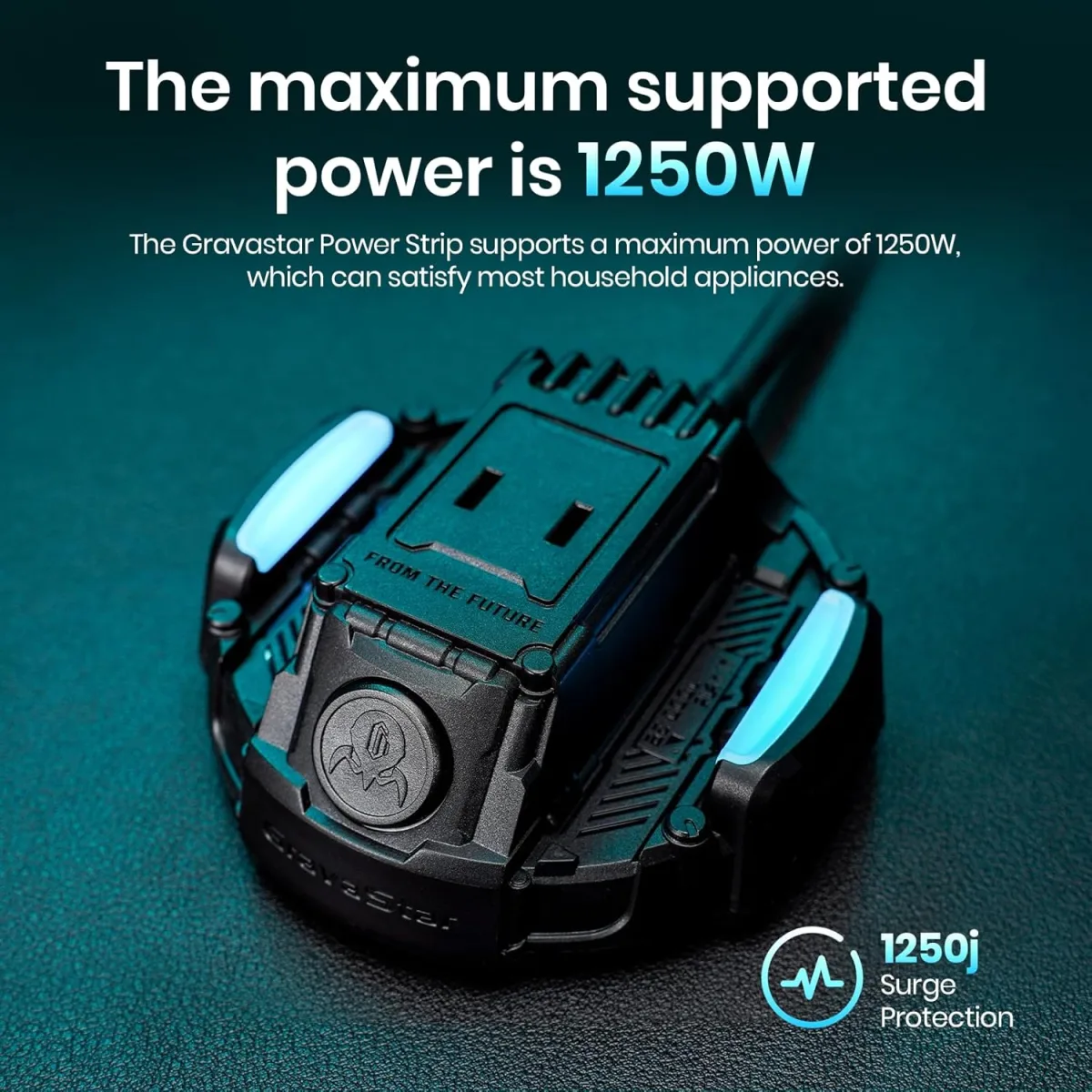
When the GravaStar Power Strip arrived, I admit, I was immediately intrigued. The packaging was distinct, mimicking the brand’s signature sci-fi aesthetic, and inside, nestled in custom-fit foam, was the power strip itself. My very first impression upon pulling it out of the box was how substantial it felt in my hand, weighing in at a reassuring 1.1 pounds. It wasn't flimsy plastic; this thing had some heft, suggesting decent internal components. I plugged it in right away, eager to see if it would live up to the promise of being a centralized charging hub for my increasingly gadget-laden desk. The satisfying click as the flat plug settled into my wall outlet was the first small sign that this wasn't just another generic power strip. I had high hopes it would declutter my workspace, and for the most part, it did, but not without some unexpected quirks I’ve learned to live with over the past three weeks.
- This is best for GravaStar Alpha65 and Delta35 charger owners who want a cohesive, stylish desk setup with integrated USB-C PD and AC outlets.
- The standout feature is its integrated high-wattage USB-C port (65W) combined with a sleek, desk-friendly design that truly minimizes cable clutter.
- The single biggest limitation is its somewhat restrictive AC outlet spacing, which can make using larger wall warts a frustrating game of Tetris.
- Value-wise, it's on the pricier side compared to generic power strips, but if you value design, robust charging, and have GravaStar's specific chargers, it's a worthwhile investment.
First Impressions and Build Quality
As I mentioned, the unboxing experience was premium, a clear indicator that GravaStar isn't just selling a functional item but an aesthetic one too. The power strip itself is primarily constructed from a sturdy, matte black ABS plastic that resists fingerprints remarkably well. It has a slightly textured finish that feels good to the touch and avoids looking cheap. The dimensions are quite compact for what it offers, measuring approximately 4.7 inches long, 2.5 inches wide, and about 1.5 inches thick. This compact size is a definite plus for desk use, allowing it to tuck neatly behind monitors or sit unobtrusively beside a laptop.
The 5-foot extension cord is thick and robust, instilling confidence that it can handle the power it’s designed to deliver without any issues. The flat plug is a godsend for outlets behind furniture, allowing me to push my desk closer to the wall without crimping the cord or leaving an unsightly gap. I've had countless power strips with bulky plugs that defeat the purpose of an otherwise tidy setup, so this detail was immediately appreciated. The surge protector indicator light is subtle, a small green LED that tells you it's actively protecting your devices without being a distracting beacon in a dim room. The ports themselves feel solid; plugging in USB cables and AC adapters requires a firm but not excessive push, and everything stays securely in place. There's no wiggling or looseness that often plagues cheaper power strips. Overall, the fit and finish tell me this product is well-made and designed to last, not just look good for a few months.
Key Features Worth Knowing
This GravaStar power strip packs a punch in a small form factor, and after weeks of daily use, I've got a pretty good handle on what makes it tick.
- Dedicated GravaStar Charger Slots: This is a unique selling point. It has two custom-shaped slots specifically designed to perfectly cradle the GravaStar Alpha65 and Delta35 chargers. I own the Alpha65, and it slides in with a satisfying click, becoming almost flush with the power strip's surface. This creates an incredibly clean, integrated look that traditional power strips just can't match. It’s a brilliant idea for brand loyalists, though it means those slots are less versatile for other chargers.
- 65W USB-C Power Delivery (PD) Port: This was a huge positive surprise for me. Beyond the dedicated slots, there’s a built-in USB-C port that delivers a full 65W of power. This means I can charge my MacBook Pro 13-inch directly from the power strip without needing an external brick. It charges just as fast as my laptop's original charger, which is incredibly convenient for travel or minimalist desk setups. I wasn't expecting such robust built-in charging capabilities beyond the external Alpha65, so this was a definite win.
- Two USB-A Ports (18W total): Alongside the powerful USB-C, there are two standard USB-A ports, which share 18W. This is adequate for charging phones, smartwatches, or wireless earbuds at a decent speed. I've used them for my iPhone and AirPods simultaneously, and they've handled it without complaint. It's not lightning-fast for two devices, but it gets the job done for overnight charging or topping up during the day.
- Two AC Outlets: You get two standard AC outlets. These are surge-protected, which is essential for any valuable electronics. They're spaced relatively well, but as I'll discuss later, their placement can be a bit tricky with larger adapters. They function exactly as expected, providing reliable power for my monitor and desk lamp.
- 5 ft Flat Plug Extension Cord: The 5-foot cord length is a good balance for most desk setups, offering enough reach without excessive slack. The flat plug, as mentioned, is a fantastic design choice for tight spaces. It’s practical and aesthetically pleasing, something I wish more power strips would adopt.
- Surge Protection: While I haven't had a power surge to test it definitively (and hope I never do!), the inclusion of surge protection for up to 1080 Joules provides peace of mind. A small green LED indicates that the protection is active, a subtle but important reassurance.
Real-World Performance
Over the past three weeks, this power strip has been the central nervous system of my desk charging setup. I’ve used it daily, switching devices, plugging and unplugging, and really putting it through its paces. Here’s what I found:
Desk Organization: This is where the GravaStar truly shines. With my Alpha65 charger nestled in its dedicated slot, and my MacBook Pro charging directly from the built-in 65W USB-C port, my desk has never looked cleaner. I used to have multiple power bricks cluttering my floor or tangled behind my monitor, but now, a single cable runs to the wall, and everything else connects neatly to the power strip. When I need to travel, I just pop out the Alpha65 and grab my laptop, leaving the power strip to handle my monitor and desk lamp. It’s incredibly efficient.
Charging Speed and Reliability: The 65W USB-C port is a workhorse. I regularly charge my 13-inch MacBook Pro (M1) and an iPad Pro from it. When charging the MacBook Pro alone, it consistently delivers a rapid charge, going from 20% to 80% in about an hour and a half, which is comparable to its native charger. When I simultaneously charged my iPad Pro (via the 65W USB-C) and my iPhone 15 (via one of the USB-A ports), both charged efficiently without any noticeable slowdowns or heat issues from the power strip itself. The unit remained cool to the touch even under heavy load, which is a good sign of quality components and thermal management.
AC Outlet Usage: This is where I encountered my biggest frustration. While there are two AC outlets, their spacing is quite close. I use one for my monitor and the other for a smart desk lamp. The monitor's plug is a standard two-prong, but my desk lamp's adapter is a slightly larger rectangular wall wart. It fits, but barely, completely blocking the ability to use the second AC outlet if I had another similar sized adapter. If you're planning to plug in two standard plugs, you'll be fine. However, if you have two bulkier power bricks, you'll likely find yourself in a tight spot, effectively reducing the "two" AC outlets to just one usable one. This is a common problem with many power strips, but given the premium price and thoughtful design elsewhere, I'd hoped for better spacing or perhaps rotating outlets.
Cable Management: The inclusion of a 5 ft cord is generally adequate for most desk setups. My desk is about 3 feet from the wall, and it reaches easily with a bit of slack for flexibility. The flat plug makes a huge difference in keeping things flush. What I did notice, though, is that while the GravaStar power strip itself looks incredibly sleek, you still have cables running *to* it. If you have multiple devices plugged into the USB ports and the AC outlets, you'll still need to manage those cables coming out of the strip. It organizes the *power source*, but not necessarily all the device cables themselves, which is a distinction worth noting. It’s a hub, not a magic cable disappearing act.
Overall, for over three weeks, the GravaStar Power Strip has been reliable. It hasn't buzzed, gotten hot, or failed to charge any device I've plugged into it. The surge protection light has remained green, and every port functions consistently. I’ve even brought it on a short trip, and its compact size made it easy to toss into my bag, replacing multiple wall adapters. If you’re thinking about whether to pick one up here, you're getting a solid, reliable performer, especially if you prioritize aesthetics and GravaStar integration.
Comparison Table
| Feature | GravaStar Power Strip for Alpha65 65W Charger and Delta35 35W Charger, 5 ft Extension Cord Flat Plug Surge Protector, Indoor Desk Charging Station for Home Office Dorm | Anker 332 5-in-1 Power Strip | Tessan Flat Plug Power Strip with USB C |
|---|---|---|---|
| AC Outlets | 2 (with custom slots for GravaStar chargers) | 2 | 3 |
| USB-C Ports | 1 (65W Power Delivery) | 1 (30W Power Delivery) | 1 (20W Power Delivery) |
| USB-A Ports | 2 (18W total) | 2 (12W total) | 2 (12W total) |
| Cord Length | 5 ft | 5 ft | 5 ft |
| Plug Type | Flat Plug | Flat Plug | Flat Plug |
| Surge Protection (Joules) | 1080J | 300J | 900J |
| Unique Feature | Integrated slots for GravaStar chargers, high 65W USB-C output | Compact, widely available, good brand reputation | More AC outlets, generally budget-friendly |
| Dimensions (approx.) | 4.7" x 2.5" x 1.5" | 4.7" x 2.5" x 1.4" | 5.5" x 3.5" x 1.2" |
| Price Point (approx.) | Higher-end | Mid-range | Budget-friendly |
Pros and Cons
After weeks of living with the GravaStar Power Strip, here's my breakdown of what I genuinely love and what still gives me a bit of pause.
Pros:
- Sleek, Integrated Design: The custom slots for GravaStar chargers are a game-changer for aesthetics. It makes the chargers look like part of the power strip, not just an add-on. My desk looks noticeably tidier.
- Powerful 65W USB-C PD: This is a major advantage. Charging my MacBook Pro directly from the strip without needing its original brick is incredibly convenient and frees up an AC outlet. It's fast and reliable.
- Robust Build Quality: The matte finish, solid plastic, and substantial weight give it a premium feel. It doesn't slide around on my desk and feels like it can take some daily abuse.
- Space-Saving Flat Plug: A small detail that makes a huge difference for anyone with furniture close to wall outlets. It's practical and prevents unsightly gaps.
- Effective Surge Protection: While I hope never to test it, the 1080 Joules rating offers peace of mind for my expensive electronics. The indicator light is a subtle reassurance.
- Compact Footprint: Despite its capabilities, the power strip itself is quite small, easily fitting into tight desk spaces or being tucked away.
- Versatile USB-A Ports: The two USB-A ports, while not super-fast, are perfect for charging smaller accessories like phones, earbuds, or smartwatches, adding to its utility as a central hub.
Cons:
- Tight AC Outlet Spacing: This is the biggest functional drawback. If you have two large wall adapters, you'll struggle to use both AC outlets simultaneously. It essentially limits you to one large adapter and one standard plug, or two standard plugs.
- Proprietary Charger Slots: While great for GravaStar owners, these slots are useless for anyone else. They become wasted space if you don't own the Alpha65 or Delta35, reducing the overall utility of the power strip for non-GravaStar users.
- Price Point: It's definitely on the more expensive side for a power strip with only two AC outlets. You're paying a premium for the design, build quality, and the integrated 65W USB-C, especially if you factor in the GravaStar-specific slots.
- Only Two AC Outlets: For some users, two outlets simply won't be enough. If you have a monitor, computer, printer, and a lamp, you'll immediately run out of AC ports, forcing you to use another strip or wall outlet. This might not be a con for everyone, but it limits its use as a truly comprehensive desk power solution for power users.
Looking at what others are saying, a common theme is the appreciation for the sleek, futuristic design and how well it complements other GravaStar products. Many buyers rave about the convenience of the integrated charger slots, making their desk setup look incredibly clean and integrated. The powerful 65W USB-C port is also frequently praised for its ability to fast-charge laptops and other power-hungry devices, reducing clutter from multiple power bricks. However, some users have echoed my frustration with the limited AC outlet count and their close spacing, noting that two larger adapters simply won't fit. A few buyers also mention the premium price point as a consideration, suggesting it's an investment primarily for those who truly value the specific GravaStar ecosystem and design aesthetic, rather than just raw port count or affordability.
Who Should Buy This — And Who Should Skip It
Buy this if…
- You already own or plan to buy the GravaStar Alpha65 or Delta35 charger. The integrated slots are a huge plus for a seamless desk setup. You can check today's price to see if it fits your budget.
- You want a highly aesthetic and streamlined charging solution for your desk that minimizes cable clutter. The design is genuinely top-notch.
- You primarily need powerful USB-C charging for a laptop (up to 65W) and a couple of additional USB-A devices, with only a few AC appliances (like a monitor and lamp).
- You appreciate premium build quality, a flat plug, and effective surge protection in a compact form factor.
Skip this if…
- You don't own any GravaStar chargers. The dedicated slots will be wasted space, and you could get more versatile options for the price.
- You need many AC outlets (e.g., 4 or more) for multiple monitors, desktop PCs, printers, and other peripherals. Two outlets just won't cut it.
- You frequently use large, bulky power adapters (wall warts) for your AC devices. The close spacing will be a constant source of frustration.
- You're on a tight budget and simply need a functional power strip with USB ports. There are more affordable options that offer similar basic functionality, though perhaps not the same aesthetic appeal or 65W USB-C power.
Final Verdict
The GravaStar Power Strip for Alpha65 and Delta35 chargers is a product that lives up to its niche promise with remarkable style and solid performance. After three weeks of daily use, I'd give it a solid 4 out of 5 stars. It's not perfect – the AC outlet spacing is a genuine annoyance, and its proprietary slots limit universal appeal – but for its target audience, it's an excellent piece of hardware. The integrated 65W USB-C PD port is a standout feature that truly sets it apart from many other desk power strips, offering genuinely fast laptop charging without extra bulk. If you're invested in the GravaStar ecosystem and value a clean, high-performance desk setup above all else, then this power strip is absolutely worth considering. It excels as a centralized charging hub for a minimalist or GravaStar-centric workstation. I would absolutely buy it again for my specific setup, mainly because of how well it integrates with my Alpha65 and the powerful built-in USB-C. For others, it depends heavily on your specific needs and priorities. If you think it's for you, you can grab it on Amazon.
Frequently Asked Questions
Can I use non-GravaStar chargers in the dedicated slots?
No, the two dedicated slots are precisely molded to fit only the GravaStar Alpha65 and Delta35 chargers. While you might be able to physically squeeze a very small, similarly shaped adapter into them, they're not designed for universal use and won't look flush or secure.
Does the 65W USB-C port support charging a laptop like a MacBook Pro or Dell XPS?
Absolutely! I've been charging my 13-inch MacBook Pro (M1) consistently with the built-in 65W USB-C Power Delivery port, and it charges at full speed, just like my original Apple charger. It's perfectly capable of handling most modern USB-C laptops.
Is the power strip good for travel, or is it too bulky?
It's surprisingly good for travel, actually. Its compact dimensions (roughly 4.7" x 2.5" x 1.5") and the fact that it integrates a 65W USB-C charger mean you can often leave your laptop's bulky power brick at home. I've taken it on a weekend trip, and it easily fit into my backpack.
What happens if I plug in two devices that together exceed the USB-A's 18W total output?
The power strip's smart charging chip will automatically distribute the available 18W power between the two USB-A devices. This usually means both devices will charge, but at a slower rate than if they were charging individually or if you had a port with higher wattage. It won't damage your devices or the power strip.