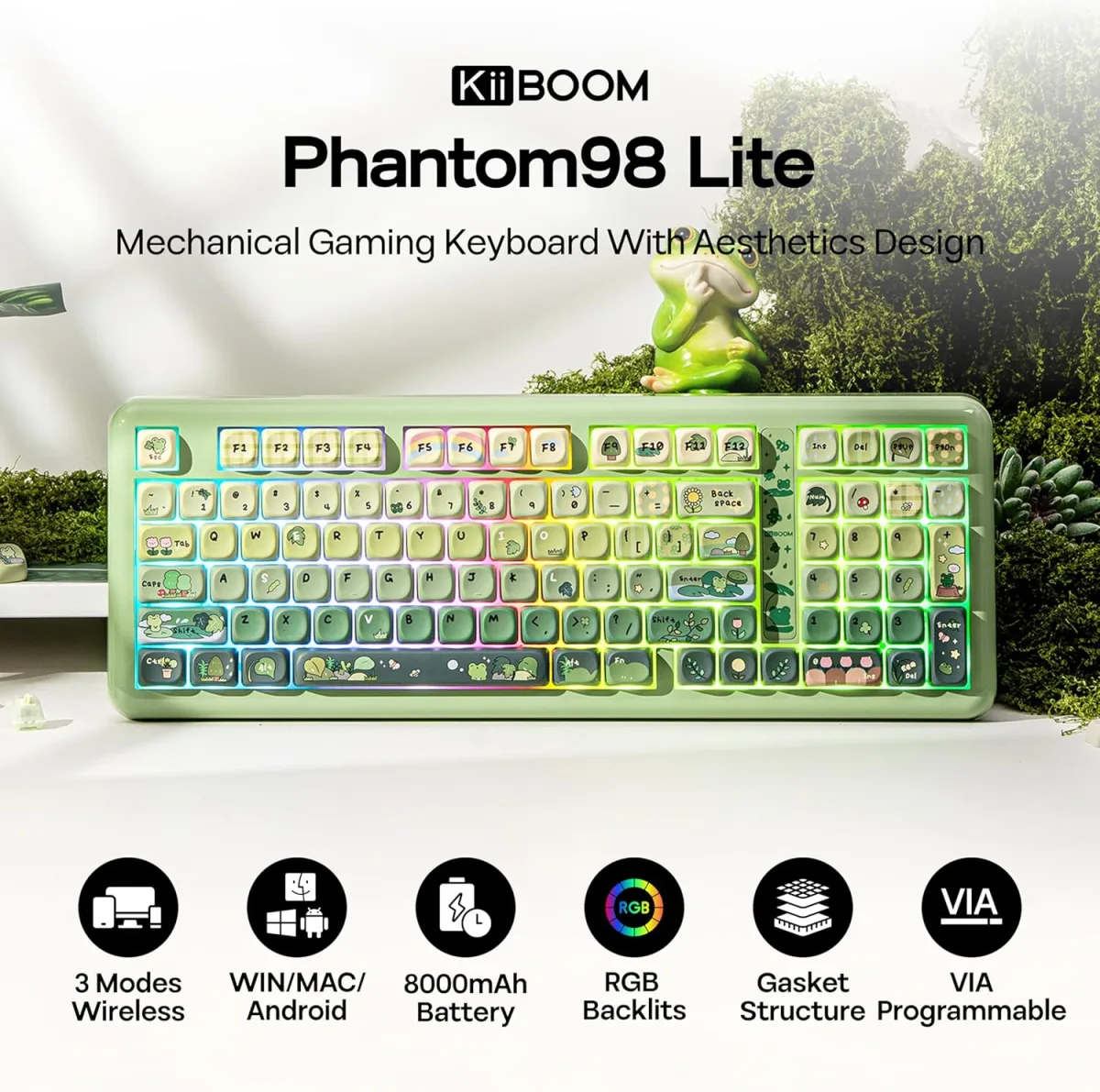
My Honest Take on the KiiBoom Phantom98 Wireless Mechanical Keyboard
I’ve been on the hunt for a new mechanical keyboard for a while now, something that could bridge the gap between my work setup and my gaming rig without a tangle of wires. My old keyboard was getting a bit long in the tooth, and I wanted something with a bit more flair and a better typing experience. That’s when I stumbled upon the KiiBoom Phantom98. The specs looked promising – hot-swappable, gasket-mounted, wireless, and that frosted acrylic look really caught my eye. So, I decided to take the plunge and grab it on Amazon to see if it lived up to the hype.
First Impressions & Build Quality
Right out of the box, I noticed the weight. This isn't some flimsy plastic board. The frosted acrylic case feels incredibly solid and dense. The fit and finish are excellent, with no creaks or flex, even when I tried to twist it. The aesthetic is truly unique; the translucent case diffuses the RGB lighting beautifully, giving it a soft, ethereal glow rather than harsh individual LEDs. It instantly elevates my desk setup. The keycaps that came with it are PBT, and they feel great to the touch – textured enough for grip but smooth. They're also doubleshot, so I don't have to worry about legends fading over time.
Typing Experience: A Thocky Dream?
I opted for the Gateron Brown switches, as I needed a balance between tactile feedback for typing and responsiveness for gaming. And oh boy, do they deliver! The gasket mount system really shines here. Each keystroke feels cushioned and consistent, with a satisfying "thock" sound that isn't too loud or obnoxious. It's a truly pleasant sound profile, deep and muted, which makes long typing sessions much less fatiguing. I spend a lot of time writing and coding, and after a few weeks with the Phantom98, my fingers genuinely feel happier. The stabilizers are surprisingly good too – minimal rattle on the spacebar, shift, and enter keys, which is often a pain point on pre-built boards. I didn't feel the need to mod them at all.
Gaming Performance
For gaming, the Phantom98 holds its own. While I'm not a pro esports player, I do enjoy competitive titles. The Gateron Browns offer enough tactility to know when an actuation registers without being heavy, and the wireless connection (I mainly used the 2.4GHz dongle) felt totally lag-free. I played a lot of Apex Legends and some Valorant, and I never felt like the keyboard was holding me back. The full N-key rollover ensured all my rapid inputs registered perfectly. The compact 98-key layout is great too; it gives you most of the functionality of a full-size board without taking up too much desk space, which is crucial for mouse movement.
Connectivity & Battery Life
The tri-mode connectivity (USB-C, 2.4GHz wireless, Bluetooth) is a huge plus. I primarily use the 2.4GHz dongle for my main PC, but I've successfully connected it via Bluetooth to my laptop and even my tablet for quick notes. Switching between modes is straightforward with a toggle on the back. Battery life is decent. With RGB lighting on at a medium brightness, I usually get about 2-3 days of heavy use before needing a recharge. If I turn off the RGB or keep it very dim, it stretches to about a week. Recharging is quick enough via the included USB-C cable. For specific usage times, you can check today's price and product details for more technical specifications.
Software & Customization
KiiBoom provides software for key remapping, macros, and RGB customization. It’s functional, but definitely not the most intuitive I’ve ever used. It took me a little while to figure out how to set up custom lighting effects and specific keybinds. Once you get the hang of it, though, it works. I was able to remap a few keys and create a simple macro for a common work task. The per-key RGB is vivid and offers plenty of patterns, and with the frosted case, it truly looks stunning.
What I Liked (Pros)
- Premium Build Quality: The solid acrylic case feels incredibly sturdy and looks fantastic.
- Excellent Typing Feel: Gasket-mounted design with included switches (Gateron Brown for me) provides a satisfyingly "thocky" and cushioned typing experience.
- Stellar RGB Lighting: The frosted case beautifully diffuses the per-key RGB, creating a unique and appealing glow.
- Versatile Connectivity: Tri-mode (USB-C, 2.4GHz, Bluetooth) makes it easy to connect to multiple devices.
- Hot-Swappable: Future-proof, allowing you to easily change switches without soldering.
- Decent Stabilizers: Less rattle than many pre-built keyboards, a pleasant surprise.
What Annoyed Me (Cons)
- Software Experience: The customization software could be more user-friendly and polished. It gets the job done but isn't a joy to use.
- Weight: While a pro for stability, it's a heavy board, so not ideal if you plan to move it around frequently.
- Keycap Material (Minor): While PBT is great, the legends aren't shine-through, so some of the RGB effect is lost on the legends themselves.
Who Should Buy This
The KiiBoom Phantom98 is perfect for anyone looking for a premium, custom-keyboard-like experience without the hassle or high price tag of building one from scratch. If you appreciate a "thocky" sound profile, a solid build, stunning RGB, and the flexibility of wireless connectivity for both work and gaming, this keyboard is a fantastic choice. It’s also great for those who want to dip their toes into the world of mechanical keyboard modding thanks to its hot-swappable sockets, but don't want to start with a barebones kit.
Who Should Skip It
If you're constantly on the go and need a lightweight, ultra-portable keyboard, the Phantom98's heft might be a deal-breaker. Also, if you're a hardcore competitive gamer who demands the absolute lowest latency (though I had no issues), or someone who needs a super-streamlined, intuitive software experience for complex macros, you might want to look elsewhere. Finally, if you absolutely need a full-size layout with a dedicated numpad and all function keys, the 98-key layout might feel a bit too compact, though it does include the numpad.
Final Thoughts
Overall, the KiiBoom Phantom98 has truly impressed me. It delivers a premium typing and gaming experience that punches well above its price point. The build quality, sound, and aesthetics are top-notch, making it a joy to use every single day. While the software could use some refinement, it's a minor gripe considering the overall package. If you're on the fence, I'd highly recommend giving it a shot. It's a solid investment for your desk setup. Ready to upgrade? You can pick one up here and experience it for yourself!
