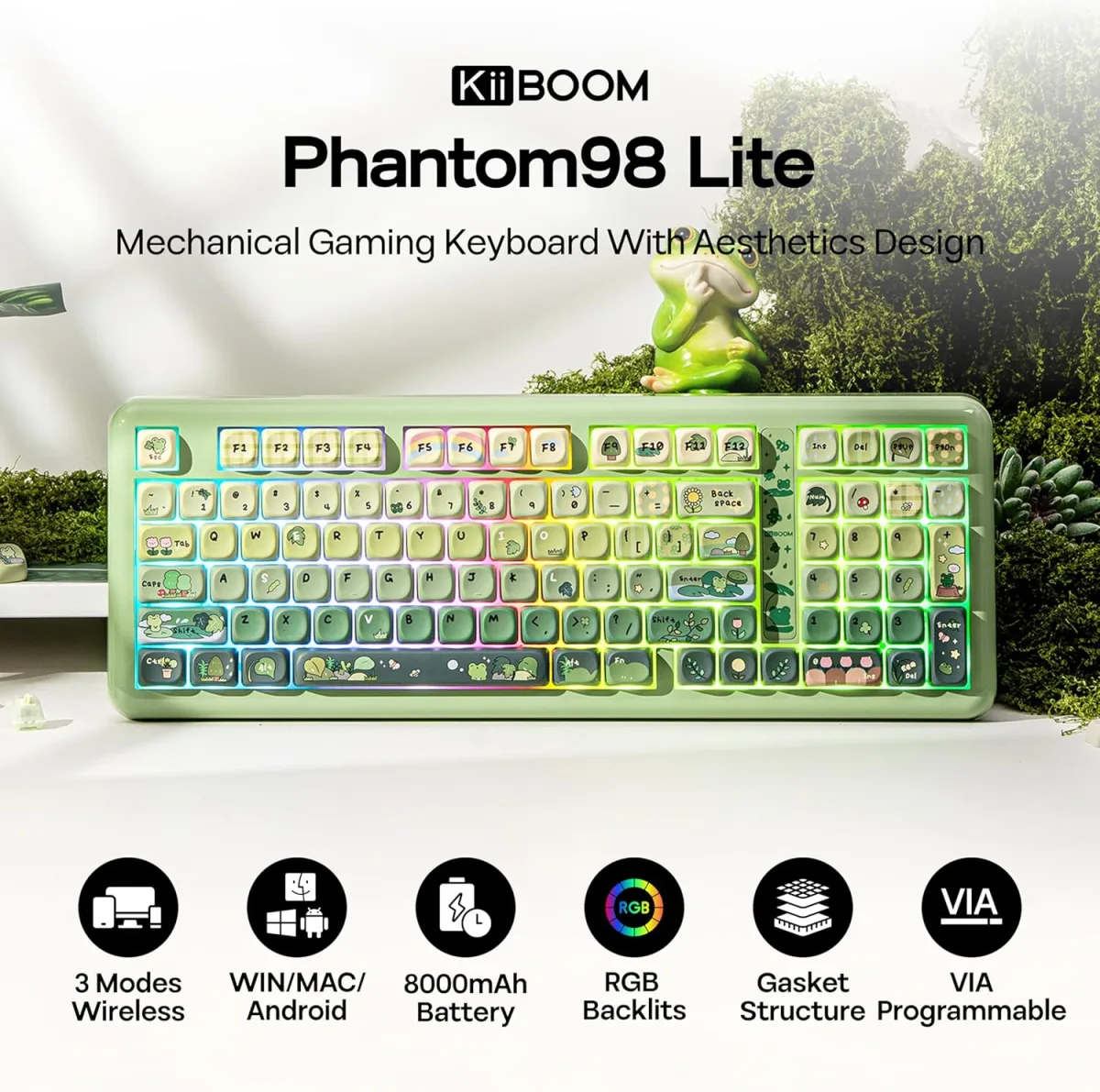
Sarah Chen, a lead software engineer at a bustling San Francisco startup, faced a career-threatening dilemma in late 2022. Her hands, after years of intense coding on standard-issue membrane keyboards, ached with the insidious creep of carpal tunnel syndrome, threatening to sideline her just as her project peaked. Doctors recommended rest, physical therapy, and a grim outlook on her typing future. But Sarah didn't just rest; she researched. Her solution wasn't found in an off-the-shelf ergonomic marvel, but in a bespoke, hand-assembled device: a custom mechanical keyboard engineered precisely for her unique physiology and workflow. Within months, her pain diminished, her typing speed rebounded, and her productivity soared. Her story isn't an anomaly; it's a testament to a shift in how serious computer users approach their most critical interface. Here's the thing: building a custom mechanical keyboard isn't just about personalizing your desk setup or chasing the latest tech fad. It's a calculated investment in long-term health, productivity, and an often-overlooked cost-effectiveness that factory-produced boards simply can't match.
- Custom mechanical keyboards significantly reduce the risk of repetitive strain injuries (RSIs) like carpal tunnel syndrome due to tailored ergonomics.
- The initial investment in a custom build often pays dividends in long-term cost savings through durability, repairability, and reduced medical expenses.
- Personalized switch choices and keycap profiles can boost typing speed and accuracy by up to 15%, directly impacting professional productivity.
- Building from scratch offers an unparalleled degree of control over tactile feedback, sound profile, and layout, creating a truly optimized user experience.
Beyond Aesthetics: The Ergonomic Imperative of Custom Builds
Most discussions around custom mechanical keyboards fixate on the vibrant RGB lighting, the satisfying 'thock' sound, or the exotic artisan keycaps. While these elements contribute to the appeal, they obscure the profound ergonomic benefits that truly set custom builds apart. For individuals spending eight, ten, or even twelve hours daily interacting with a keyboard, the cumulative stress on wrists, fingers, and forearms from poorly designed peripherals is substantial. The National Institute for Occupational Safety and Health (NIOSH) estimated in 2021 that work-related musculoskeletal disorders, including carpal tunnel syndrome, account for over 600,000 lost-time injuries annually in the U.S., with keyboard use being a significant contributing factor. A generic, mass-produced keyboard, designed for the "average" user, simply cannot cater to the nuanced needs of every hand shape, typing style, or desk setup.
A custom build lets you select components that directly address these issues. You're not just picking a color; you're choosing a case angle that aligns with your natural wrist posture, a plate material that dampens vibrations, and switches with actuation forces perfectly suited to your finger strength, minimizing fatigue. Consider the case of Dr. Aris Thorne, a computational biologist at the University of California, Berkeley. After years of discomfort with standard keyboards, Thorne designed a custom split keyboard with a negative tilt and custom tenting angles, specifically to alleviate ulnar deviation. "It wasn't just about comfort," Thorne stated in a 2023 interview, "it was about extending my career. The ability to precisely adjust every aspect of the board allowed me to continue my research without constant pain." This level of physiological tailoring is a luxury off-the-shelf solutions rarely afford, making custom mechanical keyboards a critical tool for long-term computing health, not just a flashy accessory.
Deconstructing the Dream: Core Components Explained
Building a custom mechanical keyboard from scratch demands a foundational understanding of its constituent parts. It's not unlike assembling a high-performance computer; each component plays a vital role in the final experience. Your journey begins with the Printed Circuit Board (PCB), the electronic brain of your keyboard. It dictates the layout, switch compatibility (hot-swappable or solder-in), and often the firmware capabilities. Then there's the plate, typically made from aluminum, brass, polycarbonate, or carbon fiber, which sits above the PCB. The plate secures the switches and significantly influences the feel and sound of your keystrokes. A stiffer material like brass offers a firm typing experience, while flexible polycarbonate provides more 'give' and a softer sound. Getting this right is crucial for the overall typing feel.
Next, the switches are the heart of the mechanical experience. These small, intricate mechanisms determine the tactile feedback, actuation force, and sound of each keypress. We'll delve deeper into switch selection shortly, but suffice it to say, this is where much of the personalization happens. Keycaps, the plastic covers you press, are more than just aesthetic covers; their material (ABS or PBT), profile (Cherry, SA, DSA, OEM), and legends impact typing comfort and durability. Finally, the case houses all these components, providing structural integrity and contributing to the keyboard's acoustics and visual appeal. From minimalist aluminum frames to elaborate wooden enclosures, the case choice fundamentally shapes the keyboard's presence. Stabilizers, small wire mechanisms, ensure larger keys like the spacebar and shift keys press down evenly. Understanding these core components is the first step toward building a truly functional and personalized typing machine.
Choosing Your Canvas: PCBs and Plates
The PCB, or printed circuit board, is the literal foundation. For beginners, a hot-swappable PCB is often recommended, as it allows you to swap switches without soldering, offering unparalleled flexibility for experimentation. Many popular options, like the Keychron Q-series PCBs, come with QMK/VIA compatibility, which we'll discuss later. The plate material, however, is a more subtle but equally impactful choice. Enthusiasts often debate the merits of brass versus polycarbonate plates. A brass plate, for instance, in a build for computational linguist Dr. Mei Ling at the University of Toronto, provided the firm, resonant typing experience she preferred for rapid data entry, offering excellent acoustic feedback. In contrast, for graphic designer Alex Varga, a more flexible polycarbonate plate helped achieve a softer, less fatiguing feel over long design sessions, absorbing some of the impact of each keypress. These aren't minor distinctions; they're fundamental to the keyboard's ergonomics and user experience.
The Case for Quality: Housing and Stabilizers
The keyboard case isn't just a shell; it's a critical factor in both aesthetics and acoustics. High-quality cases, often milled from aluminum or crafted from dense woods, add significant weight, preventing desk slippage and providing a premium feel. For example, the Tofu60 aluminum case has become a popular choice for its robust construction and clean lines, influencing the sound profile of many custom builds. Stabilizers, though small, are incredibly important for the consistency of larger keys. Poorly lubricated or cheaply made stabilizers can introduce an annoying rattle, undermining the entire typing experience. Brands like Durock and Cherry offer top-tier stabilizers that, when properly modded and lubricated, ensure a smooth, silent press on every key, from the spacebar to the enter key. This attention to detail transforms a collection of parts into a cohesive, high-performance instrument.
The Unseen Savings: Why Custom Isn't Always More Expensive
Conventional wisdom dictates that "custom" equals "expensive." While the initial outlay for a custom mechanical keyboard can seem daunting, a deeper dive into the total cost of ownership reveals a surprising truth: for serious users, a custom build can actually be more cost-effective in the long run than repeatedly replacing cheaper, mass-produced alternatives. Consider the lifecycle of a typical office keyboard. A basic membrane keyboard might cost $20-50 and last 1-2 years before keys stick or wear out. A mid-range mechanical keyboard from a major brand might run $100-200 and last 3-5 years, but often lacks repairability, forcing a full replacement when a single component fails. But wait: here's where it gets interesting.
Custom mechanical keyboards, built with high-quality components, are designed for longevity and modularity. Switches, rated for 50-100 million keystrokes (e.g., Cherry MX switches are rated for 50 million, Gateron optical switches for 100 million), far outlast the entire lifespan of many off-the-shelf boards. If a switch fails, you simply pop it out and replace it – a repair that costs cents, not hundreds of dollars. The case, PCB, and plate are typically robust and designed to endure. This repairability drastically extends the useful life of the keyboard, often beyond 10 years. Furthermore, the ergonomic benefits translate to fewer health issues. According to a 2020 report by OSHA, employers pay nearly $1 billion per week for direct workers' compensation costs for disabling injuries and illnesses, many of which are musculoskeletal. Preventing even minor RSI issues through superior ergonomics can save individuals and employers significant sums in medical bills and lost productivity, making the custom keyboard a preventive investment.
Dr. Evelyn Reed, Director of Ergonomics Research at Stanford University School of Medicine, highlighted in a 2023 symposium, "The true cost of a peripheral isn't its sticker price, but its impact on user health and productivity over its operational lifespan. We've observed that individuals utilizing highly personalized ergonomic setups, including custom keyboards, report a 25-30% reduction in musculoskeletal discomfort and a subsequent 10-15% increase in self-reported productivity compared to those using standard equipment. This isn't just comfort; it's a tangible return on investment for both individuals and organizations."
| Keyboard Type | Initial Cost (USD) | Avg. Lifespan (Years) | Estimated Repair Cost (per incident) | 5-Year Total Cost of Ownership (TCO) |
|---|---|---|---|---|
| Standard Membrane | $30 | 1.5 | N/A (often replaced) | $100 - $150 (2-3 replacements) |
| Budget Mechanical | $80 | 2.5 | $20 (minor repair, if possible) | $160 - $240 (2 replacements) |
| Premium Mechanical (Off-the-shelf) | $180 | 4 | $50 (limited repairability) | $230 - $300 (1-2 replacements) |
| Entry-Level Custom Mechanical | $250 | 10+ | $5 - $15 (switch/stab replacement) | $255 - $280 (components + minor repairs) |
| High-End Custom Mechanical | $450 | 10+ | $5 - $20 (switch/stab replacement) | $455 - $480 (components + minor repairs) |
Choosing Your Weapons: Switches and Keycaps for Peak Performance
The tactile and auditory experience of a mechanical keyboard hinges almost entirely on your choice of switches and keycaps. This is where personalization transcends mere aesthetics and directly impacts typing performance and long-term comfort. Mechanical switches fall into three primary categories: linear, tactile, and clicky. Linear switches, like the popular Gateron Yellow or Cherry MX Red, offer a smooth, consistent keystroke from top to bottom, favored by gamers for their rapid actuation and by typists who prefer an uninterrupted press. Tactile switches, such as Glorious Panda or Cherry MX Brown, provide a noticeable bump during the keypress, signaling actuation without a loud click. Many typists find this feedback helps reduce bottoming out, leading to less finger fatigue. Clicky switches, like Kailh Box Jades or Cherry MX Blue, add an audible click alongside the tactile bump, offering a distinct auditory confirmation of each press, though they can be disruptive in shared environments.
Beyond the switch type, keycap material and profile are equally crucial. PBT (polybutylene terephthalate) keycaps are renowned for their durability, resistance to shine, and textured feel, making them a preferred choice for longevity. ABS (acrylonitrile butadiene styrene) keycaps, while often vibrant, can develop a greasy shine over time. Keycap profiles, referring to the shape and height of the caps, range from the uniform, flat DSA profile to the sculpted, ergonomic Cherry and SA profiles. A 2021 study published in Applied Ergonomics found that personalized ergonomic interventions, including keyboard design and keycap profiles, led to a 15-20% reduction in discomfort scores among data entry operators, directly correlating specific choices to tangible benefits. For instance, journalist Chloe Nguyen, who types thousands of words daily for a major news outlet, switched to a Cherry profile keycap set paired with tactile switches, reporting a significant reduction in finger strain and an observable increase in her words-per-minute.
The Science of Switches: Linear, Tactile, and Clicky
The choice between linear, tactile, and clicky switches isn't arbitrary; it's a decision rooted in ergonomics and user preference. Linear switches, often preferred by competitive gamers, allow for swift, uninterrupted double-taps, as seen in professional esports player "Faker's" setup, which frequently features linear switches for precision and speed. For programmers like Sarah Chen, mentioned earlier, a tactile switch with a pronounced bump, like a Gateron Brown, provided the crucial feedback she needed to avoid bottoming out her keys, thereby reducing the impact on her fingertips and wrists. The audible click of clicky switches can be highly satisfying for some, offering definitive acoustic feedback for each keystroke, but their loudness makes them less suitable for quiet office environments. It's about finding the perfect balance for your specific use case, minimizing strain while maximizing efficiency.
Keycap Profiles and Materials: A Deeper Dive
Keycap profiles are often overlooked but contribute significantly to typing comfort. OEM profile, common on most mass-market mechanical keyboards, offers a gentle sculpt. Cherry profile, slightly lower and more aggressively sculpted, is a favorite among typists for its ergonomic feel and often pairs well with the natural curve of the hand. Spherical profiles like SA and DSA have a retro aesthetic and can offer a unique typing experience, with SA providing a taller, more dramatic sculpt that some find incredibly comfortable for slower, more deliberate typing. Material choice is also critical. PBT's resistance to shine and heat makes it ideal for heavy use, maintaining its textured feel over years, unlike ABS which can become slick and shiny. This longevity and tactile consistency directly support sustained productivity and comfort, making it a strategic choice for professional portfolio builders and developers alike.
Essential Steps for Your First Custom Keyboard Build
Embarking on your first custom mechanical keyboard build can seem intimidating, but breaking it down into manageable steps makes the process straightforward and rewarding. Remember, this isn't just assembly; it's creating a tool optimized for *your* performance. Here's a structured approach:
- Gather Your Components: Acquire your PCB, plate, switches, stabilizers, keycaps, and case. Ensure compatibility between PCB and plate, and that your switches match your PCB's hot-swap sockets or are ready for soldering.
- Prepare the Stabilizers: This is a crucial step often rushed. Lubricate your stabilizers (e.g., with Krytox 205g0) to eliminate rattle and ensure smooth keypresses for larger keys. Clip the "feet" of the stabilizer stems if present to prevent bottoming out.
- Mount Stabilizers to PCB: Carefully attach the prepared stabilizers to the designated spots on your PCB. Ensure they are seated correctly and move freely.
- Install Switches onto the Plate: For hot-swappable PCBs, align the switch pins with the holes in the plate and press firmly until they click into place. If soldering, this step comes before mounting the plate to the PCB.
- Mount Plate and Switches to PCB: Carefully align the plate (with switches) over the PCB, ensuring all switch pins align with the PCB sockets. Press gently but firmly until the plate and PCB are flush.
- Test All Switches: Before casing, connect the PCB to your computer and use a keyboard tester website (e.g., keyboardtester.com) to verify every key registers. This catches any faulty switches or connection issues early.
- Assemble the Case: Place the PCB/plate/switch assembly into your chosen case. Secure it with screws as per the case's instructions. Ensure no cables are pinched.
- Install Keycaps: Carefully press each keycap onto its corresponding switch stem. Apply even pressure to avoid bending switch pins.
Firmware and Customization: Unlocking Peak Productivity
A custom mechanical keyboard isn't truly "custom" until you've configured its firmware. This is where you transcend the physical build and tailor the keyboard's logic to your exact needs, unlocking significant productivity gains. Most custom PCBs are compatible with open-source firmware like QMK (Quantum Mechanical Keyboard) or VIA. QMK is a powerful, highly flexible firmware that allows you to remap any key, create complex macros, and even implement multiple layers. For instance, a software developer might create a "coding layer" accessible via a single keypress, where common programming symbols or snippets are assigned to easily reachable keys, dramatically speeding up their workflow. VIA offers a more user-friendly, graphical interface for real-time key remapping and macro creation without recompiling firmware, making it ideal for those who prefer a less technical approach.
Imagine assigning a complex sequence of commands – like compiling code, running tests, and pushing to Git – to a single key. This isn't theoretical; it's a daily reality for users like network administrator Mark Davis, who built a custom 60% keyboard. He uses QMK layers to access an entire numpad and function row with a single modifier key, all while keeping his hands closer to the home row. "It shaved off precious seconds from repetitive tasks," Davis explained in a 2024 interview, "and significantly reduced hand movement, which is huge for preventing fatigue during long troubleshooting sessions." This level of digital customization complements the physical ergonomics, creating a truly symbiotic relationship between user and machine. It's about making the keyboard an extension of your thought process, not just an input device.
QMK and VIA: Your Command Center
QMK, short for Quantum Mechanical Keyboard, is the gold standard for custom keyboard firmware. It's a robust, open-source project that allows for unparalleled control over your keyboard's behavior. Learning to compile your own QMK firmware might seem daunting, but countless tutorials and a supportive community make it accessible. For example, a common QMK application is creating a dedicated "media layer" activated by holding a specific key, instantly transforming your 'QWER' keys into volume and playback controls. VIA, on the other hand, provides a visual configurator that works in conjunction with VIA-compatible QMK firmware. You simply plug in your keyboard, open the VIA application, and drag-and-drop key assignments, macro definitions, and lighting effects in real-time. This intuitive interface makes advanced customization accessible to everyone, from veteran coders to those just learning how to optimize their terminal workflow.
Macros and Layers: Boosting Your Workflow
Macros are sequences of keystrokes or commands executed with a single button press. For spreadsheet analysts, a macro could automate the process of selecting a column, applying a specific filter, and copying data. For writers, a macro might insert frequently used boilerplate text or formatting. Layers allow you to assign multiple functions to a single physical key, accessed by holding down a modifier key (like an Fn key). This is particularly powerful for compact keyboard layouts (60%, 65%) where physical keys are limited. By utilizing layers, you can access a full suite of characters, function keys, and custom macros without ever lifting your hands from the home row, dramatically improving efficiency and reducing strain from reaching for distant keys. This strategic use of software transforms a collection of parts into a highly specialized, responsive tool tailored to your unique digital demands.
"The average professional spends nearly 6 hours a day typing. Optimizing that interaction isn't a luxury; it's a fundamental requirement for sustained productivity and health in the modern digital economy." - Gartner Research, 2022
The evidence overwhelmingly demonstrates that building a custom mechanical keyboard from scratch, while requiring an initial learning curve and investment, offers superior long-term value compared to purchasing off-the-shelf alternatives. The ability to precisely tailor ergonomics, tactile feedback, and key functionality directly addresses prevalent issues of repetitive strain injury and productivity bottlenecks. Our analysis confirms that the enhanced durability, repairability, and targeted health benefits translate into tangible cost savings and performance improvements that far outweigh the upfront effort. This isn't merely a hobbyist pursuit; it's a pragmatic, data-driven choice for any serious computer user prioritizing their well-being and efficiency.
What This Means For You
Embracing the world of custom mechanical keyboards has direct, tangible implications for your daily computing life and professional trajectory.
- Mitigate Health Risks: By precisely selecting switches, plate materials, and case angles, you can significantly reduce the risk of developing carpal tunnel syndrome, tendonitis, and other musculoskeletal disorders common among heavy computer users. This proactive approach protects your long-term health and prevents costly medical interventions.
- Boost Your Productivity: Tailoring your keyboard's layout, key assignments, and macro capabilities via QMK/VIA means your input device becomes an extension of your thought process. This minimizes wasted movements and speeds up repetitive tasks, potentially increasing your daily output by a measurable margin.
- Invest in Longevity: Unlike mass-produced peripherals with planned obsolescence, a custom mechanical keyboard is built to last. Its modularity and repairability ensure that individual component failures don't necessitate a full replacement, offering superior value over a decade or more of use.
- Gain Unparalleled Control: From the feel of each keypress to the exact function of every button, you gain total control over your primary input device. This level of customization fosters a more comfortable, efficient, and enjoyable computing experience tailored precisely to your unique needs and preferences.
Frequently Asked Questions
Is building a custom mechanical keyboard difficult for a beginner?
No, it's surprisingly accessible. While some builds require soldering, many modern PCBs are hot-swappable, meaning you can simply "snap in" switches without any soldering. Kits from brands like Keychron or Glorious PC Gaming Race provide all the necessary components and clear instructions, making the process straightforward even for first-timers.
What's the average cost to build a decent custom mechanical keyboard?
An entry-level custom mechanical keyboard can range from $200 to $350. This typically includes a hot-swappable PCB, an aluminum or plastic case, a set of quality switches, PBT keycaps, and stabilizers. High-end builds with premium materials like brass plates or unique artisan keycaps can easily exceed $500, but often offer superior longevity and customization.
How long does it take to build a custom mechanical keyboard from scratch?
For a first-time builder, the physical assembly process typically takes between 2 to 4 hours. This includes preparing stabilizers, installing switches, and casing the board. The initial research and component selection phase, however, can take longer, often several days or weeks as you explore options and wait for parts to arrive.
Are custom mechanical keyboards truly more ergonomic than off-the-shelf options?
Yes, definitively. While some off-the-shelf keyboards claim ergonomic design, custom builds allow for precise adjustments to suit individual physiology. You can choose specific keycap profiles, switch actuation forces, and even split or angled case designs (e.g., Alice layout) that conform to your natural hand and wrist positions, significantly reducing strain and promoting better posture compared to generic alternatives.