My Deep Dive into the MSI Gaming Laptop (i9-14900HX, RTX 4070)
As an avid gamer and someone who occasionally dabbles in video editing, I was on the hunt for a laptop that could truly deliver without breaking the bank for a top-tier RTX 4080 or 4090. After doing a fair bit of research, the specs on this particular MSI Gaming Laptop caught my eye. The combination of the Intel Core i9-14900HX, an RTX 4070, 32GB of DDR5 RAM, and that luscious 17-inch QHD 240Hz display seemed like a sweet spot. I finally decided to pull the trigger, and after a few weeks of putting it through its paces, I’m ready to share my honest thoughts.
First Impressions & Build Quality
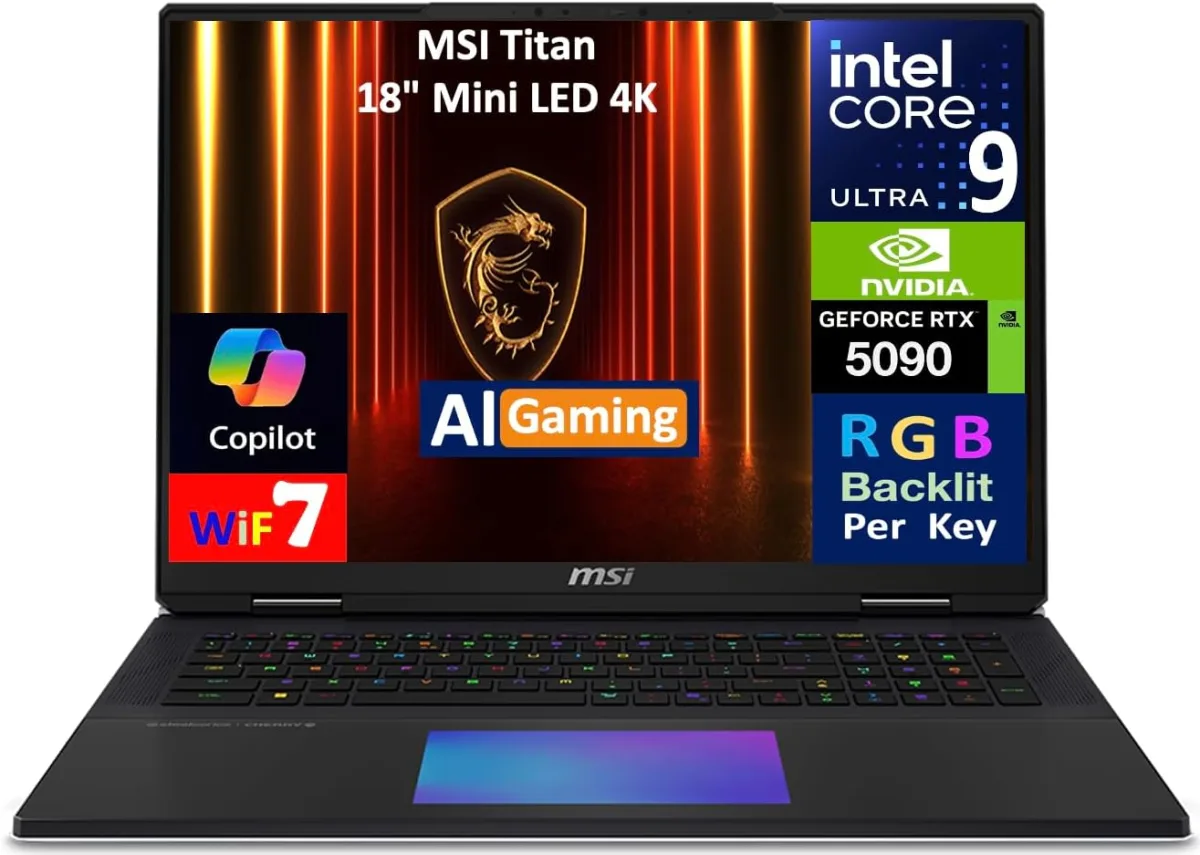
Out of the box, this laptop looks like a proper gaming machine. It's got that aggressive, angular MSI design without being too over-the-top. It's a 17-inch laptop, so it's chunky and has some heft to it – definitely not a sleek ultrabook. The build feels solid, mostly plastic, but it doesn't flex or creak under normal use. The keyboard deck has a nice, firm feel, and the screen hinges are sturdy. I noticed the power brick is, as expected, massive. Prepare for that extra weight in your backpack.
Performance: A True Powerhouse
This is where the laptop truly shines. The Intel Core i9-14900HX processor is an absolute beast. I've thrown everything at it, from compiling large codebases to heavy multi-track audio editing and, of course, gaming. It handles it all with ease. Multitasking is a dream with 32GB of DDR5 RAM; I never felt any slowdowns, even with a dozen Chrome tabs, Discord, and a game running simultaneously.
Now, let's talk gaming. The RTX 4070 is a fantastic GPU for QHD (2560x1440) resolution. I tested a range of titles:
- Cyberpunk 2077 (High/Ultra with DLSS Quality): I consistently saw frame rates in the 60-80 FPS range, which is totally playable and looks incredible on the QHD screen.
- Baldur's Gate 3 (Ultra): Smooth sailing, easily hitting well over 100 FPS.
- Valorant/CS2: This is where the 240Hz display really comes alive. I was getting hundreds of frames, making competitive play feel incredibly fluid and responsive.
- Starfield (High with FSR Quality): Averaged around 45-60 FPS in most areas, which is decent for such a demanding game on a mobile 4070.
The 2TB NVMe SSD is super fast, meaning games load in a flash, and file transfers are snappy. I appreciate having so much storage right out of the gate; no need to immediately think about upgrades.
Display: A Visual Feast
The 17-inch QHD 240Hz display is, without a doubt, one of the best features of this laptop. The colors are vibrant, the contrast is good, and the sharpness at 1440p on a 17-inch panel is just fantastic. For gaming, the 240Hz refresh rate is a game-changer, especially if you're into fast-paced shooters. Even for everyday use, scrolling feels incredibly smooth. I was genuinely surprised by how much I enjoyed this display.
Keyboard, Trackpad & Ports
The per-key RGB keyboard is a standard MSI affair. It feels pretty good for typing and gaming, with decent key travel and a satisfying click. The RGB lighting is customizable through MSI's software, which is a nice touch for personalization. The trackpad is large and responsive, though like with any gaming laptop, I mostly used an external mouse. Port selection is solid, offering everything you'd expect: multiple USB-A, USB-C (with Thunderbolt, which is a huge plus), HDMI, Ethernet, and an audio jack. It's nice not to have to carry a dongle hub.
Heat & Noise: The Trade-off
Here’s where you start to feel the compromises of such powerful hardware in a laptop form factor. Under heavy gaming loads, the fans spin up significantly. It's not jet engine loud, but it's definitely audible and you'll want headphones. The laptop does a decent job of dissipating heat, mostly pushing it out the back and sides, but the keyboard deck can get warm, especially above the function keys. It never reached uncomfortable levels for me, but it's something to be aware of. If you're sensitive to fan noise, this might be a minor annoyance.
Battery Life: Unplugged Realities
Don't expect miracles here. This is a powerful gaming laptop, and battery life is its weakest link. For light tasks like web browsing and document editing, I got around 3-4 hours, maybe a bit more if I was really careful with screen brightness and power settings. Gaming on battery is a non-starter; performance is throttled, and the battery drains incredibly fast, often in under an hour. This machine is designed to be plugged in for any serious work or play, so keep that charger handy. If you decide to grab it on Amazon, just know you're buying a portable desktop, not a travel companion for long trips without power.
Software & Bloatware
MSI does include some of their own software, like MSI Center, which allows you to monitor performance, adjust fan curves, and customize RGB. It's generally useful. There was a bit of other bloatware, but nothing too offensive, and it was mostly easy to uninstall. Windows 11 Home runs smoothly on this hardware.
Pros & Cons
Pros:
- Exceptional Performance: i9-14900HX and RTX 4070 tear through games and demanding applications.
- Stunning QHD 240Hz Display: Crisp, vibrant, and incredibly smooth for gaming.
- Ample RAM & Storage: 32GB DDR5 and 2TB NVMe SSD are generous and fast.
- Solid Build Quality: Feels sturdy and durable.
- Good Port Selection: Includes Thunderbolt-enabled USB-C.
- Effective Cooling (for a laptop): Keeps temperatures in check under load, though it gets loud.
Cons:
- Poor Battery Life: Needs to be plugged in for any serious use.
- Loud Fans Under Load: Definitely requires headphones during intense gaming.
- Heavy and Bulky: Not ideal for frequent travel or portability.
- Keyboard Deck Can Get Warm: Noticeable above the function keys during long sessions.
Who Should Buy This?
This gaming laptop is perfect for someone who:
- Wants a powerful machine for QHD gaming at high refresh rates.
- Needs serious processing power for tasks like video editing, streaming, or 3D rendering.
- Doesn't mind a larger, heavier laptop that mostly stays plugged in.
- Values a high-quality display and robust internal components.
- Is looking for a strong performance-to-price ratio in the upper-mid range of gaming laptops.
Who Should Skip It?
- Those who prioritize portability and lightweight design.
- Users who need excellent battery life for work on the go.
- Anyone extremely sensitive to fan noise under load.
- If you're an extreme enthusiast who absolutely needs an RTX 4080 or 4090 for future-proofed 4K or maxed-out QHD.
Final Thoughts
Overall, I'm very impressed with this MSI Gaming Laptop. It delivers exactly what it promises: exceptional performance for gaming and demanding applications, all wrapped up in a solid package with a truly incredible display. Yes, it's big, and yes, it needs to be tethered to a power outlet for its full potential, but those are common trade-offs in this category. For the price point and the features you get, I think it's a fantastic value for a high-performance gaming and productivity machine. If you're looking for serious power and can live with its size and battery life, I'd say definitely check today's price.