My Experience with the Google Nest Thermostat
Like many of you, I was tired of constantly fiddling with my old, clunky thermostat. I wanted something smart, something that could help me save a few bucks on my energy bill, and honestly, something that just looked better on my wall. After some research, I decided to go with the Google Nest Thermostat, the slightly more budget-friendly option compared to its "Learning" big brother. I've had it installed for a few months now, and I've got a pretty good handle on what it does well and where it falls a little short.
Installation: Mostly Smooth Sailing, With a Catch
The installation process was, for the most part, straightforward. The instructions in the Google Home app are clear, walking you through step-by-step. I didn't need to be an electrician, which was a relief. I carefully disconnected my old wires, snapped a picture, and then wired up the Nest. It took me about 30 minutes, including setting up the app.
However, there's a big "if" here: the C-wire. My old system happened to have a C-wire, which provides continuous power to the thermostat. If you don't have one, you might run into issues. Nest says it can work without one on some systems, using a "power-sharing" feature, but many users report inconsistent behavior without a dedicated C-wire. If you're missing one, you might need to buy a separate power adapter or have an HVAC professional install one. This is definitely something to check before you buy.
Design & Interface: Sleek, But a Little Different
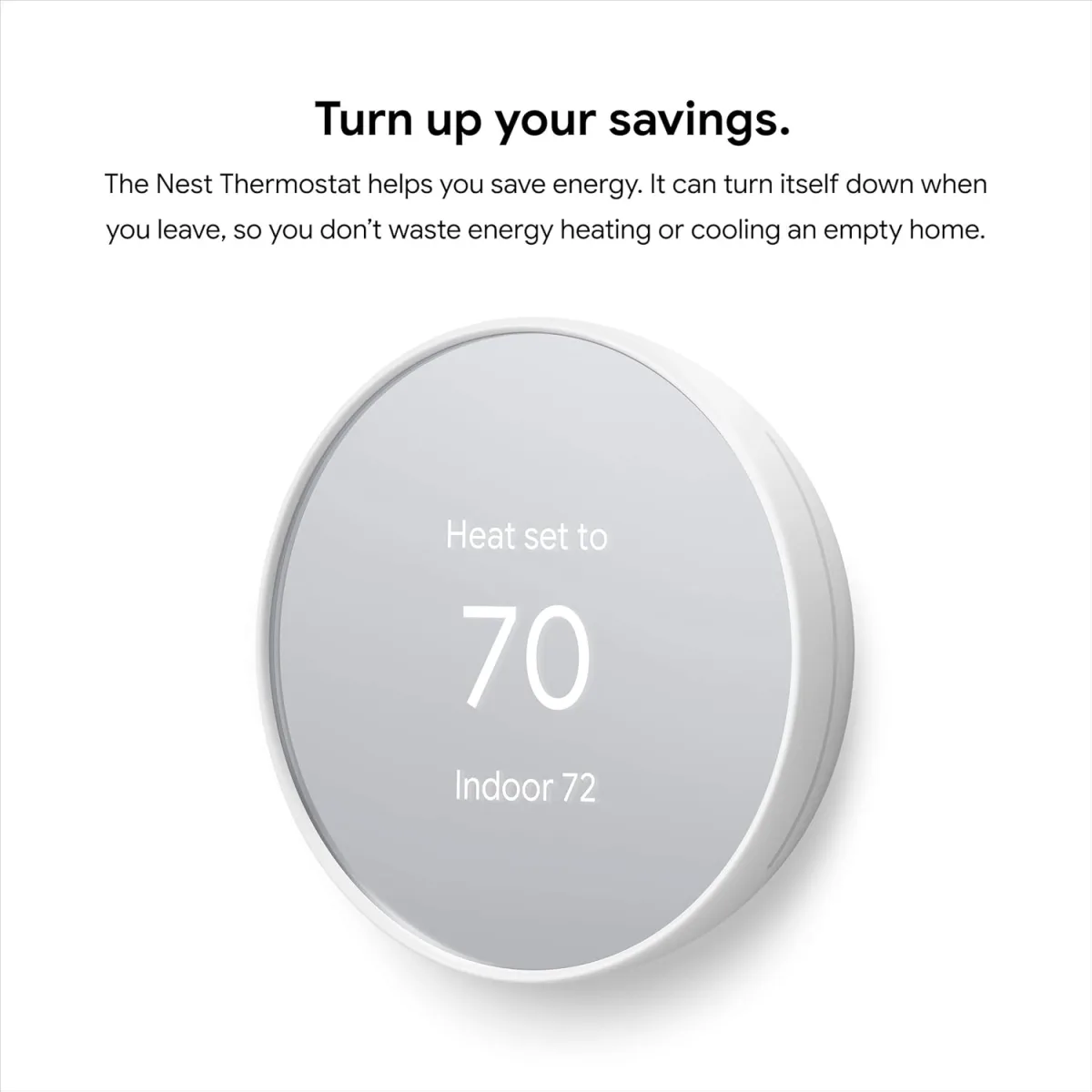
Visually, the Nest Thermostat is a definite upgrade. It's sleek, modern, and blends in nicely with my wall. I chose the "Snow" color, and it looks really clean. The mirror-like display is cool, but it does mean you'll see fingerprints if you touch it often. I also noticed it sometimes reflects sunlight, making it a bit harder to read at certain times of the day.
Unlike the traditional Nest Learning Thermostat with its rotating ring, this model uses a touch-sensitive bar on the side. You swipe up or down to adjust the temperature and tap to confirm. It's functional, but I'll be honest, it's not as satisfying or intuitive as a physical dial. For quick adjustments, it's okay, but I find myself using the Google Home app or voice commands far more often.
Smart Features & Performance: Good, Not Groundbreaking
This Nest Thermostat is a smart device, and it delivers on most of its promises. Here’s what I’ve liked:
- Google Home App Control: This is where the magic happens. I can adjust the temperature from my couch, my bed, or even when I'm away from home. Setting schedules is super easy within the app, and I love being able to see my energy history.
- Geofencing: This is one of my favorite features. It uses your phone's location (and other family members' phones if they opt-in) to know when you're home or away. It automatically adjusts the temperature to save energy when no one's around and starts warming/cooling before you get back. It's not perfect every single time, but it works reliably for me about 90% of the time.
- Sensi Feature: The thermostat has a "Sense" feature that uses built-in sensors to detect if anyone is home. Combined with geofencing, it helps make sure I'm not heating or cooling an empty house. The "Savings History" in the app is also great for seeing how much I'm potentially saving.
- HVAC Monitoring: I actually found this really reassuring. The thermostat monitors my HVAC system's performance and can alert me if it detects potential issues, like unusual heating or cooling patterns. It’s like a little preventative maintenance assistant.
- Voice Control: Since I'm already in the Google ecosystem with Google Assistant speakers, integrating the Nest was seamless. "Hey Google, set the living room to 72 degrees" is incredibly convenient, especially when my hands are full or I'm just feeling lazy.
One thing to note: this model does *not* "learn" your schedule in the same way the more expensive Nest Learning Thermostat does. You'll need to set up your own schedule manually through the app. It's still smart with geofencing and occupancy sensing, but don't expect it to figure out your patterns completely on its own.
Pros & Cons
Pros:
- Sleek Design: Modern and clean look that elevates any wall.
- Easy App Control: Full control from anywhere via the Google Home app.
- Effective Geofencing: Saves energy by adjusting when you're away.
- HVAC Monitoring: Provides peace of mind by detecting potential system issues.
- Google Assistant Integration: Seamless voice control for effortless adjustments.
- Energy Savings: Tools like Savings History and Sense help you track and reduce energy use.
- Affordable: A good entry point into smart thermostats without the premium price of the Learning models.
Cons:
- C-Wire Requirement: Can be a deal-breaker if your system doesn't have one and you don't want to install an adapter.
- Touch Bar Interface: Not as intuitive or satisfying as a physical dial for on-device adjustments.
- No "Learning" Feature: Doesn't automatically learn your schedule; you'll need to program it yourself.
- Fingerprint Magnet: The mirror finish looks great but shows smudges easily.
- Google Home App Only: If you prefer the old Nest app, this one only works with Google Home.
Who Should Buy This?
If you're looking to upgrade from a basic thermostat, want remote control, and are comfortable setting up schedules yourself, this Nest Thermostat is a great choice. It's perfect if you're already using Google Assistant devices and want seamless integration. It’s also ideal for those who want smart features and energy savings without splurging on the more expensive "learning" models. Before you pull the trigger, double-check your wiring for a C-wire. You can check today's price and see if it fits your budget.
Who Should Skip It?
If you absolutely want a thermostat that truly "learns" your habits without any manual scheduling, you might be better off with the more advanced Nest Learning Thermostat. Also, if you don't have a C-wire and are uncomfortable installing one or an adapter, this might not be the easiest plug-and-play option. Finally, if you're not into smart home tech or using apps for control, this might be overkill for you.
Final Thoughts
Overall, I'm pretty happy with my Google Nest Thermostat. It's a significant upgrade from my old unit, and the convenience of app control and geofencing has made a real difference in how I manage my home's climate. While the touch bar isn't my favorite, and it doesn't have the "learning" capabilities of its pricier sibling, it offers excellent value for a smart thermostat. It looks good, integrates well with my other Google devices, and I've already seen positive changes in my energy usage reports. If you're ready to step into the smart home world and want a reliable, good-looking smart thermostat without breaking the bank, I'd say grab it on Amazon.