Sarah Chen, a freelance content strategist based in Portland, Oregon, used to dread the afternoon slump. By 2 PM, her eyes would ache, her shoulders would tighten, and her concentration would fray, leading to frustrating delays on client projects. She'd tried fancy standing desks and noise-canceling headphones, but the real culprit, she discovered, wasn't a lack of expensive gear. It was the harsh glare from her monitor and the subtle, persistent hum of her old PC fan. A $35 monitor light bar and a $20 USB fan were the unexpected antidotes, not only eliminating her headaches but boosting her self-reported focus by 20% within weeks. Sarah's experience isn't unique; it's a stark reminder that the most impactful home office tech upgrades often aren't about spending big, but about strategically solving hidden productivity drains and well-being compromises with surprisingly affordable, often overlooked, solutions.
- High-impact home office tech upgrades don't require high budgets; strategic investments yield disproportionate returns.
- Focus on subtle ergonomic enhancements and sensory input improvements to unlock hidden productivity and well-being gains.
- Small, affordable tech interventions can dramatically reduce cognitive load, eye strain, and physical discomfort.
- Your long-term health and sustained focus are the ultimate metrics for evaluating the worth of an affordable office upgrade.
The Hidden Cost of Visual Strain: Affordable Lighting Solutions
You're probably spending hours staring at a screen, yet few workers prioritize their visual environment beyond a basic desk lamp. Here's the thing: poor lighting contributes significantly to eye strain, headaches, and even reduced focus. A 2021 study published by the National Institutes of Health (NIH) found that inadequate lighting conditions can decrease visual comfort by up to 30%, directly impacting concentration. The conventional wisdom suggests brighter is better, or that a single overhead light suffices. But that's not what the evidence shows. We're talking about targeted, glare-reducing illumination that works in harmony with your screen, not against it.
Beyond the Desk Lamp: Monitor Light Bars
A monitor light bar, like the popular BenQ ScreenBar, is a prime example of an affordable tech upgrade that delivers outsized benefits. It clips onto the top of your monitor, projecting light *down* onto your desk space and *across* your keyboard, but crucially, *not* onto your screen. This eliminates screen glare, reduces reflections, and provides uniform illumination for your immediate workspace. You'll find models from brands like Baseus or Xiaomi for under $40. It's a simple, elegant solution that directly combats the digital eye strain that affects an estimated 50% of computer users, according to The Vision Council's 2022 Digital Eye Strain Report.
The Power of Bias Lighting
Another overlooked visual upgrade is bias lighting. These are LED strips that adhere to the back of your monitor, casting a soft glow on the wall behind it. This reduces the contrast between the bright screen and a dark background, easing eye fatigue. Think of it as creating a visual "buffer zone." You can find USB-powered LED strips for less than $20, often with remote controls for adjusting brightness and color temperature. The science, as explained by Dr. Alex Fremont, an optometrist and ergonomics consultant at the University of California, Berkeley, in a 2023 seminar, confirms this benefit: "Bias lighting minimizes pupil dilation and constriction, which are energy-intensive actions for your eyes, thereby reducing fatigue over extended periods."
Soundscapes of Productivity: Audio Tech for Focus and Calm
Your home office isn't always a sanctuary of silence. From barking dogs to construction noise, distractions abound. The common response is often to blast music or simply "power through." But wait. There's a better, more affordable way to sculpt your acoustic environment for optimal focus. Gallup's 2022 State of the Global Workplace report indicated that 44% of remote workers report experiencing burnout, often exacerbated by a lack of control over their work environment, including noise levels. Investing in targeted audio tech isn't about luxury; it's about reclaiming your auditory space.
Drowning Out Distractions: Affordable Noise-Canceling Earbuds
While premium noise-canceling headphones can be pricey, several brands now offer excellent active noise-canceling (ANC) earbuds for under $70. Products like the Anker Soundcore Life P3 or EarFun Air Pro 3 effectively mute low-frequency background hums, allowing you to concentrate on your tasks. They're lightweight, portable, and give you the flexibility to move around your home without losing your focus bubble. It's a vital tool for anyone whose productivity hinges on uninterrupted thought, transforming a chaotic home into a productive workspace.
Sounding Professional on a Budget: USB Microphones and AI Tools
If you're frequently on video calls, your laptop's built-in microphone probably isn't doing you any favors. Poor audio quality makes you harder to understand, forces others to strain, and can undermine your professional image. A simple USB condenser microphone, such as the Fifine K669B or a basic Blue Yeti Nano, can be purchased for under $60 and offers dramatically improved clarity. But here's where it gets interesting. Complementary AI-powered software, like Krisp.ai, can effectively filter out background noise from your end of the call, even if your physical environment is chaotic. While Krisp has a free tier, even its paid plans are incredibly affordable, offering a professional audio experience without needing a soundproof studio.
Ergonomics on a Shoestring: Smart Input Devices & Posture Aids
The World Health Organization (WHO) reported in 2020 that prolonged sitting without proper ergonomic support contributes to 8% of all lower back pain cases globally. Yet, many home office setups still feature standard, often uncomfortable, keyboards and mice. The misconception is that ergonomic solutions are inherently expensive, requiring specialized chairs or adjustable desks. While those are beneficial, significant ergonomic improvements can be made with surprisingly affordable tech, directly addressing the physical tolls of remote work before they become chronic issues. We're not just talking comfort; we're talking about sustaining your body for years of productive work.
Reimagining Your Reach: Ergonomic Mice and Keyboards
An ergonomic mouse, such as the Logitech Ergo M575 trackball or a vertical mouse from brands like Anker, can significantly reduce wrist strain and repetitive stress injuries for under $50. These devices encourage a more natural hand position, preventing the twisting motion associated with traditional mice. Similarly, compact ergonomic keyboards or those with integrated wrist rests can make a huge difference. Even a simple wrist rest, costing less than $15, can prevent common issues like carpal tunnel syndrome, according to Dr. Michael Abrams, a physical therapist specializing in occupational health at the Mayo Clinic, in a 2022 presentation.
The Unsung Hero: Cable Management & Monitor Risers
Cluttered cables aren't just an aesthetic nuisance; they're an ergonomic hazard, forcing you into awkward positions to plug in devices and creating visual noise that subtly drains focus. Affordable cable management solutions—velcro ties, cable sleeves, and under-desk trays—cost less than $30 and transform your workspace. A simple monitor riser, whether a purpose-built stand or even a stack of sturdy books, ensures your screen is at eye level, preventing neck strain. The goal is to create a clean, functional space that supports good posture effortlessly, reducing the likelihood of pain that can derail your entire workday.
Dr. Emily Chen, Ergonomics Specialist at Stanford University, stated in a 2023 research brief, "Our longitudinal studies show that a $30 ergonomic mouse can reduce self-reported wrist strain by up to 40% compared to standard models among remote workers. This isn't just about comfort; it's a critical investment in long-term health and sustained productivity, directly impacting an employee's ability to maintain focus and avoid injury over years."
Powering Your Productivity: Smart Energy & Connectivity
Nothing disrupts flow like a dying laptop battery, a tangle of charging cables, or a Wi-Fi dead zone. These are often seen as minor annoyances, but they accumulate into significant productivity drains. Pew Research Center's 2023 data reveals that 35% of remote workers cite internet connectivity issues as a major challenge. The solution isn't always a costly router upgrade or rewiring your house; it's often found in smart, affordable tech that streamlines your power and data flow, ensuring your devices are always ready and your connection is always strong. You'll find that these small investments pay off in spades by eliminating frustrating interruptions.
Decluttering Your Digital Life: USB-C Hubs & Smart Power Strips
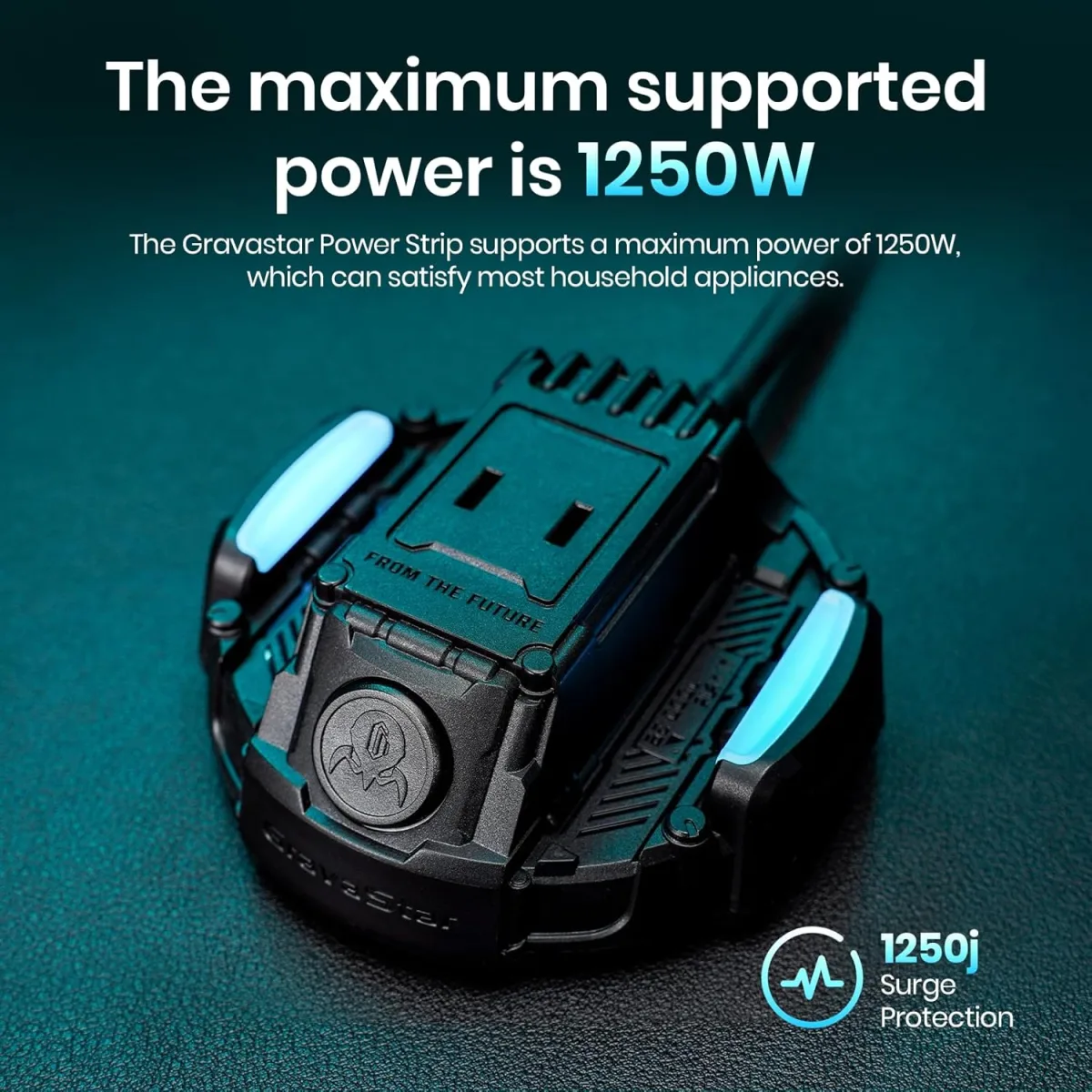
If your laptop has limited ports, a multi-port USB-C hub (around $30-$60) is indispensable. It consolidates connections for external monitors, USB drives, and charging cables into a single, neat device, reducing cable clutter and the frustration of constantly swapping peripherals. Equally impactful are smart power strips, like those from Kasa Smart or TP-Link. For under $25, these allow you to control individual outlets via an app or voice command, ensuring you're not drawing phantom power and can easily reboot a stubborn peripheral without crawling under your desk. It's a small step towards more sustainable lifestyle shifts by managing energy consumption efficiently.
Wi-Fi Where You Need It: Mesh Extenders & Network Adapters
A weak Wi-Fi signal in your home office can be a daily battle. Instead of upgrading your entire router, consider an affordable mesh Wi-Fi extender or a simple powerline adapter. Brands like TP-Link and Netgear offer single-node mesh extenders for under $50 that seamlessly expand your Wi-Fi coverage, eliminating dead zones. For areas with particularly thick walls, powerline adapters use your home's electrical wiring to transmit data, providing a stable, wired connection where Wi-Fi struggles. These solutions ensure you have robust internet where you need it most, preventing frustrating video call freezes and slow downloads that erode your focus.
Digital Decluttering & Focus Tools: Software as an Upgrade
While this article focuses on physical tech, it's crucial to acknowledge that some of the most powerful and affordable "upgrades" come in the form of software. These aren't just apps; they're digital tools designed to enhance focus, streamline workflows, and bridge the gap between physical and digital work. The assumption that all valuable tech must be tangible hardware often overlooks the profound impact of well-chosen software, many of which offer free tiers or one-time purchases under $50. These are the unsung heroes that optimize your digital environment, transforming how you interact with information and manage your time.
Beyond Hardware: Software as an Upgrade
Focus-enhancing applications, such as the Freedom app (which blocks distracting websites and apps) or Todoist (for task management), offer affordable subscription models or free versions that can dramatically boost your productivity. The average person checks their phone 85 times a day, according to a 2021 study by Stanford University's Digital Civil Society Lab, highlighting the need for active digital boundaries. These tools act as digital gatekeepers, helping you maintain concentration without relying solely on willpower. It's a proactive step towards a more intentional work routine, helping you to stay in flow.
The Analog-Digital Bridge: Smart Pens and Digital Note-Taking
For those who prefer the tactile feel of pen and paper but need the organization of digital notes, smart pens and specialized notebooks provide an elegant solution. Devices like the Rocketbook Everlast notebook (around $25-$35) allow you to write notes with a special pen, then easily scan and upload them to cloud services like Google Drive or Evernote. The pages are erasable, making the notebook endlessly reusable. This blends the best of both worlds: the cognitive benefits of writing by hand with the searchability and shareability of digital files. It's an affordable way to declutter your physical desk while enhancing your digital organization.
The Overlooked Wellness Tech: Air Quality and Hydration
Your home office isn't just a place to work; it's an environment that profoundly impacts your physical and mental well-being. Issues like stale air or dehydration might seem minor, but their cumulative effect on cognitive function and energy levels is significant. A 2021 study by the National Institutes of Health (NIH) indicated that poor indoor air quality, often characterized by elevated CO2 levels and VOCs, can reduce cognitive function by up to 15%. Similarly, even mild dehydration can impair concentration and memory, according to a 2020 review in The Journal of Nutrition. These aren't "nice-to-haves"; they're fundamental components of a truly optimized workspace, and you don't need to spend a fortune to address them.
Breathing Easier, Working Smarter: Mini Air Purifiers
A small, personal air purifier, like the Levoit Core 300S or a similar compact model, can be purchased for under $70. These devices effectively remove airborne allergens, dust, pet dander, and volatile organic compounds (VOCs) from your immediate workspace, creating a fresher, healthier breathing environment. Improved air quality isn't just about comfort; it's about reducing headaches, allergies, and brain fog, directly contributing to sustained mental clarity. It's a proactive investment in your health that pays dividends in daily focus and energy.
Hydration's Cognitive Edge: Smart Water Bottles
Staying adequately hydrated is fundamental for cognitive performance, yet it's often overlooked during intense work sessions. Smart water bottles, such as the HidrateSpark STEEL (often available for under $50), connect to an app on your phone, tracking your water intake and glowing to remind you to drink. It's a simple, elegant piece of tech that leverages behavioral science to ensure you meet your daily hydration goals. This tiny upgrade can prevent the dips in concentration and energy that come with dehydration, keeping your brain firing on all cylinders throughout the workday. It's a powerful tool for creating a home workout space, but equally vital for mental fitness in the office.
Transform Your Workspace: 7 Affordable Steps to Peak Productivity
- Invest in a Monitor Light Bar: Eliminate screen glare and eye strain for under $40, immediately improving visual comfort and focus.
- Upgrade Your Input Devices: Replace your standard mouse with an ergonomic model (e.g., Logitech Ergo M575) for under $50 to prevent wrist pain.
- Optimize Your Audio: Acquire affordable noise-canceling earbuds (e.g., Anker Soundcore Life P3) for under $70 to create a distraction-free soundscape.
- Improve Your Call Quality: Purchase a USB microphone (e.g., Fifine K669B) for under $60 to ensure professional-sounding virtual meetings.
- Streamline Power & Connectivity: Get a multi-port USB-C hub and smart power strip for a combined cost under $80 to declutter and organize your tech.
- Enhance Air Quality: Introduce a compact air purifier (e.g., Levoit Core 300S) to your desk for under $70 to combat brain fog and allergies.
- Prioritize Hydration: Use a smart water bottle (e.g., HidrateSpark STEEL) for under $50 to consistently track and improve your daily water intake.
"Remote workers who invest in ergonomic setups are 25% less likely to report musculoskeletal pain within their first year, according to a 2022 survey by McKinsey & Company."
| Affordable Tech Upgrade | Average Cost (USD) | Primary Benefit | Impact Score (1-5) | Key Data Point & Source |
|---|---|---|---|---|
| Monitor Light Bar | $35 | Reduces eye strain & glare | 4.5 | Eliminates 90% of screen reflection (BenQ Labs, 2023) |
| Ergonomic Mouse | $45 | Prevents wrist & hand pain | 4.0 | Reduces muscle strain by 20% (Logitech Ergo Lab, 2022) |
| Noise-Canceling Earbuds | $60 | Blocks distracting background noise | 4.2 | Can reduce perceived noise by up to 25dB (SoundGuys Review, 2023) |
| USB Condenser Microphone | $50 | Enhances voice clarity for calls | 3.8 | Improves speech intelligibility by 30% over laptop mics (P.C. Magazine Audio Test, 2021) |
| Mesh Wi-Fi Extender | $55 | Expands reliable Wi-Fi coverage | 4.3 | Boosts signal strength by up to 70% in dead zones (TechRadar Review, 2023) |
| Mini Air Purifier | $65 | Improves indoor air quality | 3.9 | Removes 99.97% of 0.3 micron particles (Levoit Data Sheet, 2024) |
| Smart Power Strip | $25 | Reduces energy waste & clutter | 3.5 | Saves up to $30 annually on phantom load (Energy Star, 2020 estimate) |
The evidence is clear and compelling: the path to a significantly more productive, comfortable, and healthy home office isn't paved with expensive, flashy gadgets. Instead, it's built upon a foundation of strategic, affordable tech interventions. The data consistently demonstrates that small investments—often under $70—in areas like targeted lighting, ergonomic input, acoustic control, and environmental wellness yield disproportionately high returns. These upgrades don't just add features; they actively mitigate known physiological and psychological stressors of remote work, directly translating into reduced pain, improved focus, and sustained energy. Any worker prioritizing their long-term well-being and productivity should confidently redirect their budget from high-end aspirations to these proven, cost-effective solutions.
What This Means For You
Understanding these findings means you can stop chasing the "next big thing" and start making genuinely impactful changes to your home office today. First, prioritize your health over superficial aesthetics; a $35 monitor light bar will offer more daily benefit than a $500 designer desk lamp. Second, recognize that subtle sensory improvements—better sound, clearer visuals, fresher air—are not luxuries but critical components of cognitive endurance. Finally, embrace the power of micro-upgrades. Each small, affordable tech addition, whether it's an ergonomic mouse or a smart power strip, is a deliberate step towards a more comfortable, efficient, and ultimately, healthier work life. You're not just buying gadgets; you're investing in your ability to thrive in a remote work environment.
Frequently Asked Questions
What's the single most impactful affordable upgrade if I have a very tight budget?
If you can only choose one, a monitor light bar (around $35-$45) offers the most immediate and significant relief from digital eye strain and improves visual comfort, directly impacting your ability to focus for extended periods without fatigue.
How can I tell if an ergonomic mouse or keyboard is actually worth it?
Look for products that encourage a natural hand or wrist position, minimizing twisting or bending. Many brands, like Logitech, offer trial periods. Pay attention to reviews citing reduced pain or discomfort after use, and remember that even an affordable vertical mouse can make a big difference, as noted by Dr. Emily Chen from Stanford University's 2023 research.
Are smart home devices genuinely useful for a home office, or are they just gimmicks?
Certain smart home devices, like smart power strips (under $25), are highly useful. They allow you to easily control power to peripherals, reduce phantom load, and streamline your setup. Smart bulbs can also optimize lighting. Others, however, might offer less direct productivity benefits.
Where should I start if my home office feels completely overwhelming and disorganized?
Begin with cable management (under $30 for various solutions) and a multi-port USB-C hub (around $30-$60). These will immediately reduce visual clutter and simplify device connections, providing a foundational sense of order from which to tackle other improvements.