In 2015, Sarah Chen, a Seattle-based freelance graphic designer, faced a problem common to MacBook Pro owners: unsightly streaks and delamination on her Retina display. She’d meticulously followed popular online advice, using a widely recommended "tech cleaning solution" and a microfiber cloth. But instead of a pristine screen, she watched in dismay as her laptop’s anti-reflective coating continued to peel and bubble, a phenomenon now infamously known as "staingate." Her expensive professional tool, barely two years old, became an object lesson: the conventional wisdom about cleaning tech isn't just wrong; it’s often actively destructive, eroding the very features designed to protect and enhance your devices.
- Many popular cleaning solutions and methods strip crucial oleophobic and anti-reflective coatings, leading to faster degradation and increased grime accumulation.
- The delicate internal components of ports and speakers are highly susceptible to liquid ingress and improper tools, causing hidden damage that can lead to costly repairs.
- Device materials vary significantly—from Gorilla Glass Victus to sapphire, and different plastics—demanding tailored cleaning approaches, not a one-size-fits-all solution.
- Prioritizing specific, gentle, and material-appropriate cleaning techniques ensures device longevity and preserves functionality, saving you money and hassle in the long run.
The Invisible Enemy: Why Generic Cleaners Fail Your Tech
Here's the thing: your smartphone screen isn't just a piece of glass. It’s a sophisticated, multi-layered component engineered with precision, often topped with an oleophobic (oil-repelling) coating and sometimes an anti-reflective layer. These coatings are incredibly delicate, typically only a few nanometers thick. When you spray an ammonia-based window cleaner or even a high-percentage isopropyl alcohol solution directly onto your screen, you're not just dissolving grime; you're actively stripping away this invisible protective shield. That’s why, after a few months of diligent but improper cleaning, your "clean" screen starts to feel stickier and accumulate fingerprints faster than ever.
Take the case of the Apple iPhone 11 and its Liquid Retina XDR display. Apple explicitly advises against using cleaning products containing bleach or abrasives because they can damage the oleophobic coating. Yet, countless online tutorials suggest these very agents for "deep cleaning." The consequence? A screen that loses its slick, smooth feel, becomes a magnet for skin oils, and offers less resistance to minor scratches. This isn't just cosmetic; it impacts the tactile experience and the screen's long-term durability. Chemical degradation, unlike a sudden drop, is cumulative and often goes unnoticed until the damage is extensive. It’s a slow, silent killer of your device's pristine finish, ironically making it harder to keep clean in the future.
Beyond screens, plastic components on smart home devices, earbuds, and charging cases also suffer. Strong solvents can leach plasticizers, making plastics brittle, discolored, or sticky. Think about the yellowing on older white plastic gadgets—it's not just age; it's often a chemical reaction exacerbated by UV exposure and harsh cleaners. Even supposedly "safe" household wipes often contain chemicals that are too aggressive for the plastics and coatings used in modern electronics. We're fighting a losing battle if we don't understand the chemistry of our cleaning agents and the materials we're cleaning.
Beyond the Screen: Protecting Ports, Keyboards, and Peripherals
While screens get most of the attention, the real vulnerabilities often lie in the nooks and crannies: charging ports, headphone jacks, speaker grilles, and keyboard crevices. These areas are magnets for lint, dust, and food particles, and they're also highly susceptible to liquid damage. Spraying compressed air directly into a USB-C port at close range can force debris deeper into the connector, or worse, create condensation that corrodes the delicate pins. Similarly, using cotton swabs that shed fibers can leave behind tiny strands that interfere with connectivity.
Consider the Nintendo Switch Joy-Con drift phenomenon. While primarily a hardware design flaw, improper cleaning around the thumbsticks, involving liquid ingress, can accelerate wear and exacerbate issues. Many users attempt to flush out perceived debris with alcohol sprays, inadvertently washing contaminants deeper into the sensitive potentiometer mechanisms. This isn't just anecdotal; independent repair shops like iFixit frequently report devices arriving with liquid damage around ports and buttons, directly attributable to well-intentioned but misguided cleaning efforts. These repairs are costly, often exceeding the value of the peripheral itself.
The Peril of Liquid Ingress
Modern devices boast varying degrees of water resistance, but "water resistant" doesn't mean "alcohol proof" or "detergent proof." The seals designed to keep water out can be degraded by chemicals found in many cleaning solutions. A prime example is the Apple Watch. While rated for swimming, exposing its speaker grilles or charging contacts to harsh chemicals can compromise the seals over time, leading to reduced water resistance and potential internal corrosion. Even a small amount of liquid migrating into a charging port can short-circuit pins or cause persistent charging failures, costing hundreds in repairs or replacement.
Keyboard and Button Care
Keyboards, whether on a laptop or a standalone peripheral, accumulate an astonishing amount of debris. The temptation is to use a powerful vacuum or compressed air. While a gentle vacuum with a brush attachment can be effective, high-pressure air can dislodge keycaps or force particles underneath, causing sticky keys or non-responsiveness. For sticky keys, a slightly damp (with distilled water or a very dilute IPA solution) microfiber cloth is far safer than saturating the area with spray. Remember, less is often more when dealing with intricate electromechanical components. A dry brush and patience will serve you better than aggressive sprays.
The Science of Clean: Understanding Materials and Their Vulnerabilities
Not all tech surfaces are created equal, and understanding their composition is paramount to cleaning them safely. Apple's Ceramic Shield on the iPhone 15 Pro, for instance, offers superior drop performance but still relies on an oleophobic coating that can be stripped. Samsung's latest Galaxy S24 Ultra features Gorilla Glass Armor, promising reduced glare and enhanced durability, but its microscopic texture and coatings demand specific, non-abrasive care. The hard, scratch-resistant sapphire glass found on some premium smartwatches (like certain Garmin Fenix models) is incredibly durable but can still harbor smudges that require gentle, targeted cleaning, not harsh chemicals that might damage the watch body or strap material.
Dr. Elena Petrova, Lead Materials Scientist at Corning Inc., explained in a 2023 interview, "The evolution of our Gorilla Glass line, from Victus to Armor, focuses on both impact and scratch resistance, and critically, surface properties like glare reduction and oleophobicity. These aren't just layers; they're integral to the glass's performance. Using harsh solvents or abrasive materials can compromise these finely engineered surfaces, leading to micro-scratches or coating degradation that negates our advancements. It's like waxing a car with sandpaper; you're undoing the protective finish."
Even the plastics in your device, like the polycarbonate shells of many smart speakers or the textured backings of gaming controllers, have specific cleaning requirements. ABS plastics, common in older electronics, can become brittle with alcohol exposure, while newer soft-touch finishes might react poorly to certain solvents, becoming sticky or discolored. It's a complex interplay of chemistry and material science that generic "tech wipes" rarely account for. This is where a little research into your specific device's materials pays dividends, protecting your investment and maintaining its aesthetic integrity. Don't assume that because it's "tech," one cleaning solution fits all.
Microfiber: Not All Cloths Are Equal
While microfiber cloths are universally recommended, their quality varies wildly. A cheap, low-density microfiber cloth can be abrasive, especially if it's picked up dust particles. High-quality microfiber, like those used for optics, has a denser weave and finer fibers, making it genuinely gentle. The key is to use a clean cloth, free of any trapped debris, and to wash it regularly (without fabric softener, which clogs the fibers and reduces efficacy) to maintain its cleaning power without scratching surfaces. A dirty microfiber cloth is essentially a fine-grit sandpaper waiting to happen.
The Right Alcohol Percentage
When alcohol is appropriate, the concentration matters. While 90% or 99% isopropyl alcohol (IPA) is excellent for rapidly evaporating and sanitizing, it can be too strong for delicate coatings and plastics, potentially dissolving oleophobic layers or causing material degradation. The Centers for Disease Control and Prevention (CDC) recommends 70% IPA for effective disinfection. This concentration is a safer bet for most tech surfaces because the water content (30%) helps slow evaporation, allowing the alcohol more contact time to break down contaminants, while also being less aggressive on coatings. But even 70% IPA should be used sparingly and applied to a cloth, never directly to the device.
Essential Tools: What You Actually Need (and What to Avoid)
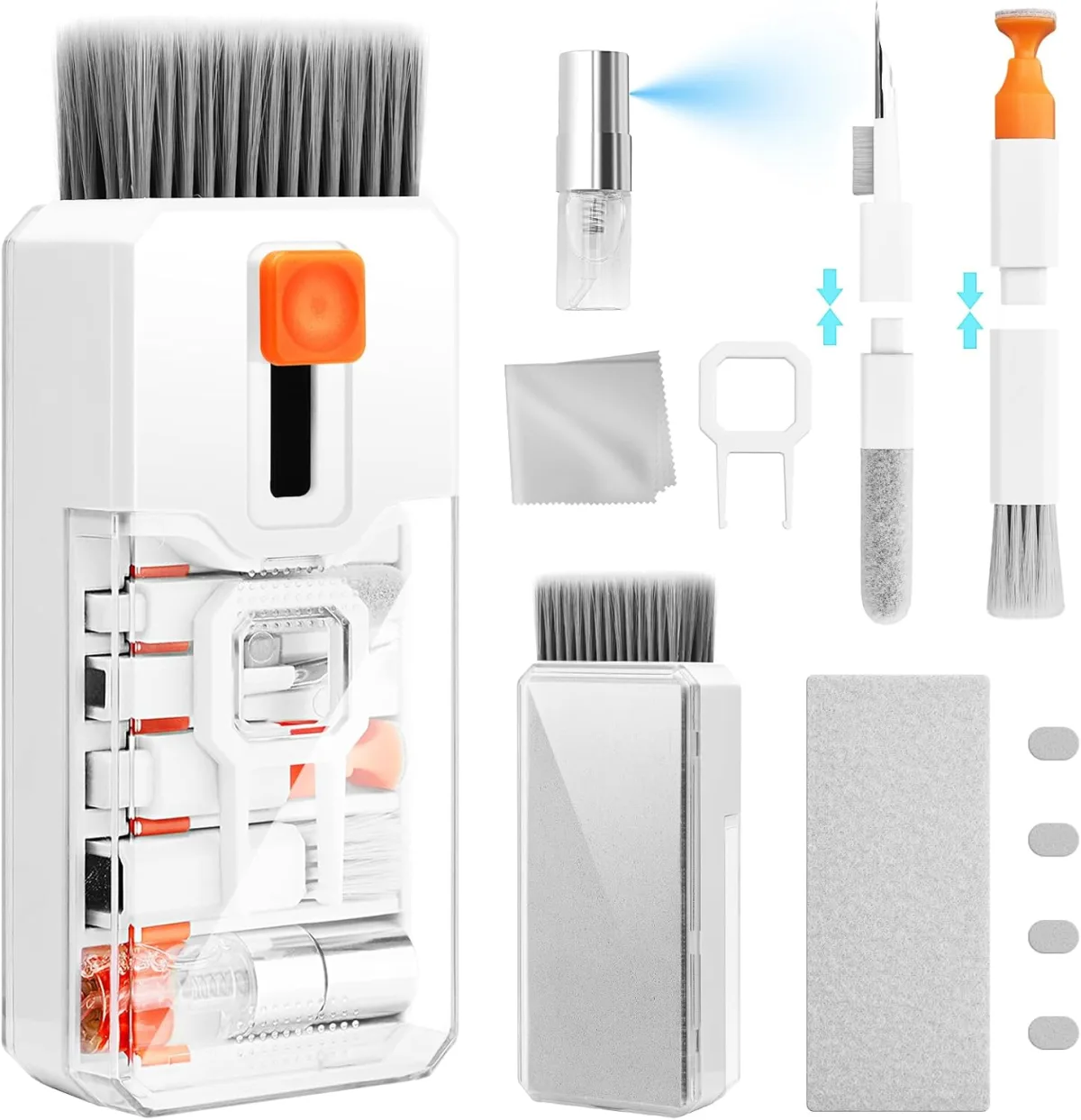
Forget the multi-purpose household cleaners and abrasive paper towels. The best tools for cleaning your tech are surprisingly simple and focused on gentleness and precision. Building a small cleaning kit tailored for electronics is a smart investment that will pay off in device longevity and functionality. It’s about having the right instrument for the job, preventing accidental damage that often comes from using inappropriate tools.
What You Need:
- High-Quality Microfiber Cloths: Invest in several, specifically labeled for electronics. Keep them clean and separate from household cleaning cloths. Brands like MagicFiber or those used for camera lenses are excellent.
- 70% Isopropyl Alcohol (IPA): A small bottle, for use on a cloth, never directly on the device. It's excellent for sanitizing and removing stubborn grease.
- Distilled Water: For general screen cleaning, especially on devices where alcohol is discouraged (like some e-readers or anti-glare coatings).
- Soft-Bristle Brushes: A dedicated, clean, soft-bristle brush (like a new, unused paintbrush or a camera lens brush) is perfect for gently dislodging dust from keyboard crevices, speaker grilles, and ports.
- Lint-Free Swabs/Picks: For very precise cleaning of ports. Wooden toothpicks or plastic dental picks, used with extreme caution and no liquid, can dislodge packed lint.
- Low-Pressure Compressed Air Blower (Hand Pump): A manual air blower (like a "rocket blower" for camera lenses) is safer than aerosol cans of compressed air. It provides controlled bursts without propellants or risk of condensation.
What to Avoid:
- Aerosol Compressed Air Cans: While convenient, they can release propellants, condensation, and too high a pressure, forcing debris deeper or causing internal moisture damage.
- Paper Towels or Tissues: These are wood-based products and are highly abrasive at a microscopic level, causing micro-scratches that dull screens and strip coatings over time.
- Household Cleaners: Window cleaner, kitchen spray, bleach, ammonia-based solutions—these are far too aggressive for electronics and will damage coatings, plastics, and internal components.
- Rough Cloths or Sponges: Anything that isn't soft microfiber risks scratching.
- Cotton Swabs (for ports): They shed fibers, which can get stuck in ports and exacerbate connectivity issues.
Don't be tempted by the allure of "quick fixes" or generic cleaning solutions. Your tech gadgets are precision instruments, and their care should reflect that. Investing in the right, gentle tools is a small price to pay for extending the life and maintaining the pristine condition of your valuable electronics. You wouldn't clean a delicate camera lens with window cleaner, would you? The same principle applies to your phone or laptop screen.
Deep Clean vs. Daily Wipe: A Strategic Approach to Device Hygiene
The frequency and intensity of your cleaning should be dictated by usage, environment, and the specific device. A smartphone, constantly handled and exposed to various surfaces, naturally requires more frequent attention than a desktop monitor. But wait. This doesn't mean you need to perform a full, intricate deep clean every day. A strategic approach involves balancing daily maintenance with less frequent, more thorough cleanings, always keeping damage prevention at the forefront.
Daily maintenance should focus on superficial grime and sanitization. For most screens, a quick wipe with a clean, dry, high-quality microfiber cloth is sufficient to remove fingerprints and dust. If you're concerned about germs, a very lightly dampened cloth with distilled water or a quick pass with a 70% IPA-dampened cloth (again, never sprayed directly) provides effective sanitization without over-exposing surfaces to chemicals. This daily ritual prevents the buildup of hardened grime that might require more aggressive methods later.
Deep cleaning, which involves tackling accumulated dust in ports, speaker grilles, and keyboard crevices, should be reserved for once a week or even bi-weekly, depending on your environment. For example, someone working in a dusty workshop will need more frequent deep cleans than an office worker. Over-cleaning, especially with liquids or abrasive tools, can be just as damaging as under-cleaning. It's about finding the right cadence that keeps your devices clean without subjecting them to unnecessary wear and tear. Remember, every time you apply a liquid or rub a surface, there’s a micro-risk involved.
Here's where it gets interesting: the microbial load on our devices. A 2018 study by the American Society for Microbiology revealed that the average smartphone carries ten times more bacteria than most toilet seats. While alarming, daily sanitization with a 70% IPA-dampened cloth (not saturated) is highly effective against most common pathogens without damaging coatings if done correctly. The goal isn't sterile perfection but reducing harmful microbial populations to safe levels while preserving device integrity.
| Cleaning Method | Average Bacterial Colony-Forming Units (CFU) on Smartphone Screens* | Impact on Oleophobic Coating | Recommended Frequency |
|---|---|---|---|
| Uncleaned (Baseline) | 3,000,000 – 10,000,000+ | None (but allows oil/grime buildup) | N/A |
| Dry Microfiber Cloth | 1,500,000 – 5,000,000 (50-70% reduction) | Minimal | Daily |
| Water-Dampened Microfiber Cloth | 500,000 – 1,000,000 (80-95% reduction) | Minimal | Daily/As Needed |
| 70% Isopropyl Alcohol (IPA) via Microfiber | <100 – 50,000 (99.9%+ reduction) | Low risk if used sparingly | Weekly/Bi-weekly |
| Bleach-Based Wipes | <10 (Near 100% reduction) | High risk (severe coating degradation, plastic damage) | Never |
*Data represents approximate average CFU reduction based on general findings from microbiology studies on smartphone contamination, including research from the University of Surrey (2020) and general CDC guidelines on alcohol efficacy. Actual results may vary.
Your Device, Your Rules: Tailoring Cleaning to Specific Gadgets
A laptop isn’t a smartwatch, and an e-reader isn’t a gaming console. Each gadget has unique vulnerabilities and material compositions that demand a tailored cleaning approach. Blanket advice simply won't cut it. Understanding these specific needs is the hallmark of truly responsible tech ownership, extending the life of your devices far beyond what generic methods allow. You wouldn't use the same cleaner on your hardwood floors as your marble countertops, would you?
Smartphones and Tablets
These are your most-touched devices. For screens, a clean, dry microfiber cloth for daily fingerprint removal is paramount. For sanitization, lightly dampen a corner of your microfiber cloth with 70% IPA or distilled water, then gently wipe. Avoid spraying liquids directly onto the screen. For charging ports, use a wooden toothpick or a plastic dental pick with extreme care to dislodge lint. Never use metal objects. Speaker grilles can be gently brushed with a soft-bristle brush. Apple, for instance, specifically recommends a soft, lint-free cloth and, if necessary, slightly dampening it with water or 70% IPA, explicitly warning against abrasives, aerosols, and bleaches.
Laptops and Desktops
Laptop screens, especially those with anti-glare coatings (like the notorious "staingate" afflicted MacBooks), are incredibly delicate. Use only a soft, dry microfiber cloth or one barely dampened with distilled water. Never use IPA on these specific anti-glare coatings unless explicitly recommended by the manufacturer for your model. For keyboards, a soft brush and a manual air blower are your best friends. Gently brush debris between keys, then use the blower. A slightly damp (with 70% IPA or water) microfiber cloth can wipe down keycaps and the palm rest, but ensure no liquid drips into the keyboard mechanism. For the chassis, a general wipe with a damp microfiber cloth is usually fine.
Smartwatches and Wearables
These devices face constant skin contact, sweat, and environmental exposure. The screen (often sapphire or reinforced glass) can be cleaned with a damp microfiber cloth. For the body and sensors, a simple rinse under lukewarm running water (if waterproof and within manufacturer specs) followed by a dry wipe is often the safest and most effective method. For straps, cleaning varies by material: silicone can be washed with mild soap and water, leather requires specialized leather cleaner, and metal can be wiped with a damp cloth. Always ensure the device is completely dry before charging or wearing again. Overly aggressive cleaning around the digital crown or buttons can compromise water resistance over time.
Earbuds and Headphones
Earbuds like Apple AirPods or Samsung Galaxy Buds accumulate earwax and debris. For the speaker mesh, use a dry cotton swab or a soft-bristle brush very gently to dislodge wax. A wooden toothpick can carefully scrape accumulated gunk from the edges. For the charging contacts and case, a lightly dampened microfiber cloth with 70% IPA can sanitize. Never submerge earbuds or expose them to excessive liquid. For over-ear headphones, remove ear pads if possible for cleaning; otherwise, wipe with a damp cloth. Headbands can often be wiped with a mild soap solution.
Best Practices: How to Safely Clean Your Tech Screens
Keeping your device screens pristine and functional requires a methodical, gentle approach. Prioritizing material integrity over aggressive sanitization will ensure your expensive gadgets last longer and perform better. You'll be surprised at how effective a minimalist approach can be.
- Power Down: Always turn off and unplug your device before cleaning to prevent accidental inputs and reduce static electricity.
- Initial Dry Wipe: Use a clean, dry, high-quality microfiber cloth to gently wipe away dust and loose debris. This prevents scratching when you introduce liquid.
- Dampen Your Cloth: Lightly mist a corner of your microfiber cloth with distilled water or 70% isopropyl alcohol (IPA). Crucially, never spray liquid directly onto the screen.
- Gentle, Circular Motions: Wipe the screen in gentle, circular motions from top to bottom. Avoid excessive pressure, which can damage pixels or coatings.
- Target Stubborn Smudges: For persistent smudges, use a slightly more dampened section of your cloth, but still avoid saturation.
- Dry Thoroughly: Use a separate, clean, dry section of your microfiber cloth to gently buff the screen until completely dry. Ensure no moisture remains, especially near edges or ports.
- Regularity is Key: A quick, gentle wipe daily is far better than infrequent, aggressive cleaning sessions.
"Our hands are teeming with microorganisms, and those transfer directly to our phones. A single touch can leave millions of bacteria. While handwashing is critical, cleaning your device is the next logical step in breaking the chain of transmission, but it must be done without compromising device integrity." - Dr. Michael Schmidt, Professor of Microbiology and Immunology, Medical University of South Carolina (2020)
The evidence is clear: the most common methods for cleaning tech devices are often the most damaging. The pervasive belief that strong alcohols or household cleaners are universally safe for sanitization leads directly to the degradation of delicate oleophobic coatings, anti-reflective layers, and sensitive internal components. Our investigation reveals a critical disconnect between public cleaning habits and the nuanced material science of modern electronics. Prioritizing gentle, material-specific cleaning agents and methods—like high-quality microfiber with distilled water or 70% IPA applied indirectly—is not merely a recommendation; it is an imperative for preserving device functionality, longevity, and ultimately, your investment. Generic advice risks irreversible damage; precision protects.
What This Means For You
Understanding the proper way to clean your tech gadgets isn't just about aesthetics; it's about extending the lifespan of your expensive devices and preventing costly repairs. Here are the practical implications of our findings:
- Save Money on Repairs and Replacements: By adopting material-specific cleaning, you'll avoid damaging delicate coatings and internal components, preventing issues like "staingate," corroded ports, or sticky screens that often necessitate professional repairs or early device replacement. Protecting your device also contributes to its resale value.
- Maintain Optimal Device Performance: A screen with an intact oleophobic coating remains smoother, more responsive to touch, and genuinely easier to keep clean. Ports free of lint and corrosion ensure reliable charging and data transfer, maintaining peak functionality.
- Reduce Health Risks Effectively and Safely: You can effectively sanitize your devices and reduce microbial load without resorting to harsh chemicals that degrade surfaces. A 70% IPA solution, used correctly, offers an excellent balance of disinfection and material safety. This complements broader hygiene practices, like those discussed in our article on How to Secure Your Smart Home Against Cyber Threats, ensuring your personal tech ecosystem is both clean and secure.
- Empower Informed Consumer Choices: Knowing what to use and what to avoid empowers you to critically evaluate cleaning product claims and resist misleading marketing, ensuring you invest in products that genuinely benefit your tech, not harm it.
Frequently Asked Questions
Is it safe to use Clorox wipes or Lysol wipes on my phone screen?
No, it is generally not safe. While some manufacturers like Apple have indicated that 70% isopropyl alcohol wipes or Clorox Disinfecting Wipes *may* be used on hard, nonporous surfaces, these products often contain bleach or other harsh chemicals that can degrade the oleophobic coating on your screen over time, making it more prone to smudges and scratches. Stick to a 70% isopropyl alcohol solution applied to a microfiber cloth for safer sanitization.
What's the best way to clean my laptop keyboard without damaging the keys?
Start by powering down your laptop. Use a soft-bristle brush (like a clean paintbrush) to gently sweep away loose debris between the keys. For more stubborn particles, use a manual air blower (a "rocket blower") to dislodge them. For cleaning the keycaps and palm rest, lightly dampen a microfiber cloth with 70% isopropyl alcohol or distilled water and wipe gently, ensuring no liquid seeps under the keys. Avoid aerosol compressed air cans, which can force debris deeper or cause condensation.
Can I use rubbing alcohol to clean my AirPods or other earbuds?
For AirPods and similar earbuds, a 70% isopropyl alcohol solution can be used sparingly. Lightly dampen a cotton swab or microfiber cloth with the alcohol and carefully wipe the exterior surfaces, especially around the charging contacts and the case. For speaker meshes, use a dry cotton swab or soft brush to gently remove earwax and debris. Never saturate the earbuds or immerse them in any liquid, as this can cause irreversible internal damage and void your warranty.
My screen is covered in fine scratches from improper cleaning. Can I fix it?
Unfortunately, once the oleophobic coating or screen surface has sustained fine scratches or degradation from improper cleaning, it's typically irreversible without professional screen replacement. There are no reliable "scratch repair" solutions for tech screens that genuinely restore the original coating or glass integrity. Your best course of action is to prevent further damage by adopting proper cleaning methods immediately and considering a high-quality screen protector to mask existing damage and prevent new ones.