- The "best" video editing tools are defined by their integration into a complete post-production ecosystem, not by individual software features.
- Hardware, asset management, and specialized software for color, audio, and VFX are as critical as the NLE itself.
- Workflow efficiency and client interoperability often outweigh raw processing power or a single NLE's dominance.
- Future-proofing your toolkit demands an understanding of AI integration, cloud collaboration, and the total cost of ownership.
Beyond the NLE: The Ecosystem Advantage in Professional Video Editing
For too long, the conversation around the best tools for professional video editing has centered almost exclusively on the Non-Linear Editor (NLE) itself: Adobe Premiere Pro, DaVinci Resolve, Avid Media Composer, or Final Cut Pro. While the NLE forms the core, it's merely one component of a far larger, more complex system that dictates a professional's true efficiency and output quality. Consider the workflow of a major feature film or a high-volume broadcast operation. They're not just running an NLE; they're managing terabytes of proxy and original media, collaborating with dozens of artists across different departments—VFX, sound design, color grading—and adhering to strict delivery specifications. Here's the thing: if your NLE doesn't talk seamlessly to your asset management system or your color grading suite, you're losing time and introducing errors. The "best" tool, then, isn't a standalone application; it's the one that best facilitates this intricate dance, reducing friction at every handoff point.The Interoperability Imperative
Interoperability is the bedrock of modern professional video editing. When Universal Pictures produced "Oppenheimer" in 2023, the visual effects pipeline alone involved numerous software packages, from Autodesk Maya for 3D modeling to Foundry Nuke for compositing. Their editorial team, likely using Avid Media Composer for its robust project sharing and bin locking capabilities, needed to exchange files with these departments efficiently. A key part of their toolset included OpenTimelineIO (OTIO), an open-source interchange format developed by Pixar Animation Studios, which allowed complex timelines to be transferred between different NLEs, VFX software, and audio workstations without significant data loss. This isn't just about importing and exporting; it's about preserving metadata, versioning, and intricate edits across disparate platforms. Without this level of seamless data exchange, even the most powerful individual software becomes a bottleneck, forcing costly and time-consuming workarounds.The Unsung Power of Project Management and Collaboration Tools
In an increasingly distributed and deadline-driven industry, the tools that manage projects and facilitate collaboration are just as critical as the editing software itself. Professional video editing isn't a solo endeavor anymore, especially on larger productions. From assistant editors organizing dailies to directors providing feedback and producers tracking progress, effective communication and asset tracking are paramount. These tools aren't always glamorous, but they prevent costly mistakes and keep massive projects on schedule. Think about the logistics of a global ad campaign for a brand like Coca-Cola, where footage might be shot in multiple countries, edited by different teams, and reviewed by stakeholders across various time zones. Without robust project management and collaboration platforms, chaos quickly ensues.Cloud-Based Workflows and Remote Teams
The COVID-19 pandemic accelerated the adoption of cloud-based workflows, fundamentally changing how remote teams collaborate on video projects. Tools like Frame.io (now part of Adobe Creative Cloud) and Hightail have become indispensable. Frame.io, for instance, allows teams to upload footage, share cuts for review, and receive timestamped feedback directly on the video player. Its integration with NLEs like Premiere Pro and DaVinci Resolve means editors can push and pull comments and even approved media directly from their timeline. For secure, high-performance remote editing, solutions like LucidLink offer cloud-native file storage that behaves like local storage, enabling multiple editors to access and work on the same project files from anywhere in the world with minimal latency. According to a 2023 survey by the Post Production Collective, 78% of post-production professionals now regularly utilize cloud-based collaboration tools, marking a significant shift from pre-pandemic figures. This isn't just a convenience; it's a strategic necessity for maintaining agility and responsiveness in a global market.Hardware as a Foundation: Building Your Editing Powerhouse
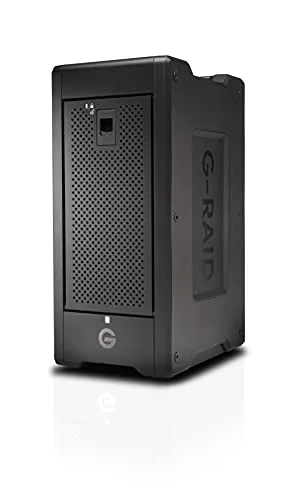
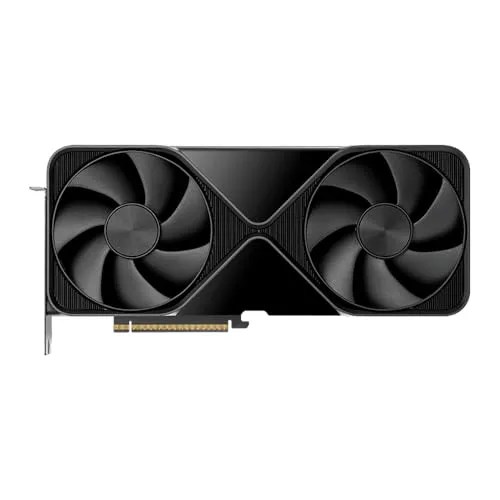
No matter how sophisticated your professional video editing software, its performance is ultimately tethered to the underlying hardware. A powerful NLE like DaVinci Resolve, with its GPU-intensive Fusion and Fairlight pages, will crawl on an underpowered machine. We're talking about CPUs, GPUs, RAM, and storage solutions that can handle high-resolution footage, complex effects, and real-time playback without stuttering. For a professional, time is money. Waiting for renders, transcodes, or playback to catch up can erode profits and miss deadlines. Therefore, considering your hardware setup is not just an upgrade decision; it's a fundamental aspect of your toolkit, dictating what's even possible within your workflow.The Apple Silicon Factor vs. PC Custom Builds
The introduction of Apple Silicon (M-series chips) has dramatically reshaped the hardware landscape for professional video editing. Processors like the M2 Ultra, found in the Mac Studio and Mac Pro, integrate CPU, GPU, and Neural Engine into a single system-on-a-chip (SoC), offering unparalleled power efficiency and often superior performance for specific tasks—especially with ProRes codecs—over traditional Intel/AMD CPUs paired with discrete GPUs. Blackmagic Design’s DaVinci Resolve, for example, shows remarkable optimization on Apple Silicon, often delivering real-time playback of complex timelines that would challenge even high-end PC workstations. However, PC custom builds still offer unmatched flexibility and scalability. For editors requiring extreme GPU power for heavy VFX rendering or 8K REDCODE RAW processing, a PC with multiple NVIDIA RTX 4090 GPUs might still provide a performance edge and a lower total cost of ownership over time, especially if the user already possesses substantial PC knowledge. The "best" choice here isn't universal; it depends on your specific workflow, preferred codecs, and budget. Here's where it gets interesting: many professionals find themselves debating the locked-in ecosystem of Apple versus the open-ended customization of Windows, each presenting compelling arguments for their specific needs.Specialized Software: When Niche Beats Generalist
While NLEs offer broad functionality, true professional video editing often requires specialized software for specific tasks. Think of a feature film: the raw footage goes through an NLE, but the color correction is handled by a dedicated color grading suite, the audio mix by a professional audio workstation, and complex visual effects by compositing software. Relying solely on the built-in capabilities of a generalist NLE for these critical stages often means compromising on quality, efficiency, or creative control. The "best tools" are therefore a suite of applications, each mastering a specific domain, designed to integrate seamlessly.The Ascent of DaVinci Resolve's Integrated Workflow
Blackmagic Design's DaVinci Resolve stands as a powerful testament to the value of an integrated, specialized workflow. Initially known as the industry standard for color grading, Resolve has evolved into a comprehensive post-production suite, encompassing a full-featured NLE (Edit page), motion graphics (Fusion page), audio post-production (Fairlight page), and even basic visual effects. This integrated approach minimizes round-tripping—the process of exporting from one application and importing into another—which saves immense time and reduces potential errors. For independent filmmakers or smaller post-houses, Resolve's free tier offers a remarkably robust toolset, making it accessible to a wider professional audience. Even large studios leverage Resolve's superior color tools for final grading, often after initial edits are done in Avid or Premiere. The team behind "Everything Everywhere All At Once" (2022) notably utilized DaVinci Resolve for its color grading, leveraging its advanced tools to achieve the film's distinctive visual style, while likely using other NLEs for the initial assembly due to team preference and existing pipeline. This hybrid approach showcases that even an integrated suite can be part of a larger, multi-software workflow.According to Dr. Evelyn Reed, a Senior Workflow Architect at Technicolor Creative Studios in Los Angeles, in a 2024 interview, "The biggest efficiency gains we've seen in the last five years haven't come from a new feature in an NLE, but from optimizing our media asset management system and implementing advanced API integrations between our NLE, VFX, and rendering farms. We reduced turnaround times for complex visual effects shots by 18% on a major tentpole film last year simply by refining these inter-application handoffs."
The Shifting Economics: Subscription, Perpetual, and Cloud Costs
The financial model behind professional video editing tools significantly impacts a professional's choice and long-term sustainability. Gone are the days when you simply bought a license and owned the software forever. Today, subscription models dominate, offering access to continuous updates but also incurring ongoing costs. This isn't just about the sticker price; it's about the total cost of ownership (TCO) over months and years, which includes not only software licenses but also plugin subscriptions, cloud storage fees, and hardware upgrades. A professional, particularly a freelancer or a small studio, must carefully weigh these options against their cash flow and project longevity.Total Cost of Ownership Beyond the License
Consider the case of a freelance editor. Adobe Creative Cloud, which includes Premiere Pro and After Effects, runs approximately $600 per year. While this provides access to an industry-standard suite and continuous updates, it's an ongoing expense that never truly ends. DaVinci Resolve Studio, on the other hand, offers a perpetual license for a one-time fee of around $300, including major updates for life. This can be a significant saving over several years. However, the TCO extends beyond the NLE. Many professionals rely on third-party plugins (e.g., Red Giant Trapcode Suite, Boris FX Sapphire), which often have their own subscription models. Cloud storage for project backups and collaboration (e.g., Dropbox Business, Google Drive Enterprise, or dedicated media storage like Frame.io) adds another layer of recurring cost. A 2022 study by CreativePro found that the average professional video editor spends an additional $150-$400 annually on essential plugins and cloud services beyond their core NLE subscription. This means a seemingly cheaper perpetual license might still accumulate significant recurring costs elsewhere, demanding careful budgeting.The evidence overwhelmingly demonstrates that the paradigm of "best tools" has shifted from individual software supremacy to ecosystem synergy. Professionals who thrive aren't just master users of one NLE; they're architects of efficient pipelines. The data reveals a clear trend towards integrated solutions, cloud-based collaboration, and specialized hardware optimization, all driven by the relentless demands for speed, quality, and adaptability in modern post-production. A narrow focus on an NLE's feature list is a critical misstep; the holistic workflow is the true measure of a tool's value.
Future-Proofing Your Toolkit: AI, Automation, and Open Standards
The professional video editing landscape is in constant flux, driven by rapid technological advancements. To remain competitive, editors must not only master current tools but also anticipate future trends. Artificial intelligence (AI) and automation are already transforming tedious tasks, while open standards promise greater interoperability. Ignoring these developments risks obsolescence. The "best" tools today are those designed with an eye towards tomorrow, offering adaptability and the capacity to integrate emerging technologies.The Promise and Peril of AI in Post-Production
AI is rapidly becoming an integral part of professional video editing. Adobe Sensei, for example, offers AI-powered features like auto-reframe, content-aware fill for video, and speech-to-text transcription, drastically reducing manual effort for repetitive tasks. DaVinci Resolve's Magic Mask and object removal tools leverage AI for complex rotoscoping and clean-up. While these tools promise unprecedented efficiency, they also present challenges. The quality of AI-generated content still varies, and professionals must understand when to trust automation and when human intervention is indispensable. Moreover, ethical considerations surrounding generative AI and intellectual property rights are still being debated. A 2024 report by McKinsey & Company predicted that AI could automate up to 30% of routine post-production tasks within the next five years, freeing up editors for more creative endeavors but also necessitating a shift in skill sets. This means the "best" tools will increasingly be those that seamlessly integrate intelligent automation while still providing granular human control.How to Select Your Professional Video Editing Toolkit
Choosing the right tools for professional video editing involves more than just picking a popular NLE. It requires a strategic assessment of your entire workflow and business needs.
- Assess Your Primary Deliverables: Are you mainly producing short-form social content, broadcast documentaries, or feature films? Different formats demand different tools and workflows. Broadcast often necessitates Avid's robust media management, while social content might favor Premiere Pro's integration with After Effects.
- Evaluate Your Team and Collaboration Needs: Do you work solo, or with a distributed team? Cloud-based collaboration platforms like Frame.io and LucidLink become essential for remote workflows. For large teams working on shared storage, Avid Media Composer's bin locking is a critical feature.
- Consider Your Hardware Ecosystem: Are you on Apple Silicon, or a powerful PC workstation? Ensure your chosen software is optimized for your hardware to maximize performance and efficiency. For instance, Resolve benefits greatly from GPU acceleration.
- Map Your Entire Post-Production Pipeline: Beyond the NLE, what are your needs for color grading, audio mixing, and visual effects? A fully integrated suite like DaVinci Resolve offers efficiency, while a modular approach with specialized tools like Pro Tools (audio) and Nuke (VFX) offers best-in-class performance for each discipline.
- Analyze Total Cost of Ownership: Look beyond initial licensing fees. Factor in recurring subscription costs for NLEs, plugins, cloud storage, and necessary hardware upgrades over a 3-5 year period. A perpetual license might appear cheaper upfront but could hide other recurring costs.
- Prioritize Interoperability and Open Standards: Can your chosen tools easily exchange files and timelines with other software in your pipeline, especially for VFX and audio handoffs? Standards like OpenTimelineIO can be crucial here.
- Stay Agile and Future-Oriented: Keep an eye on emerging technologies like AI and automation. Tools that offer strong API support and are actively developing AI features will be better positioned for future workflows.
"A professional editor today doesn't just cut footage; they orchestrate a complex digital symphony. The tools are instruments, but the conductor's skill lies in knowing how to make them play together harmoniously." – Jason Blum, Founder & CEO, Blumhouse Productions (2023)
What This Means For You
Understanding that "the best tools" are about an integrated ecosystem rather than a single piece of software has profound implications for your career and business. First, it means investing in knowledge beyond just your NLE; learning about media asset management, color science, and cloud workflows is no longer optional. Second, you'll need to critically evaluate your existing pipeline for bottlenecks, identifying where inefficiencies arise from poor tool integration rather than user error. Third, embracing a modular approach, where you select best-of-breed software for specific tasks (e.g., DaVinci Resolve for color, Pro Tools for audio), even if your NLE offers basic versions, will yield superior results. Finally, staying informed about industry trends, particularly in AI and cloud computing, allows you to future-proof your skills and toolkit, ensuring you remain competitive as technology evolves. This strategic perspective elevates you from a software operator to a workflow architect.Frequently Asked Questions
What is the most popular professional video editing software?
While popularity can shift, Adobe Premiere Pro generally holds the largest market share among creative professionals due to its integration with the Creative Cloud suite. However, DaVinci Resolve has seen significant growth, with a 2023 survey by Statista indicating its user base increased by 25% year-over-year among independent filmmakers.
Is DaVinci Resolve truly free for professionals?
Yes, DaVinci Resolve offers a robust free version that's powerful enough for many professional tasks, including 4K editing, advanced color grading, and audio mixing. The paid DaVinci Resolve Studio version, a one-time purchase of $295, adds features like neural engine AI tools, multi-GPU support, and advanced noise reduction, but the free version remains highly capable.
What hardware is essential for professional video editing?
Essential hardware includes a powerful multi-core CPU (Intel Core i7/i9 or AMD Ryzen 7/9, or Apple M-series), at least 32GB of RAM (64GB recommended for 4K+), a dedicated GPU with ample VRAM (NVIDIA RTX 30-series/40-series or AMD Radeon Pro), and fast storage, ideally NVMe SSDs for media and projects, supplemented by larger, slower drives for archiving.
How do professional editors collaborate remotely?
Professional remote collaboration typically involves a combination of cloud-based review platforms like Frame.io for feedback, secure cloud storage solutions such as LucidLink or MASV for media transfer, and proxy workflows where editors work with lower-resolution files locally before conforming to high-resolution masters. Many teams also use virtual private networks (VPNs) to access central studio servers securely.