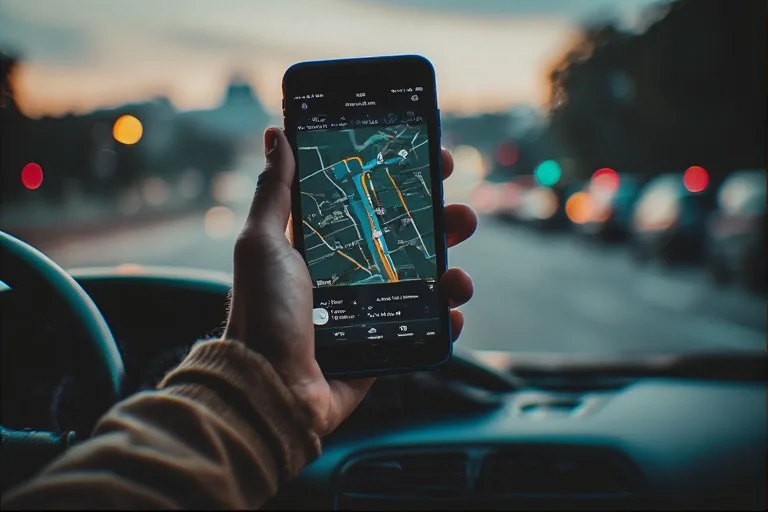
Picture this: It’s rush hour in downtown Los Angeles, and Sarah, a busy freelance graphic designer, is already running late for a crucial client meeting. Her navigation app, usually a reliable guide, suddenly directs her to turn left down a street that doesn’t exist, then recalculates, sending her in an exasperating loop around the same block for the third time. The voice from her phone, calm and insistent, is telling her to “turn left now” into what is clearly a brick wall. This isn't just a minor inconvenience; it's a frustrating, time-wasting, and sometimes safety-compromising experience many of us have faced. So, why do navigation apps sometimes show wrong routes, turning our digital co-pilots into digital saboteurs?
- GPS signal accuracy is not absolute and can be affected by environmental factors and device limitations, leading to positional errors.
- Mapping data, though constantly updated, can be outdated, incomplete, or contain errors, particularly for new constructions or temporary changes.
- Real-time traffic and road condition algorithms rely on diverse data sources, which can be delayed, misinterpreted, or sparse in certain areas.
- Software logic and routing algorithms make complex decisions that can sometimes prioritize efficiency over local knowledge or user experience.
The Foundations: GPS, Mapping Data, and Their Imperfections
At the core of every navigation app lies a triumvirate of technologies: Global Positioning System (GPS), digital mapping data, and sophisticated routing algorithms. Each component, while incredibly powerful, carries inherent limitations that can lead to navigational blunders. Understanding these foundational elements is crucial to grasping why your journey occasionally veers off course.
GPS, the backbone of modern navigation, works by receiving signals from a constellation of satellites orbiting Earth. Your smartphone or car's receiver calculates its position based on the time difference it takes for these signals to arrive from multiple satellites. While remarkably precise, GPS isn't infallible. Signals can be obstructed by tall buildings in urban canyons, dense foliage, tunnels, or even atmospheric conditions. This is known as "urban canyon effect" or "multipath interference," where signals bounce off surfaces before reaching your device, tricking it into thinking you're somewhere you're not. The U.S. Federal Aviation Administration (FAA) states that civilian GPS typically provides a horizontal accuracy of approximately 3.5 meters (11 feet) 95% of the time, but this can degrade significantly under challenging conditions. It's enough to misplace you on a parallel street or put you slightly off a turn, especially in congested areas. This inherent variability in location data is a primary reason why navigation apps sometimes show wrong routes.
Mapping Accuracy: A Constantly Moving Target
Beyond the satellite signals, navigation apps rely on vast, detailed digital maps. These maps are compiled from various sources: satellite imagery, aerial photography, government land surveys, and crucially, crowdsourced data from users. Companies like Google, Apple, and TomTom invest heavily in sending out Street View cars and employing teams of mappers, but the world is a dynamic place. New roads are built, old ones are closed, speed limits change, one-way systems are implemented, and temporary construction zones pop up daily. Keeping this massive database perfectly current is an impossible task.
Consider the case of a new housing development. It might take weeks or even months for the new streets to be accurately reflected in a navigation app's base map. Until then, your app might direct you through undeveloped land or simply show a blank space where a road should be. Conversely, a road that’s been permanently closed could still appear open, leading you to a dead end. Here's the thing. While updates are pushed frequently, often weekly or even daily for major apps, there's always a lag between real-world change and digital representation. This lag is a significant contributor to why navigation apps sometimes show wrong routes, often to the intense frustration of drivers expecting seamless guidance.
Real-Time Roadblocks: Traffic, Construction, and Dynamic Changes
Even with perfect GPS and up-to-date maps, the real world throws curveballs in the form of dynamic road conditions. Navigation apps pride themselves on offering "real-time" traffic updates and re-routing capabilities, but the accuracy and immediacy of this information aren't always what they seem. These systems pull data from an array of sources, including government traffic sensors, accident reports, news feeds, and, most significantly, anonymous location data from millions of other app users.
The challenge lies in the sheer volume and variability of this data. A sudden accident can snarl traffic for miles, but the reporting and processing of that information takes time. If only a few users are caught in the initial snarl, the system might not register it as a significant delay until more vehicles aggregate. This delay means you could be directed onto a highway that was clear minutes ago but is now a standstill. Conversely, a large influx of app users suddenly directed to a seemingly clear alternate route can quickly overwhelm it, creating a new bottleneck that the system then struggles to process and re-route around in real-time. This feedback loop can perpetuate inefficient routing, especially during peak hours.
Construction zones are another major headache. While some planned major constructions are pre-programmed into maps, temporary or short-notice roadworks often aren't. Your app might see a road as open and clear, oblivious to the "Road Closed" sign a quarter-mile ahead. These dynamic, un-mapped changes are incredibly difficult for any system to account for instantaneously. A study by the Texas A&M Transportation Institute and INRIX in 2021 revealed that traffic congestion cost American drivers $113 billion in lost time and fuel, highlighting the massive impact of these real-time disruptions on travel, even with advanced navigation tools trying to mitigate them.
Human Error & Device Limitations: From User Input to Signal Drift
While we often blame the app or the satellites, sometimes the problem starts closer to home: with us, the users, or our devices. Human error in inputting destinations or interpreting instructions, combined with the inherent limitations of our smartphones and vehicles, can significantly contribute to navigation mishaps. It’s not always the app leading you astray; sometimes, it’s a confluence of factors.
The Perils of 'Crowdsourced' Data and User Reporting
Many navigation apps rely heavily on crowdsourced data for real-time updates on traffic, accidents, and speed traps. While incredibly useful, this system isn't foolproof. Users might misreport an incident, forget to clear an old report, or even intentionally submit false information (though most apps have mechanisms to filter this). A phantom slowdown or a non-existent lane closure can send ripples through the routing system, potentially directing thousands of drivers onto alternative paths that are less efficient or even incorrect. The quality of this crowdsourced data directly impacts the app's ability to provide accurate, real-time guidance.
Furthermore, the way we interact with our devices can introduce errors. A typo in a street name, selecting the wrong address from a list of similar-sounding locations, or even mishearing a voice command can set you off on an entirely wrong trajectory. Think about it. How many times have you typed "Main St" when you meant "Maine Ave," or accepted the default suggestion without double-checking? These small input errors are magnified by the app's precision, faithfully guiding you to the wrong place with absolute certainty.
Dr. Eleanor Vance, a geospatial data scientist at the University of Washington, notes, "Smartphone GPS receivers, while ubiquitous, are often less precise than dedicated units. They're designed for power efficiency and cost-effectiveness, meaning they can struggle in environments with poor signal or high interference. We've seen instances where phones in dense urban areas exhibit a positional drift of up to 20-30 meters, enough to place a driver on an entirely different road than their actual location, especially when combined with outdated map data."
Beyond user input, the hardware itself plays a role. Older smartphones might have less sensitive GPS chipsets, making them more prone to signal loss or weaker accuracy. Battery-saving modes can also limit GPS polling frequency, leading to less precise location tracking. Even the placement of your phone in the car can impact signal reception. A phone tucked away in a glove compartment or under a seat won't get as clear a satellite signal as one mounted on the dashboard, leading to signal drift or lag in location updates. This isn't just a minor issue; it's a fundamental limitation that often explains why navigation apps sometimes show wrong routes, particularly for those using older devices or driving through challenging environments.
Algorithmic Anomalies: How Software Choices Influence Your Drive
Beneath the sleek interface and clear voice commands, navigation apps run on incredibly complex algorithms. These algorithms don't just find the shortest path; they weigh dozens of factors: speed limits, road types (highway vs. residential), historical traffic patterns, current traffic, turns, tolls, and even user preferences (e.g., "avoid highways"). The choices made in designing these algorithms can profoundly impact the routes suggested, sometimes leading to seemingly illogical or "wrong" directions.
One common algorithmic anomaly arises from the app's attempt to optimize for "fastest route." This often means it prioritizes high-speed roads, even if a slightly shorter, lower-speed local road might be negligibly slower or more direct. During periods of fluctuating traffic, an algorithm might reroute you onto a residential street to shave off a perceived minute or two, only for that street to become clogged with other re-routed drivers, negating any benefit and frustrating local residents. This over-optimization can be a source of constant irritation for drivers who feel they're being sent on circuitous routes.
Another issue is how algorithms handle "edge cases" or unusual road geometries. Roundabouts, complex intersections, or roads that suddenly become one-way can confuse even sophisticated software. An algorithm might struggle to correctly interpret a turn in a multi-lane roundabout or fail to distinguish between two closely parallel roads, especially if GPS accuracy is slightly off. These errors aren't necessarily due to bad data but rather the software's interpretation of that data within a complex, real-world context.
Furthermore, apps like Google Maps and Waze leverage machine learning to predict traffic and optimize routes. While incredibly powerful, these systems learn from historical data. If a specific road always gets congested at a certain time, the algorithm might actively avoid it, even if, on a particular day, it's unusually clear. Conversely, an unexpected event (a local festival, a parade) that isn't in the algorithm's historical data or real-time feed can throw its predictions completely off, leading to a route that's ostensibly "best" but practically terrible. It's a constant battle between predictive power and unpredictable reality, explaining why navigation apps sometimes show wrong routes when confronted with novelty.
The Challenge of the Urban Jungle and Micro-Environments
Navigating dense urban environments presents a unique set of challenges that magnify the limitations of navigation apps. Skyscrapers, tunnels, multi-level roads, and narrow streets conspire to create a "perfect storm" for GPS signal degradation and mapping confusion. These micro-environments are where the inaccuracies often become most apparent and frustrating.
In a city like New York or Chicago, the towering buildings create deep urban canyons, blocking direct line-of-sight to GPS satellites. This forces devices to rely on reflected signals, which introduce errors, or to fall back on less precise methods like Wi-Fi positioning or cell tower triangulation. While these supplementary methods help maintain a general location, they lack the pinpoint accuracy needed for precise turn-by-turn directions. You might be told to turn right onto 5th Avenue when you're actually on 6th, or to exit a tunnel when you're still halfway through.
Consider multi-level roads, common in many major cities. An app might struggle to determine if you're on a lower underpass or the elevated expressway directly above it. This vertical ambiguity, combined with slight horizontal GPS drift, can lead to instructions that are literally for a different road layer, prompting you to exit when you should stay straight, or vice versa. This is a common complaint, particularly in older cities with complex infrastructure. To understand how some of these technologies work, diving into resources like How GPS Works Even Without Internet Access can provide further clarity.
Even pedestrian zones or restricted access roads can cause issues. An app might not fully differentiate between a road accessible to delivery vehicles at certain times versus a strictly pedestrian plaza. This can lead to drivers being directed down forbidden paths, creating safety hazards and legal complications. The granularity required to perfectly map every nuance of a city's road network, coupled with the real-time changes to those nuances, means that urban navigation remains one of the most significant hurdles for app developers, consistently explaining why navigation apps sometimes show wrong routes in these complex settings.
The Evolving Landscape: Continuous Updates and Future Outlook
Despite their occasional missteps, navigation apps are continually evolving. The companies behind them are pouring resources into improving accuracy, integrating new data sources, and refining their algorithms. This constant evolution is a testament to the complexity of the problem and the high demand for seamless, reliable navigation.
One major area of improvement is the integration of more sophisticated sensor data. Modern smartphones contain accelerometers, gyroscopes, and magnetometers, which can help "dead reckon" a vehicle's position when GPS signals are weak or lost. Combined with Wi-Fi and Bluetooth beacon positioning, especially indoors or in urban canyons, these technologies are creating a more robust location-tracking ecosystem. Cars themselves are becoming mobile data points, with advanced driver-assistance systems (ADAS) and connected vehicle technologies providing incredibly granular real-time road condition data, which can feed back into navigation systems.
Furthermore, mapping companies are leveraging artificial intelligence and machine learning to process satellite imagery and Street View data faster and more accurately. AI can identify newly constructed roads, changed speed limits, and even temporary road closures from visual cues, speeding up the update cycle. The increasing adoption of 5G networks also promises lower latency and higher bandwidth, potentially allowing for more immediate data exchange between vehicles and navigation servers, leading to even more dynamic and responsive routing. This continuous drive for improvement is critical for addressing why navigation apps sometimes show wrong routes today, and for anticipating the needs of tomorrow's autonomous vehicles. For a deeper understanding of the technological underpinnings of such systems, articles like The Technology Behind Ride-Sharing Apps Explained offer relevant insights into how location data is leveraged.
However, perfection remains an elusive goal. As cities grow, infrastructure changes, and traffic patterns shift, the task of providing flawless navigation will always be a moving target. The future likely involves a hybrid approach, where vehicle sensors, ubiquitous connectivity, and advanced AI work in concert to predict and adapt to road conditions with unprecedented accuracy. But until then, a degree of human vigilance will always be required to complement our digital guides, especially when you find yourself staring at a "No Entry" sign the app insists you ignore.
Dr. Liam Chen, a senior researcher in geospatial intelligence at the Massachusetts Institute of Technology (MIT), notes, "While consumer-grade GPS generally offers around 3-5 meter accuracy, specialized high-precision GPS systems, often used in surveying or autonomous vehicles, can achieve sub-centimeter accuracy. The gap highlights the trade-offs between cost, battery life, and precision in everyday devices. Bridging this gap for general users is a key challenge for future navigation, particularly in complex urban or adverse weather conditions where signal integrity is compromised."
Common Route Deviation Causes & Impact
Here's a breakdown of common reasons why navigation apps might lead you astray and their typical impact:
| Cause of Deviation | Description | Typical Accuracy Impact | Frequency |
|---|---|---|---|
| GPS Signal Obstruction | Tall buildings, tunnels, dense foliage blocking satellite signals. | 3-30 meters (positional error) | High in urban/dense areas |
| Outdated Map Data | New roads, closures, one-ways not yet updated in the app's map database. | Directions to non-existent roads or dead ends | Moderate (depends on area's development pace) |
| Real-time Traffic Delays | Accidents, construction, or sudden congestion not immediately reflected. | Suboptimal route choice, increased travel time | High during peak hours |
| Algorithmic Over-optimization | App prioritizes minor time savings, leading to complex or residential detours. | Perceived "wrong" or inefficient routes | Moderate (app-specific) |
| User Input Error | Typing wrong address, selecting incorrect destination from suggestions. | Direct guidance to unintended location | Low to Moderate (user-dependent) |
| Device Limitations | Older GPS chipsets, battery-saving modes, poor phone placement. | Increased signal drift, slower updates | Moderate (device-dependent) |
Actionable Steps to Improve Your Navigation Experience
You don't have to be a passive recipient of your app's occasional errors. Here are concrete steps you can take to minimize navigational frustrations and ensure a smoother journey:
- Download Offline Maps: Before starting a trip, especially in areas with spotty cellular coverage, download the relevant map data. This ensures the app has base map information even if it loses internet connectivity, reducing reliance on real-time data that might be unavailable.
- Cross-Reference with Street Signs: Don't blindly follow the app. Always glance at street signs, road numbers, and directional markers. If the app tells you to turn left onto Main Street but the sign clearly says Elm Avenue, trust your eyes.
- Check for App Updates Regularly: Developers frequently release updates that include map data revisions, bug fixes, and algorithmic improvements. Keeping your app updated ensures you have the latest information and performance enhancements.
- Provide Feedback to App Developers: Most navigation apps have a mechanism to report errors (e.g., wrong turns, closed roads, incorrect speed limits). Taking a moment to report these helps improve the map data for everyone.
- Mount Your Device Properly: For optimal GPS signal reception, mount your smartphone on your dashboard or windshield. Avoid placing it in confined spaces or under seats, which can obstruct satellite signals.
- Zoom Out and Review Your Route: Before you start driving, take a moment to zoom out and visually scan the entire proposed route. Does it look logical? Does it avoid obvious problem areas you know about? This quick check can preempt major detours.
- Consider a Dedicated GPS Device for Critical Trips: While smartphones are convenient, dedicated GPS units often have more powerful antennas and processors, leading to better accuracy, especially in challenging environments.
"An estimated 15% of all GPS-related navigation errors are attributable to environmental factors like signal blockage and multipath interference, particularly in dense urban areas, according to a 2018 study published in the IEEE Transactions on Vehoseicular Technology."
What This Means For You
For drivers and travelers, understanding why navigation apps sometimes show wrong routes isn't about discarding these indispensable tools; it's about becoming a savvier user. It means recognizing that while incredibly powerful, these apps are sophisticated pieces of technology operating in an imperfect, constantly changing world. You'll still rely on them for daily commutes and cross-country adventures, but you'll do so with an informed perspective.
You'll know that a slight drift in your position might be a temporary GPS anomaly rather than an immediate sign of the app losing its mind. You'll anticipate that a newly developed area might not be perfectly mapped, prompting you to keep a closer eye on physical signs. This nuanced understanding empowers you to make better judgments on the road, to override an app's dubious instruction when your intuition or direct observation tells you otherwise, and to use these tools more effectively as guides, not infallible dictators. In essence, it transforms you from a passive follower into an active participant in your own navigation, fostering a safer and less stressful driving experience.
Frequently Asked Questions
Why do navigation apps sometimes tell me to turn where there's no road?
This usually happens due to a combination of outdated mapping data and GPS signal inaccuracy. New constructions or permanent road closures might not be reflected in the app's map database yet. Simultaneously, if your GPS signal is weak or bouncing off buildings, your device's reported position might be slightly off, causing the app to overlay your location incorrectly onto the map, leading to seemingly impossible turn instructions.
Can my phone's settings affect navigation accuracy?
Absolutely. Battery-saving modes often reduce the frequency of GPS polling, leading to less precise and slower location updates. Ensure your location services are set to "high accuracy" or similar, and keep your phone charged. Physical placement of the phone in the car also matters; clear line-of-sight to the sky improves signal reception, minimizing signal drift and improving overall accuracy.
How often are navigation maps updated, and does it matter?
Major navigation apps typically update their map data frequently, sometimes daily for critical changes or weekly for broader updates. These updates are crucial because the road network is constantly changing. However, there's always a lag between real-world changes and their digital representation, meaning you might occasionally encounter discrepancies, especially with very recent construction or temporary road closures not yet pushed to your app version.