In November 2021, a massive outage crippled Amazon Web Services (AWS) in its US-EAST-1 region, rendering countless websites, streaming services, and even smart home devices inert for hours. Yet, amidst the digital silence, millions of emails continued to flow. How could a system born in the 1970s possibly handle this global deluge, often bypassing catastrophic single points of failure, delivering an estimated 347 billion messages daily in 2023, according to The Radicati Group? Here's the thing: email isn’t just a simple client-server transaction. It’s a dynamic, distributed negotiation system, a complex dance of independent mail servers constantly building and breaking trust across an inherently adversarial internet. Every time you hit ‘send’, you're not just sending a message; you’re initiating a high-stakes diplomatic mission across a global digital frontier, where the stakes are your message's very existence.
- Email's global delivery relies on fragile, real-time trust negotiations between independent servers, not a centralized system.
- SMTP, a 1970s protocol, endures despite modern threats like sophisticated spam, phishing, and massive data volumes.
- Distributed security protocols (SPF, DKIM, DMARC) are crucial, yet frequently misconfigured, creating critical vulnerabilities.
- Your email's journey is far more complex and adversarial than a simple "send" button implies, shaped by unseen server-to-server dialogues.
The Unseen Protocol: How Email Servers Talk SMTP
When you compose an email, you're interacting with an email client – Outlook, Gmail's web interface, Apple Mail. But the real heavy lifting, the actual delivery across the internet, falls to a network of dedicated computers known as email servers, specifically through a protocol called Simple Mail Transfer Protocol (SMTP). SMTP is the language these servers speak, a set of rules established back in 1982 by RFC 821. It's surprisingly straightforward at its core: one server connects to another, says "Hello," identifies itself, specifies the sender and recipient, and then transmits the message body. This direct, server-to-server communication is the bedrock of worldwide email delivery.
Consider the email infrastructure of a large university, like Stanford. When a Stanford student sends an email to a friend at Harvard, Stanford's outbound mail servers (Message Transfer Agents or MTAs) don't just "push" the email directly to Harvard. Instead, they perform a DNS lookup to find Harvard's designated mail exchange (MX) records. These records point to Harvard's incoming mail servers. The Stanford server then establishes an SMTP connection, essentially a digital handshake, and initiates a conversation. It's a highly distributed system; no single entity controls the entire email pathway. This decentralization, while a source of resilience, also creates opportunities for abuse and necessitates complex trust mechanisms.
Despite its age, SMTP has proven remarkably adaptable. Early versions didn't even include authentication or encryption, assuming a more trusting internet. Today, enhancements like STARTTLS allow for encrypted communication, and sophisticated authentication mechanisms like SPF, DKIM, and DMARC have been layered on top to combat the relentless tide of spam and phishing. Without these, the entire system would collapse under the sheer volume of malicious traffic. Statista reported that over 49% of all email traffic in the first quarter of 2023 was spam, highlighting the constant battle these systems wage.
The Mail Server Ecosystem: MTAs, MDAs, and MUAs
To fully grasp how email servers deliver messages worldwide, it's crucial to understand the distinct roles various server components play. It's not just one big "email server"; it's a team effort.
- Message Transfer Agent (MTA): These are the workhorses. When your email client sends a message, it first goes to your organization's (or ISP's) MTA. This MTA is responsible for relaying the message to the recipient's MTA, possibly hop by hop across several intermediate MTAs. Think of it as the postal service's sorting and delivery trucks.
- Message Delivery Agent (MDA): Once an MTA successfully delivers an email to the recipient's domain, an MDA takes over. The MDA's job is to place the email into the recipient's mailbox, which is typically stored on a mail storage server. It handles local delivery, often incorporating spam filtering and virus scanning before the message reaches your personal inbox.
- Mail User Agent (MUA): This is your email client – the software you use to read, compose, and organize your emails. It communicates with the MDA (or a dedicated IMAP/POP3 server) to retrieve your messages and send them to the MTA.
This division of labor ensures that each part of the email delivery chain specializes in its function, contributing to the overall efficiency and resilience of the global email system. It’s a delicate balance, where each component must correctly interpret and act upon SMTP commands to ensure seamless message flow.
The DNS Dance: Finding the Right Mail Servers
Before an email can even begin its journey, your sending email server needs to know where to send it. This is where the Domain Name System (DNS) steps in, acting as the internet's phone book. When your organization's MTA receives your message, it extracts the recipient's domain name – say, "example.com" – and queries DNS for specific records called MX (Mail Exchange) records. These MX records don't just provide an IP address; they list the specific mail servers responsible for receiving email for that domain, often with preference values. A lower preference value indicates a higher priority server, offering redundancy in case the primary server is unavailable.
Consider a massive service like Gmail. If you send an email to user@gmail.com, your mail server queries DNS for gmail.com's MX records. It receives a list of Google's mail servers, like `gmail-smtp-in.l.google.com`, along with their priorities. Your server then attempts to connect to the highest-priority server. This distributed lookup mechanism is critical. It ensures that even if one of Google's many mail servers is temporarily offline, your email still has multiple alternative routes to reach its destination. It's a self-healing, redundant system that's constantly adapting to network conditions and server availability.
The reliance on DNS makes the system both robust and vulnerable. A misconfigured MX record can effectively vanish a domain's email presence, while DNS cache poisoning attacks can redirect legitimate email to malicious servers. In 2020, a major financial institution briefly suffered from a misconfigured MX record that caused thousands of inbound emails to bounce, leading to significant communication disruption until the DNS entry was corrected. The precision required in managing these records highlights the intricate dependencies within the email ecosystem.
Building Trust Amidst Hostility: SPF, DKIM, and DMARC
In the early days of email, trust was implicit. Servers generally accepted messages from others without much scrutiny. But wait: the rise of spam, phishing, and email-borne malware shattered that naive trust. Today, the biggest challenge for email servers isn't just delivery; it's *authenticated* delivery. How do you prove an email actually came from who it says it came from? This is where Sender Policy Framework (SPF), DomainKeys Identified Mail (DKIM), and Domain-based Message Authentication, Reporting & Conformance (DMARC) become indispensable. These aren't just technical acronyms; they're the digital equivalent of border patrol agents, verifying passports and inspecting cargo.
"The core challenge for email deliverability today isn't network connectivity, it's identity verification," states Chris W. Johnson, Director of Infrastructure Security at the Messaging, Malware and Mobile Anti-Abuse Working Group (M3AAWG) in 2023. "A sender might have perfect network uptime, but if their SPF, DKIM, or DMARC records are misconfigured or absent, receiving servers are increasingly likely to reject or quarantine their mail. We've seen a 30% increase in DMARC enforcement among Fortune 500 companies in the past two years alone, signifying a critical shift towards authenticated sending."
SPF: Who's Allowed to Send?
SPF is a DNS record that specifies which mail servers are authorized to send email on behalf of a particular domain. When a receiving server gets an email, it checks the sender's domain's SPF record. If the sending IP address isn't listed as authorized, the email might be flagged as suspicious or rejected outright. For example, if an email claiming to be from `paypal.com` originates from an IP address not authorized by PayPal's SPF record, the receiving server can confidently discard it, preventing a potential phishing attempt.
DKIM: Digital Signature for Integrity
DKIM adds a digital signature to outbound emails. This signature is generated using a private key by the sending server and can be verified by the receiving server using a public key published in the sender's DNS records. This cryptographic signature ensures two things: first, that the email actually came from the claimed domain, and second, that the email hasn't been tampered with in transit. If the signature doesn't match, the email's integrity is compromised, and it's likely malicious or spoofed.
DMARC: The Policy Enforcer
DMARC builds upon SPF and DKIM, providing a policy framework. A domain owner can publish a DMARC record in DNS that tells receiving servers what to do if an email fails SPF or DKIM checks – options include "none" (just report), "quarantine" (send to spam), or "reject" (don't deliver at all). DMARC also provides reporting, allowing domain owners to receive feedback on emails sent on their behalf, helping them identify legitimate senders and detect fraudulent activity. CISA (Cybersecurity and Infrastructure Security Agency) actively encourages federal agencies to adopt DMARC with a "reject" policy, significantly reducing government-related phishing opportunities. By 2022, over 80% of U.S. federal domains had implemented a DMARC "reject" policy, according to a CISA report.
The Global Relay Race: Hops and Headers
Your email doesn't usually travel directly from your mail server to the recipient's in a single leap. It's more like a relay race, potentially passing through several intermediate email servers, each acting as a relay point. Each server that handles the message adds a "Received:" header to the email, detailing information like its own identity, the previous server it received the message from, and the timestamp. This trail of headers forms a complete history of the email's journey, crucial for troubleshooting delivery issues or tracing the origin of spam.
Imagine sending an email from your corporate account in New York to a colleague in London whose company uses a cloud-based email provider. Your company's outbound mail server might first send it to an intermediary anti-spam service, then to a regional relay server, which then passes it to the London-based company's cloud email provider's ingress server, and finally to the recipient's specific mailbox server. Each of these steps involves an SMTP conversation and the addition of a "Received:" header. Analyzing these headers can reveal latency issues, identify unauthorized relays, or confirm the authenticity of a message.
This multi-hop delivery mechanism is inherently resilient. If one intermediate server goes down, the sending server can often find an alternative route or retry delivery later. However, it also introduces complexity. Each hop is a potential point of failure or delay. Understanding these internal mechanisms helps clarify Why Some Emails Go to Spam Automatically, as each server in the chain might have its own set of filtering rules that could flag a legitimate message.
The Spam Filter Gauntlet: AI, Reputation, and Blacklists
Even with SPF, DKIM, and DMARC in place, the battle against unwanted email is far from over. Receiving email servers employ sophisticated spam filters that act as the ultimate gatekeepers for your inbox. These aren't simple keyword scanners anymore; they're complex systems utilizing artificial intelligence, machine learning, and vast databases of sender reputations and known threats. They constantly analyze incoming messages for hundreds of characteristics, from content patterns and header anomalies to the sender's historical behavior and IP address reputation.
Consider Google's Gmail, which processes billions of emails daily. Its spam filters are legendary for their effectiveness. They don't just look for "Viagra" in the subject line; they analyze sender IP reputation, geographic origin, link shorteners, image-to-text ratios, attachment types, and even the engagement rates of previous emails from the same sender. If a specific IP address has a history of sending unsolicited commercial email, it might end up on a real-time blacklist like Spamhaus, causing all subsequent emails from that IP to be rejected or sent directly to spam folders. This reputation system is dynamic and constantly updated, reflecting the ever-evolving tactics of spammers.
The constant arms race between spammers and spam filters means email servers must adapt continuously. What worked to bypass filters yesterday might trigger an immediate block today. This makes email deliverability a complex field, where legitimate businesses must meticulously manage their sending practices, IP reputation, and authentication records to ensure their messages reach their intended recipients. A single poorly configured bulk email campaign can quickly tarnish a sender's reputation, impacting all future legitimate communications.
Ensuring Your Email's Security: Encryption and Integrity
While SPF, DKIM, and DMARC focus on authentication, the actual content of your email also needs protection as it traverses the internet. This is where encryption comes into play. Modern email servers largely support Transport Layer Security (TLS), previously SSL, to encrypt the communication channel between two email servers. When your email client sends a message to your outbound server, that connection is typically encrypted. Then, when your server connects to the recipient's server, it attempts to establish a TLS-encrypted session using STARTTLS.
This encryption is critical for preventing eavesdropping. Without it, anyone with access to an intermediate network router could potentially read your email's content in plain text. For example, when ProtonMail, a Swiss-based encrypted email service, delivers a message to a Gmail account, the connection between ProtonMail's outbound servers and Gmail's inbound servers is typically protected by TLS. This ensures that the message content is scrambled during transit, making it unintelligible to unauthorized parties. While TLS doesn't encrypt the email content "at rest" on the server, it secures the journey.
However, it's important to note that TLS is opportunistic. If a receiving server doesn't support TLS, or if there's a misconfiguration, the email might still be sent in plain text. This is a significant security consideration, as it means email security is only as strong as the weakest link in the transmission chain. End-to-end encryption, using technologies like PGP (Pretty Good Privacy), offers a higher level of security by encrypting the message content before it leaves the sender's client and decrypting it only on the recipient's client, ensuring privacy even if servers are compromised. This isn't standard for most email delivery but is growing in importance for sensitive communications.
"Human error remains a critical vulnerability in email security, with 74% of all breaches involving the human element. This underscores that even the most advanced email server protections can be undermined by a single click on a phishing link." — Verizon Data Breach Investigations Report, 2023
What Happens When You Click Send? A Step-by-Step Breakdown
Ever wondered about the invisible journey your message undertakes? Here's where it gets interesting. The process isn't instantaneous; it's a carefully orchestrated series of events.
How Your Email Actually Travels Step-by-Step
- Compose and Send: You type your message in your Mail User Agent (MUA) – Gmail, Outlook, etc. – and hit "Send."
- Client to Outbound MTA: Your MUA connects to your designated outbound Mail Transfer Agent (MTA), usually via SMTP (often secured with TLS on port 587). Your MTA accepts the message.
- DNS Lookup for MX Records: Your MTA performs a DNS query to find the Mail Exchange (MX) records for the recipient's domain (e.g., recipient.com). This identifies the IP addresses of the recipient's inbound email servers.
- MTA to Recipient's MTA: Your MTA establishes an SMTP connection with the recipient's highest-priority inbound MTA (typically on port 25, often with STARTTLS encryption). It introduces itself, declares the sender and recipient, and then transfers the email content.
- Authentication Checks (SPF, DKIM, DMARC): The recipient's MTA performs critical authentication checks, verifying the sender's legitimacy using SPF, DKIM, and DMARC records published in the sender's DNS.
- Spam and Virus Filtering: The recipient's MTA (or a dedicated Message Delivery Agent, MDA) subjects the email to a battery of spam and virus scans, checking content, attachments, and sender reputation.
- Local Delivery to Mailbox: If the email passes all checks, the MDA places the message into the recipient's designated mailbox on their mail storage server.
- Recipient Retrieves Message: The recipient's MUA (your friend's Outlook, for instance) connects to their mail storage server (using POP3 or IMAP) and retrieves the new message, displaying it in their inbox.
This multi-stage process, though complex, usually completes in mere seconds, showcasing the incredible efficiency of modern email infrastructure. But every step is crucial, and a failure at any point can disrupt delivery, leading to delays, rejections, or messages ending up in spam folders.
The data unequivocally demonstrates that while email's fundamental protocol, SMTP, remains robust, its continued functionality relies heavily on a complex, constantly evolving ecosystem of security protocols (SPF, DKIM, DMARC) and intelligent filtering systems. The trend shows a clear and necessary shift towards requiring stronger sender authentication, driven by the escalating threat of phishing and spam. Organizations that fail to implement these safeguards not only risk their own email security but also contribute to the overall degradation of trust within the global email network. The system works, but its resilience is a product of ongoing, collaborative effort against persistent threats.
What This Means for You
Understanding how email servers deliver messages worldwide isn't just a technical curiosity; it has tangible implications for anyone who uses email, which is almost everyone. Here are some practical takeaways:
- Your Email Isn't Inherently Private: While TLS encrypts transit, your email content isn't necessarily end-to-end encrypted unless you use specific tools like PGP. Servers still store your messages, and their security practices dictate your privacy.
- Sender Reputation is Paramount: If you send emails, especially for business, maintaining a good sender reputation is crucial. This means properly configuring SPF, DKIM, and DMARC, avoiding spammy content, and getting consent for marketing emails. Failing to do so can lead to your legitimate messages being blocked or flagged as spam, impacting your reach and credibility.
- Vigilance Against Phishing is Key: Knowing about spoofing and authentication failures (like DMARC's purpose) helps you understand why some emails look legitimate but aren't. Always be suspicious of unexpected emails, especially those asking for personal information or urging urgent action, regardless of who they claim to be from.
- The Internet's Infrastructure is Fragile but Resilient: Email's ability to traverse a vast, decentralized network, often bypassing local outages, speaks to its fundamental design strength. However, this resilience depends on the collective adherence to protocols and security best practices by countless independent organizations. Your email provider's commitment to these standards directly impacts your service reliability.
Frequently Asked Questions
How do email servers handle sending emails to millions of recipients simultaneously?
Email servers use specialized software and high-performance hardware to manage large volumes of mail, often employing queuing systems and load balancing. Services like Amazon SES (Simple Email Service) can send millions of emails by distributing the load across many servers and optimizing for rapid delivery, processing over a trillion emails annually as of 2022.
What happens if a recipient's email server is temporarily offline?
If a recipient's email server is temporarily offline, the sending email server will typically queue the message and retry delivery after a set period, usually for several hours or even days. If delivery ultimately fails after multiple retries, you'll receive a "bounce-back" message indicating the email couldn't be delivered.
Is my email encrypted when it travels between servers?
Modern email servers generally use opportunistic TLS (Transport Layer Security) encryption to secure the connection between two servers during transit. This means if both the sending and receiving servers support TLS, the communication will be encrypted. However, if one server doesn't support it, the message might be sent in plain text, making end-to-end encryption with tools like PGP the most secure option.
Why do some emails take longer to arrive than others?
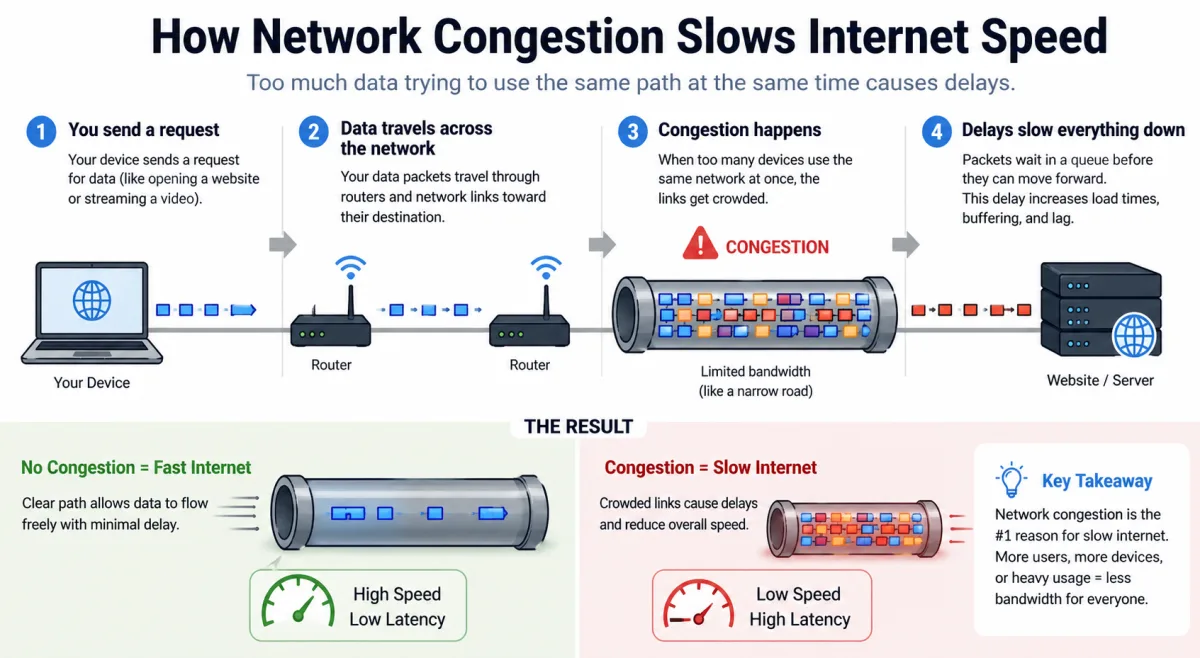
Email delivery can be delayed for several reasons: heavy server load, network congestion, an email passing through multiple intermediate servers, or extensive spam and virus scanning on the recipient's side. Sometimes, a server might temporarily defer delivery if the sender's reputation is marginal, waiting to see if it's part of a spam burst.
| Organization Type | DMARC Adoption Rate (Reject/Quarantine Policy) | Source Year |
|---|---|---|
| U.S. Federal Government (.gov) | 80% | CISA, 2022 |
| Global Financial Services | 58% | Agari/M3AAWG, 2023 |
| Global E-commerce/Retail | 45% | Proofpoint, 2023 |
| Fortune 500 Companies | 72% | M3AAWG, 2023 |
| Higher Education Institutions (US) | 35% | Global Cyber Alliance, 2022 |