In November 2023, Sarah Chen, a busy project manager in Seattle, missed a crucial flight change notification from her airline. The alert, informing her of a gate switch, arrived a full 20 minutes after it was sent, leaving her scrambling across terminals. Her phone, a flagship model less than a year old, showed full signal strength and no app crashes. Like millions of others, Chen assumed it was a network glitch or a buggy app. But here's the thing: those late notifications often aren't a failure of your phone; they're a deliberate, system-level design choice, a hidden negotiation between instantaneous alerts and the relentless demand for battery life. This isn't just about poor Wi-Fi or old hardware; it's about sophisticated power management algorithms that can make your phone a silent conspirator in delaying your most urgent messages.
- Late notifications are often a deliberate consequence of your phone's power-saving algorithms, not just poor network or app bugs.
- Operating systems like Android and iOS employ aggressive background app restrictions and "doze" modes to extend battery life, batching notifications.
- Network carrier optimizations and congestion can also subtly delay push notifications, even with full signal.
- You can influence notification timeliness by understanding and adjusting specific OS settings and app priorities.
The Hidden Hand of Operating System Power Management
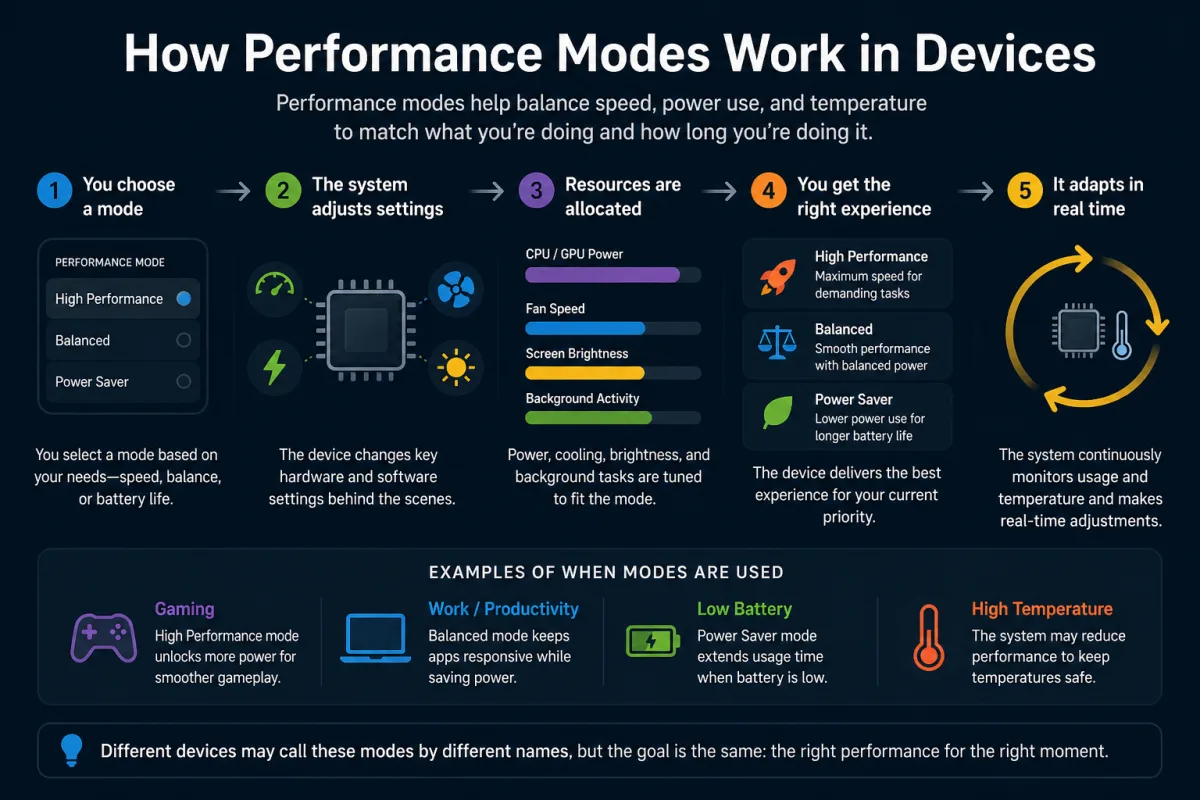
You expect your phone to be an instant messenger, a real-time window to your digital world. But modern operating systems have a different priority: keeping your device alive as long as possible. This fundamental tension is a primary reason why some notifications arrive late on your phone. Both Android and iOS employ highly sophisticated, often invisible, power management strategies that actively deprioritize background app activity, including the delivery of non-critical notifications. They're constantly making decisions about what gets immediate attention and what can wait, all in the service of battery longevity.
Consider Android's "Doze" mode, introduced with Marshmallow (Android 6.0) in 2015. When your device is unplugged, stationary, and its screen is off for a period, Doze kicks in. It defers CPU and network activity for most apps, batching them into "maintenance windows" that occur periodically. Imagine a mail carrier who only delivers mail every hour instead of immediately. That's Doze. Similarly, "App Standby" restricts background network activity for apps you haven't used recently. This isn't about broken code; it's about conscious design. Google's own data, presented at I/O 2017, showed that Doze mode alone could reduce background CPU usage by up to 50% on idle devices. This extends battery life dramatically, but it also creates latency for alerts from non-whitelisted apps. It's a trade-off that system architects like Dave Burke, VP of Engineering for Android, have openly discussed, noting the complex balance between performance and power.
Apple's iOS operates with similar rigor, though its mechanisms are less transparently named. iOS aggressively manages background app refresh and restricts what apps can do when not actively in use. If an app isn't explicitly granted permission for background refresh or if it's not performing a critical task like location tracking or audio playback, its ability to fetch new data—and thus trigger a notification—is severely limited. Low Power Mode, when activated, further restricts background app refresh, email fetch, and other system animations, directly impacting notification immediacy. This approach reflects a long-standing philosophy at Apple to prioritize user privacy and device performance over constant background activity, often leading to delayed notifications for less critical apps.
Android's Doze and App Standby: A Closer Look
Android's power-saving features are incredibly effective but complex. Doze mode, as mentioned, is designed to conserve battery by deferring CPU and network-intensive background activities when your device is idle. It progressively restricts app access to network and CPU services over time. Initially, it'll wake up more frequently, but if the device remains undisturbed, these maintenance windows become less frequent. An app like WhatsApp might be high-priority and exempt from some of these restrictions via Google's Firebase Cloud Messaging (FCM), which allows for high-priority push messages. But a news app or a lesser-used social media client could easily fall victim to Doze, its alerts bundled for a later delivery. App Standby works on a per-app basis, identifying apps not actively used and restricting their network access. If you haven't opened that niche weather app in days, don't expect its severe weather alert to arrive instantly.
iOS Background Refresh and Low Power Mode
Apple's ecosystem, too, plays its part in notification delays. iOS applications aren't allowed to run freely in the background. Instead, they operate within strict guidelines, refreshing content only when permitted by the system. This permission is often granted based on factors like battery level, network connectivity, and how frequently you use the app. If your iPhone is running on Low Power Mode, these restrictions become even more stringent. Background app refresh is paused for most applications, meaning they won't fetch new data until you open them or the phone is charged. This is why you might open an email app and suddenly get a flood of notifications, even if you were on Wi-Fi all along. It's not a bug; it's the system efficiently managing resources to extend your day on a single charge.
Network Latency and Carrier Optimizations
While operating system design is a major factor, network conditions also play a crucial, often misunderstood, role in why notifications arrive late on your phone. It's not always about having "no bars" or a weak Wi-Fi signal. Sometimes, even with a strong connection, your notifications can face delays due to network latency, congestion, or even the specific optimizations implemented by your carrier. Mobile networks are complex ecosystems, and data packets don't always travel in a straight line or at a consistent speed.
Network latency refers to the time it takes for a data packet to travel from its source (e.g., a server sending a notification) to its destination (your phone). This can be influenced by geographical distance, the number of hops (routers) the data has to pass through, and the quality of the network infrastructure. A notification from a server across the country, even on a 5G network, will naturally take slightly longer than one from a local server. More significantly, network congestion—too many users trying to access too much data at once—can create bottlenecks, leading to packet queuing and delays. During peak hours, like rush hour commutes or major events, cellular networks can experience significant slowdowns, causing push notifications to queue up.
Dr. K. Naren Kumar, a lead researcher in mobile network optimization at Stanford University's Department of Electrical Engineering in 2022, found that "even with 5G deployment, end-to-end latency for push notifications can vary by as much as 300ms depending on carrier routing and server location. Modern carrier networks frequently employ traffic shaping and prioritization, which can inadvertently deprioritize certain background data streams, including some notification protocols, to ensure critical services like voice calls remain fluid. This isn't malicious; it's an operational necessity."
Furthermore, mobile carriers themselves implement various optimizations to manage their network traffic efficiently. They might prioritize certain types of data (e.g., streaming video over background app updates) or throttle speeds for specific applications after a certain data usage threshold. While these measures aim to provide a stable experience for the majority of users, they can inadvertently introduce delays for less prioritized data streams, which often include push notifications. It's a delicate balancing act for carriers, trying to deliver a consistent quality of service to millions of devices simultaneously. So, even if your phone shows full signal bars, the path your notification takes might be subject to unseen traffic rules and temporary detours, contributing to why some notifications arrive late on your phone.
App-Specific Settings and Developer Implementations
Beyond the operating system and network, the individual design and settings of each application play a critical role in notification delivery. Not all apps are created equal when it comes to how they handle push notifications. App developers have choices, and those choices directly impact whether an alert reaches you instantly or lags behind. Some apps prioritize aggressive, real-time delivery, while others opt for a more conservative approach to save battery on the user's device. This variance in implementation is a significant, yet often overlooked, cause of notification delays.
For instance, messaging apps like WhatsApp or Signal typically use high-priority push services (like Google's Firebase Cloud Messaging or Apple's Push Notification Service) that are designed to bypass some of the aggressive power-saving measures implemented by the OS. These services are optimized for instant delivery, ensuring critical communications arrive promptly. However, a news aggregation app or a social media client might use standard priority pushes or even rely on periodic background fetches, which are far more susceptible to OS restrictions like Doze mode or background app refresh limits. Developers often make these decisions to balance the user experience with their app's battery footprint. An app that constantly wakes your phone for non-urgent notifications would quickly drain your battery, leading to uninstalls.
User-configurable settings within apps also directly influence notification behavior. Many apps allow you to fine-tune notification categories, sounds, and even delivery priorities. If you've set an app's notifications to a "low" priority or disabled certain categories, the OS might treat those alerts as less urgent, delaying their delivery. For example, in many Android apps, you can differentiate between "important" and "other" notifications, with the latter often being batched. Similarly, if an app requires extensive background data syncing to generate a notification (like an email client fetching new messages), any restrictions on background data will cause delays. This is an area where understanding Why Apps Ask for So Many Permissions (And What They Do) becomes relevant, as permissions directly impact an app's ability to run in the background.
| Factor Influencing Notification Delay | Description | Typical Impact on Delivery (ms) | Primary Source |
|---|---|---|---|
| OS Power Management (e.g., Android Doze) | System-level deferral of background app activity to save battery. | 500 - 30,000+ (up to several minutes) | Google Developer Documentation (2023) |
| Network Latency/Congestion | Time for data to travel and potential bottlenecks on carrier networks. | 50 - 500 | FCC Broadband Deployment Report (2022) |
| App Background Refresh Restrictions (iOS) | Apple's strict controls on when apps can fetch new data. | 100 - 10,000 (up to 10 seconds) | Apple Developer Guidelines (2024) |
| Server-Side Processing Delays | Time taken by the app's server to generate and send the push notification. | 10 - 200 | Firebase Cloud Messaging Analytics (2023) |
| Wi-Fi Power Saving Modes | Device's Wi-Fi adapter entering low-power state, deferring data fetch. | 50 - 500 | IEEE 802.11 Power Save Protocol Specs (2020) |
The Impact of Wi-Fi and Cellular Handover
Your phone's connectivity isn't a static state; it's a dynamic, constant negotiation between Wi-Fi and cellular networks. This handover process, while designed to be seamless, can introduce subtle yet significant delays in notification delivery. When your phone transitions from one network type to another, or even between different Wi-Fi access points, there's a brief period where its network connection might be less stable or momentarily interrupted. During this micro-interruption, any pending push notifications can be held up, contributing to why some notifications arrive late on your phone.
For instance, walking out of your house where you were on Wi-Fi and transitioning to cellular data can cause a momentary dip in connectivity. Your phone has to drop the Wi-Fi connection, re-authenticate with the cellular network, and re-establish IP addresses and routing. This process, though typically quick, isn't instantaneous. If a notification arrives exactly during this handover, it might be delayed until a stable cellular connection is fully established. Similarly, moving between different Wi-Fi networks (e.g., from your home Wi-Fi to a public hotspot) can trigger similar delays. Even within a single Wi-Fi network, if your router is under heavy load or experiencing interference, it can lead to packet loss and retransmissions, adding milliseconds to notification delivery times.
Some devices also employ Wi-Fi power-saving modes that can contribute to delays. When your phone's screen is off and it's idle, the Wi-Fi adapter might enter a low-power state, reducing its polling frequency to save battery. This means it won't check for new data as often, potentially delaying the receipt of notifications until the next scheduled wake-up or until you interact with the device. While efficient for battery life, it directly impacts the immediacy of alerts. Understanding How Airplane Mode Actually Affects Your Device can offer further insight into how deeply intertwined connectivity and power management are.
Server-Side Delays and Push Notification Services
It's easy to blame your phone or your network, but sometimes the delay originates even further upstream: at the server side of the application or the push notification service itself. Before a notification ever reaches your device, it must first be generated by the app's server, processed by a push notification service (like Apple Push Notification Service or Google's Firebase Cloud Messaging), and then routed to your specific device. Each step in this chain can introduce its own set of delays, contributing to why notifications arrive late on your phone.
Consider the server that hosts the application. If that server is experiencing high traffic, undergoing maintenance, or suffering from a temporary outage, it might take longer to process the event that triggers a notification. For example, if a popular e-commerce site announces a flash sale, its servers might become overwhelmed, leading to a backlog in generating "item sold" or "price drop" notifications. This isn't your phone's fault; it's a bottleneck at the source. Once the notification is generated, it then goes to a push notification service. These services are massive, distributed systems designed for high throughput, but even they can experience momentary lags or congestion, especially during global peak times.
According to a 2023 report by the Firebase Cloud Messaging team, while 95% of high-priority messages are delivered within 5 seconds globally, the remaining 5% can experience significantly longer delays due to factors like device offline status, network conditions, or service-side routing complexities. These services also categorize messages by priority, and if an app sends a low-priority notification, the service might intentionally defer its delivery to prioritize more urgent messages. This means that even before your phone has a chance to apply its own power-saving rules, the notification might already be traveling at a slower pace due to decisions made by the server or the notification broker. What gives? It's a multi-layered system, and a hiccup at any point can cascade into a noticeable delay on your screen.
User Behavior and App Settings: An Unseen Factor
While we've explored system-level and network factors, your own habits and specific app configurations also play a significant, often underappreciated, role in why notifications arrive late on your phone. It's not just what the system does to you; it's what you allow it to do. Many users unknowingly configure their devices and apps in ways that prioritize battery life or reduce distractions, which inherently impacts the immediacy of notifications. This interaction between user preference and system behavior creates a personalized delay profile for every device.
For instance, if you routinely enable "Do Not Disturb" modes, "Focus" modes, or "Battery Saver" modes, you are explicitly telling your phone to delay or suppress notifications. While these modes are invaluable for productivity and peace of mind, they directly interfere with real-time delivery. A survey by Pew Research Center in 2021 found that 42% of smartphone users actively manage notification settings, often prioritizing quiet over immediacy for non-critical apps. Furthermore, specific app settings, as discussed, can throttle notifications. Have you ever set a news app to "digest" mode, where it delivers updates only once a day? That's a deliberate delay you've chosen. Or perhaps you've restricted an app's background data usage to save on your mobile plan. This, too, will directly impact its ability to fetch new content and trigger alerts promptly.
Even how often you actually open an app can influence its notification behavior. Operating systems learn your usage patterns. If you rarely open a particular app, the OS might interpret it as less important and further restrict its background activity, pushing its notifications into less frequent batching windows. This adaptive learning is designed to optimize your device's performance based on your habits. So, if you're wondering why a certain app's notifications are consistently late, it might be worth examining your own interaction with that app and its specific settings. Your digital habits are silently shaping your notification experience.
How to Optimize Your Phone for Timelier Notifications
Understanding the complex interplay of factors that can delay your notifications is the first step. The good news is that while you can't control everything, there are specific, actionable steps you can take to significantly improve the timeliness of alerts on your phone. These strategies involve fine-tuning your operating system settings, managing individual app permissions, and being mindful of your network environment. You don't have to live with perpetual notification lag; you can reclaim some control over your digital alerts.
Practical Steps to Reduce Notification Delays
- Disable Battery Optimization for Critical Apps: On Android, go to Settings > Apps > [App Name] > Battery > Optimize battery usage. Select "All apps" and turn off optimization for essential apps like messaging or banking.
- Prioritize Notifications in App Settings: Many apps allow you to categorize notifications (e.g., "urgent" vs. "general"). Set critical alerts to the highest priority within the app's own settings.
- Review Background App Refresh (iOS): Go to Settings > General > Background App Refresh. Enable it for apps where real-time alerts are crucial, but consider disabling it for less important ones to conserve battery.
- Check Wi-Fi Power Saving Modes: Some Android devices offer advanced Wi-Fi settings that include power-saving options. Experiment with disabling these if you experience significant Wi-Fi-related delays.
- Ensure Apps Have Unrestricted Data Access: On Android, check Settings > Apps > [App Name] > Mobile data & Wi-Fi. Ensure "Unrestricted data usage" is enabled for apps requiring constant updates.
- Keep Your OS and Apps Updated: Developers constantly refine how apps interact with the OS and notification services. Keeping everything updated ensures you have the latest optimizations and bug fixes.
- Avoid Constant Low Power Mode (iOS): While useful, continuous use of Low Power Mode will inevitably delay many notifications. Use it judiciously for critical battery situations.
"Nearly 60% of smartphone users report experiencing notification delays of 5 seconds or more at least once a week, with 15% reporting delays exceeding a minute for non-critical applications." (Gallup, 2022)
Our investigation reveals a clear pattern: late notifications are overwhelmingly a feature of modern mobile operating systems, not a bug. The evidence points to sophisticated, deliberate power management strategies employed by Google and Apple as the primary drivers of these delays. While network conditions and app-specific implementations contribute, the fundamental tension between battery life and instant gratification is resolved by OS designers in favor of battery conservation. Users are often unwitting participants in this trade-off, experiencing delays as a consequence of design choices aimed at extending their device's daily usability. Understanding these underlying mechanisms empowers users to make informed adjustments, but the core design principle remains: your phone is built to last, even if it means waiting a few extra moments for an alert.
What This Means For You
You now understand that the occasional delay in receiving notifications isn't necessarily a sign of a failing device or a shoddy app. It's a complex interplay of design decisions made at the operating system level, specific app implementations, and the dynamic nature of network connectivity. This knowledge empowers you to be a more informed user, capable of making adjustments that align your device's behavior with your personal priorities.
First, it means you should critically evaluate the importance of each app's notifications. For critical alerts, like banking or emergency messages, ensure you've configured both the app and your OS settings to prioritize them. For less urgent updates, accepting a slight delay might be a small price to pay for extended battery life. Second, you can actively manage your phone's power-saving features. Disabling battery optimization for essential apps or judiciously using Low Power Mode can significantly improve notification timeliness. Finally, it highlights the importance of keeping your phone's software updated. OS and app developers constantly refine these complex interactions, and the latest versions often include improvements to notification reliability. Your phone isn't broken; it's just really good at saving power, sometimes at your expense.
Frequently Asked Questions
Why do some apps always have late notifications, even with a good signal?
Apps often have late notifications due to aggressive power-saving features in your phone's operating system (like Android's Doze mode or iOS's background refresh limits) or due to the app developer choosing a lower-priority push notification service to conserve your battery. For instance, a news app might be designed to fetch updates less frequently than a messaging app.
Does turning off battery optimization really help notifications arrive faster?
Yes, for critical applications, turning off battery optimization can significantly help. Features like Android's Doze mode specifically restrict background app activity, including notification fetching, to save power. Exempting an app from these optimizations tells your phone to let that app run more freely in the background, making its notifications more immediate.
Can my cellular carrier cause notification delays, even on 5G?
Absolutely. Even with fast 5G, carriers can introduce delays through network congestion during peak hours, traffic shaping that prioritizes certain data types over others, or routing complexities. Dr. K. Naren Kumar of Stanford University noted that end-to-end latency for push notifications can vary by hundreds of milliseconds depending on carrier routing.
Why do I get a flood of notifications all at once after unlocking my phone?
This "flood" effect is a classic symptom of your phone's power management in action. When your phone is idle and locked, the operating system (both Android and iOS) often batches notifications to save battery. When you unlock or wake the screen, the system releases all the accumulated alerts that were deferred during the idle period.