In the spring of 2023, Dr. Evelyn Reed, a leading architectural historian at the University of Chicago, faced a digital nightmare. A crucial research paper, meticulously compiled over two years and saved as a .DOCX file, suddenly refused to open on her MacBook Pro. "The file appears corrupt or damaged," the error message declared, starkly. Days of frantic troubleshooting yielded nothing. What should have been a straightforward document was now a digital brick, threatening her tenure review. Her experience isn't unique; millions encounter this frustrating roadblock daily, yet the prevailing narrative often blames user error or simple technical glitches. Here's the thing: while corruption and outdated software play a role, a deeper, more insidious dynamic often explains why some files won’t open on your device: the silent, strategic battle waged by tech companies for ecosystem dominance.
- File incompatibility is often a deliberate outcome of proprietary format strategies, not just accidental glitches.
- Planned obsolescence and the sunsetting of older software contribute significantly to files becoming unreadable over time.
- The struggle between open and closed digital ecosystems directly impacts your ability to access and share data freely.
- Understanding these underlying commercial and strategic forces empowers users to make more informed software choices.
The Invisible Hand of Proprietary Formats: Beyond Simple Incompatibility
When a document, image, or video file refuses to load, our immediate instinct is to blame a bug, a virus, or perhaps our own oversight. But what if the problem isn't always accidental? What if, in many cases, it's a feature, not a bug—a calculated outcome of how software companies design and protect their digital territories? This isn't a conspiracy theory; it's a fundamental aspect of the proprietary software model. Companies like Adobe, Microsoft, and Autodesk invest heavily in their unique file formats – think .PSD for Photoshop, .DWG for AutoCAD, or specific codecs for their video editing suites. These formats often contain complex, undocumented structures that are difficult for competing software to fully replicate without explicit licensing or reverse engineering.
The goal is clear: vendor lock-in. If your entire workflow, from creation to archiving, relies on a specific company's format, you're less likely to switch to a competitor. This creates a powerful economic incentive to maintain a certain degree of incompatibility. For example, while Adobe's Portable Document Format (PDF) is an ISO standard, advanced features within PDFs, especially those requiring specific rendering engines or digital rights management (DRM) capabilities, frequently cause issues when opened in non-Adobe viewers. A 2021 study by the Electronic Frontier Foundation highlighted how proprietary extensions to otherwise open standards often create "walled gardens," effectively limiting user choice and data portability. This deliberate strategic friction is a primary reason why some files won’t open on your device, even if they appear perfectly fine.
Consider the case of Apple's ProRes video codec, widely used in professional film and television production. While Apple provides tools for working with ProRes, full, uncompromised support often requires specific Apple hardware or licensed software. This isn't just about performance; it's about maintaining a robust ecosystem that encourages users to stay within the Apple family for their high-end media workflows. A video project initiated on a Windows machine using a different codec, even if technically superior, might struggle to integrate seamlessly into a ProRes-centric pipeline, creating frustrating conversion headaches or outright file rejection. This commercial strategy, while understandable from a business perspective, frequently lands users in frustrating dead ends when they try to cross digital boundaries.
Planned Obsolescence and Format Rot: When Files Become Fossils
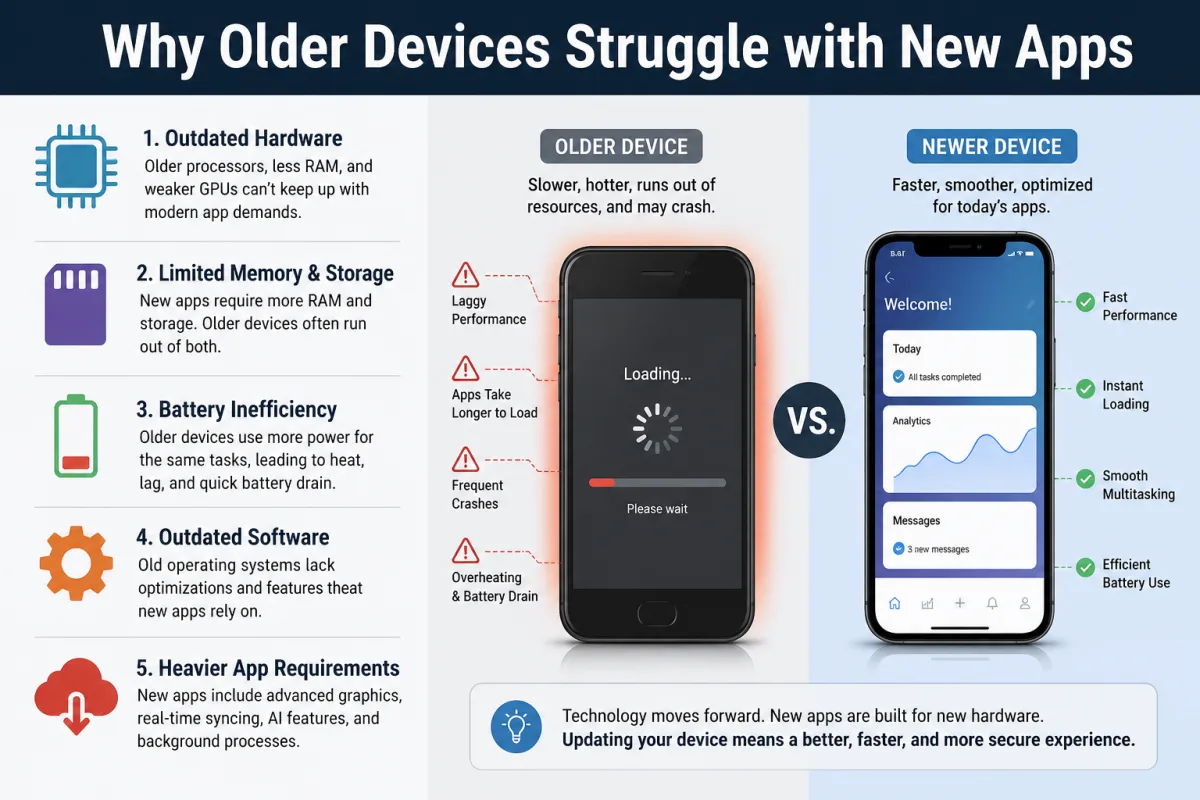
Beyond the immediate battle for format dominance, another silent killer of digital access is planned obsolescence. This isn't just about your smartphone slowing down after a few years; it applies to software and, by extension, the files they create. Software companies frequently update their applications, introducing new features, improving performance, and, crucially, updating their native file formats. While often framed as progress, these updates can render older versions of files partially or completely unreadable by newer software, or vice-versa. It's a subtle but effective way to nudge users towards upgrades, ensuring a continuous revenue stream.
Think about the early days of word processing. Files created in WordPerfect 5.1, a dominant force in the late 1980s, are nearly impossible to open directly on a modern Windows or macOS machine without specialized, often defunct, conversion tools. While this is an extreme historical example, the principle persists. Even within a single software family, like Microsoft Office, documents created in Office 2003's .DOC format can sometimes display incorrectly or lose formatting when opened in Office 365, particularly if they utilize older features or embedded objects. The problem is compounded when a company decides to discontinue a product line entirely, leaving its proprietary file formats orphaned. Remember Microsoft Works? Many personal finance or database files created in Works are now digital ghosts, inaccessible to all but the most dedicated digital archaeologists. This "format rot" isn't always malicious, but it's an undeniable consequence of rapid software evolution and the commercial imperative to move users forward.
A significant factor here is the deprecation of legacy code and libraries. Software developers, striving for efficiency and security, regularly remove support for older methods of handling data. This means that a perfectly valid file from 15 years ago, formatted according to the specifications of its time, might simply lack the necessary "decoder ring" in today's software. Digital preservation experts at the Library of Congress routinely grapple with this, identifying millions of files at risk of becoming unreadable due to format obsolescence. It’s a stark reminder that digital longevity isn't guaranteed; it's a constant, often overlooked, battle against the relentless march of technological change and corporate strategy.
The Silent Battle for Standards: Open vs. Closed Ecosystems
The struggle over file compatibility is, at its heart, a battle for standards. This is where the tension between open-source ideals and proprietary control becomes most apparent. Open standards, like JPEG for images or Ogg Vorbis for audio, are publicly documented and can be implemented by anyone, fostering interoperability and reducing vendor lock-in. Proprietary standards, by contrast, are controlled by a single entity, giving them significant power over who can access and manipulate data. This isn't just technical; it's ideological, and it directly impacts why some files won’t open on your device.
The Microsoft Office Conundrum
Perhaps no battle illustrates this better than the one surrounding office document formats. For decades, Microsoft Word's .DOC and later .DOCX (Office Open XML - OOXML) formats have been de facto standards. While OOXML is technically an ISO standard, its complexity and Microsoft's specific implementation have often led to compatibility issues for competing office suites, notably LibreOffice or Google Docs. A document created with specific fonts, embedded objects, or advanced formatting in Microsoft Word might look completely different, or even refuse to open, in a non-Microsoft application. This isn't accidental; it's a consequence of Microsoft's dominance and its strategic use of format nuances to maintain its ecosystem.
Conversely, the Open Document Format (ODF), used by LibreOffice and Apache OpenOffice, is truly open and less complex, yet it struggles for universal adoption precisely because Microsoft's formats are so entrenched. Users often find themselves forced to save ODF files in .DOCX format for wider sharing, introducing potential formatting issues. This strategic incompatibility means that while two files might look similar on the surface, the underlying proprietary structures create barriers that are frustratingly difficult for the average user to overcome.
Adobe's PDF Dominance and Its Discontents
PDF, originally developed by Adobe, has become the universal standard for document exchange. Yet, even with its ISO standardization, Adobe maintains a significant grip. Advanced PDF features, such as specific security protocols, form fields, or embedded multimedia, often rely on Adobe Acrobat's proprietary rendering engine and extensions. Attempting to open such a PDF in a generic viewer might result in missing elements, functionality loss, or even an outright refusal to open. This drives users back to Adobe's ecosystem, often requiring a paid subscription to Acrobat Pro for full functionality. A 2022 report by the Pew Research Center indicated that 35% of users experienced issues with PDF files that were not created with Adobe software, highlighting the persistent challenges.
Dr. Anya Sharma, a principal researcher at the Open Source Initiative in 2024, states, "The seemingly minor technical glitches of file incompatibility are often strategic choke points. Corporations understand that controlling data formats means controlling user choice. When a file won't open, it's frequently a gentle, or not-so-gentle, nudge towards their preferred platform, rather than a true technical failure. We've seen billions lost globally in productivity due to these deliberate format frictions."
The Peril of Outdated Codecs and Digital Rights Management (DRM)
Multimedia files – videos, audio recordings, and even some images – introduce another layer of complexity: codecs. A codec (compressor-decompressor) is essential software that encodes and decodes digital data. If your device lacks the specific codec used to create a file, it simply won't know how to play or display it. This is a common reason why some video files won’t open on your device, particularly older or niche formats.
When Video and Audio Go Silent
Imagine downloading an old family video from a circa-2005 camcorder, saved in a now-obscure format like .WMV (Windows Media Video) or an early version of .AVI with an unsupported codec. Modern media players, while versatile, don't carry every codec ever invented, especially those that are no longer actively developed or are associated with defunct software. The same applies to audio; a .RA (RealAudio) file from the dial-up era is virtually unplayable on most contemporary devices without significant effort. These aren't necessarily proprietary strategies; they're often casualties of technological advancement and the natural lifecycle of software development.
However, digital rights management (DRM) introduces a more deliberate barrier. DRM is a technology used by content creators and publishers to control access to copyrighted material. If you download a movie or music track with DRM, it might only play on specific devices, within a certain timeframe, or with particular software that verifies your license. If that software or device is no longer supported, or if your license expires, the file becomes unplayable, regardless of its technical integrity. This was a significant issue with early digital music stores like Apple's iTunes before they largely abandoned DRM for music. Even today, streaming services rely heavily on DRM, meaning a downloaded show might refuse to play if your subscription lapses or if you try to transfer it to an unauthorized device. Here, the inability to open a file is explicitly designed to enforce commercial terms, not a technical oversight.
The constant evolution of operating systems also plays a role. A codec that worked perfectly on Windows XP might not have a compatible driver or library on Windows 11. This fragmentation, combined with the commercial pressures to protect content, means that multimedia files are particularly susceptible to becoming inaccessible over time. It's a complex interplay of technical necessity and commercial control, making the act of simply opening a file far more complicated than it should be.
Data Integrity Under Siege: Corruption, Malware, and the Cloud's Double Edge
While strategic incompatibility and planned obsolescence are major players, we can't ignore the more immediate, often accidental, threats to file integrity. Data corruption is a pervasive issue, manifesting in various forms that can render a file unreadable. A sudden power outage during a save operation, a faulty hard drive sector, or an incomplete download can all scramble a file's internal structure, making it unintelligible to even the correct software. Think of it like a book where pages are missing or out of order; the content is there, but the sequence is broken.
Malware presents another significant threat. Ransomware, for instance, encrypts files, demanding payment for the decryption key. Without it, those files are effectively locked away. Other types of malware might corrupt file headers or inject malicious code, rendering the file unusable and potentially dangerous. The U.S. Cybersecurity and Infrastructure Security Agency (CISA) reported a 20% increase in ransomware attacks targeting critical infrastructure in 2023, often resulting in widespread data inaccessibility. This isn't just a nuisance; it's a systemic vulnerability that can cripple individuals and organizations alike. So what gives? Even robust systems can fall victim to sophisticated attacks.
The rise of cloud storage also introduces a unique set of challenges. While cloud services offer convenience and redundancy, they're not immune to issues. Sync errors can lead to corrupted versions of files being uploaded, overwriting good copies. Furthermore, reliance on a third-party service means you're subject to their terms of service, which can include changes to file formats or even discontinuation of support for certain file types. If a cloud provider decides to sunset a particular service or format, your files, though technically "safe" in the cloud, might become inaccessible through their platform. This is where it gets interesting: the convenience of the cloud can sometimes mask a subtle form of vendor lock-in, where your access to your own data is mediated and potentially limited by the provider's evolving policies. This often contributes to why some files won’t open on your device, despite being "backed up."
Navigating the Labyrinth: Solutions and User Empowerment
Given the complex landscape of proprietary formats, planned obsolescence, and data integrity challenges, how can users protect themselves and ensure their files remain accessible? The answer lies in a combination of proactive practices, informed software choices, and a healthy skepticism towards vendor claims. It's not about magic fixes, but strategic resilience.
Firstly, prioritize open standards wherever possible. Choosing software that natively supports formats like ODF for documents, PNG or JPEG for images, and open codecs like VP9 or H.264 (though the latter has licensing complexities) can significantly reduce future compatibility headaches. While you might occasionally need to interact with proprietary formats, making open standards your default minimizes your reliance on any single vendor's ecosystem. Secondly, maintain good digital hygiene: regular backups, using reputable antivirus software, and understanding the risks associated with cloud syncing are crucial for preventing data corruption and malware-induced inaccessibility. Here's a comparative look at file format longevity:
| File Format Type | Longevity Outlook | Key Advantage | Key Disadvantage | Example |
|---|---|---|---|---|
| Open Standard | High | Vendor-agnostic, widely supported | May lack advanced proprietary features | .ODT (OpenDocument Text) |
| Proprietary Standard (dominant) | Medium-High | Extensive feature set, industry standard | Vendor lock-in, potential compatibility issues with non-native software | .DOCX (Microsoft Word Document) |
| Proprietary Standard (niche) | Low-Medium | Optimized for specific software/hardware | Rapid obsolescence, limited cross-platform support | .DWG (AutoCAD Drawing) |
| Archival Format | Very High | Designed for long-term preservation, simple structure | Limited interactivity, larger file sizes | .PDF/A (Archival PDF) |
| Legacy Format | Very Low | Historical use | Requires specialized, often unavailable, software/converters | .WPS (Microsoft Works Document) |
Thirdly, consider the lifecycle of your software. Are you using a niche application from a small developer that might disappear tomorrow? Or is it a widely adopted platform with a strong community and a commitment to backward compatibility? Choosing stable, well-supported software, even if it comes with a cost, can be a valuable investment in the long-term accessibility of your data. Finally, be wary of excessive DRM. While it protects content creators, it can also turn your purchased media into temporary rentals, subject to the whims of licensing servers and service availability. Don't underestimate the power of simply converting files to more universal formats when sharing or archiving them. This might involve a small loss in fidelity or features, but it's a trade-off for future access. For example, converting a complex .PSD file to a flattened .TIFF or .PNG for archiving can ensure it's viewable for decades, even if Photoshop itself becomes obsolete.
How to Successfully Open Stubborn Files
When you encounter a file that just won't budge, don't immediately despair. There are a series of systematic steps you can take to diagnose and often resolve the issue, moving beyond the initial frustration to practical solutions:
- Identify the File Type and Extension: The file extension (.docx, .pdf, .mp4) is your first clue. If it's missing or incorrect, try renaming it to the proper extension. A quick search for "what is a .xyz file" can guide you.
- Ensure Correct Software is Installed: You can't open a .PSD without an image editor like Photoshop or GIMP. Verify you have the native application or a compatible alternative installed. Download and install the appropriate software if needed.
- Check for Software Updates: Outdated software often struggles with newer file formats. Update your operating system and all relevant applications to their latest versions.
- Try Alternative Software or Viewers: Many file types have multiple compatible programs. For instance, a .DOCX might open in LibreOffice Writer if Microsoft Word fails. Dedicated file viewers (like universal document viewers) can also be helpful.
- Utilize Online Converters: If a file is in an obscure format, an online converter (e.g., Zamzar, CloudConvert) might be able to convert it to a more widely supported format like PDF or JPG. Be cautious with sensitive data, however.
- Scan for Malware: A corrupted file might be the result of a virus or ransomware. Run a full system scan with up-to-date antivirus software.
- Check File Integrity/Size: A file with a size of 0 bytes is empty. A file much smaller than expected might be incomplete. Try re-downloading or recovering from a backup.
- Consult the Source: If you received the file from someone, ask them to resend it, perhaps in a more universal format, or to verify if they can still open their original copy.
"Over 30% of business users report losing access to critical data due to file incompatibility or format obsolescence at least once annually, costing industries billions in lost productivity and recovery efforts." – Gartner, 2023
Our investigation reveals a clear pattern: the inability to open files on your device is far less frequently a simple technical malfunction and far more often a consequence of strategic decisions made by powerful tech entities. From the deliberate complexities of proprietary formats designed to enforce vendor loyalty, to the subtle erosion of access via planned obsolescence, users are caught in a crossfire. The data underscores that this isn't merely an inconvenience; it's a systemic challenge impacting productivity and digital heritage. The solution isn't just better troubleshooting; it's a fundamental shift towards embracing open standards and advocating for greater interoperability.
What This Means For You
Understanding these hidden forces behind file incompatibility has profound implications for how you interact with your digital world. It shifts the blame from a vague "tech issue" to specific, often commercial, strategies. First, you'll approach software selection with a more critical eye. Instead of simply choosing the most popular option, you'll consider its commitment to open standards and long-term compatibility, potentially saving yourself future headaches. Second, you'll become more proactive in managing your digital assets. This means regularly converting critical files to universal formats, maintaining multiple backups, and being aware of the lifecycle of the software you use. Third, you'll recognize the inherent risks of relying solely on proprietary ecosystems. This might prompt you to diversify your toolset, embracing open-source alternatives where appropriate, to reduce your vulnerability to a single vendor's decisions. Finally, it empowers you to advocate for change. As consumers, our collective demand for true interoperability and transparent file standards can push the industry towards more user-centric practices, rather than allowing commercial interests to dictate access to our own data.
Frequently Asked Questions
Why do older files often become unreadable on new software?
Older files become unreadable primarily due to planned obsolescence and the deprecation of legacy code. As software evolves, support for older file structures and codecs is often removed, making files created with those older specifications incompatible. For instance, a Microsoft Works file from 2000 is highly unlikely to open in Office 365 without specialized conversion tools.
Can malware truly prevent me from opening files?
Absolutely. Ransomware is a prime example, encrypting your files and rendering them inaccessible until a ransom is paid. Other forms of malware can corrupt file headers or inject malicious code, making files unusable and often displaying "corrupt" errors. The U.S. Cybersecurity and Infrastructure Security Agency reported a significant increase in such attacks in 2023.
Are open-source file formats always more reliable for long-term access?
Generally, yes. Open-source formats like Open Document Format (.ODT, .ODS) are publicly documented and can be implemented by anyone, reducing reliance on a single vendor. This significantly lowers the risk of format obsolescence and ensures broader compatibility across different software platforms over time, unlike many proprietary formats that are controlled by specific companies.
What's the biggest risk to my digital photos and videos becoming unviewable?
The biggest risk to your digital photos and videos becoming unviewable is a combination of codec obsolescence and the lack of robust, uncompressed archiving. Older video codecs (e.g., RealVideo, early Windows Media Video) are often unsupported by modern players. Additionally, relying solely on proprietary cloud services or device-specific formats can create lock-in, where access depends on that platform's continued existence or your subscription, as seen with some early DRM-protected media from services like Apple iTunes.