- WiFi's reliance on a shared radio spectrum inherently limits real-world throughput and introduces unavoidable instability, even with the latest standards.
- Latency, often overlooked in favor of raw speed, is the invisible killer of performance consistency where Ethernet maintains a profound advantage.
- Electromagnetic interference and physical obstructions are silent saboteurs, constantly degrading WiFi signal quality and effective speed in ways Ethernet simply isn't affected.
- For critical applications like gaming, large file transfers, or high-fidelity streaming, the dedicated, stable, and low-latency pathway of Ethernet far outweighs the convenience of wireless.
The Unseen Battle: Why WiFi's 'Shared Air' Is Its Biggest Foe
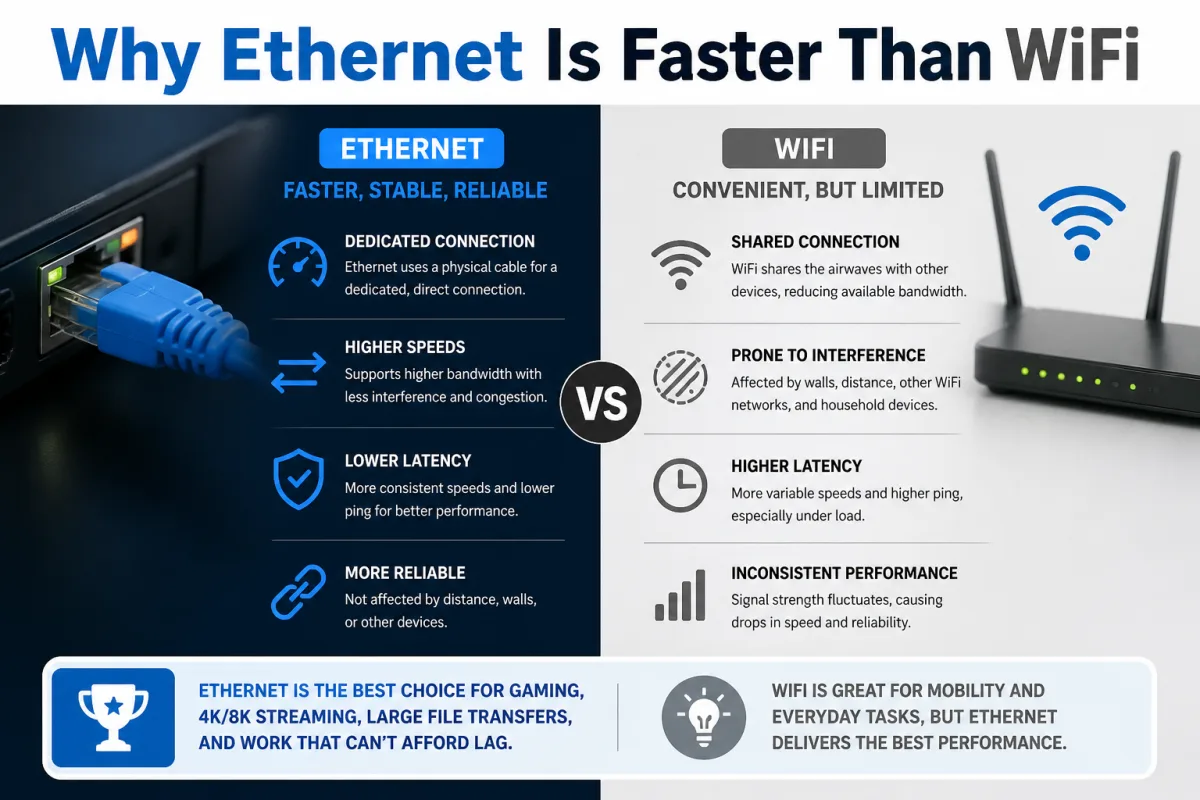
At the heart of why Ethernet is faster than WiFi lies a fundamental difference in how they transmit data: one uses a dedicated physical pathway, the other broadcasts into a shared, invisible medium. Imagine a bustling, single-lane road where every car has to signal its intent to merge, wait for a clear spot, and then hope no one else tries to merge at the exact same time. That's essentially Wi-Fi. It uses a protocol called Carrier Sense Multiple Access with Collision Avoidance (CSMA/CA). Before your device sends data, it "listens" to the airwaves. If it hears other traffic, it waits, then tries again. This constant listening, waiting, and retransmitting introduces inevitable delays and reduces actual data throughput, particularly as more devices join the network or as network traffic increases. Ethernet, by contrast, operates like a multi-lane highway with dedicated, full-duplex lanes. Your computer has its own direct, two-way connection to the router. It doesn't have to listen for other traffic before sending data; it just sends it, and the router simultaneously sends data back. There are no collisions on a modern switched Ethernet network. This dedicated, full-duplex communication eliminates the overhead of collision avoidance, ensuring that the theoretical bandwidth of your Ethernet cable translates much more directly into usable, real-world data transfer speeds. For instance, consider a busy office environment, like the headquarters of a global tech firm. A 2023 report by Cisco indicated that enterprise network traffic continues to grow at over 30% annually. In such a scenario, where dozens or hundreds of devices are vying for wireless bandwidth, Wi-Fi's shared medium limitation becomes acutely apparent, leading to noticeable slowdowns, whereas wired connections remain largely unaffected.Collision Domains and the Digital Traffic Jam
Every device connected to a Wi-Fi access point shares the same wireless collision domain. This means that if two devices attempt to transmit data simultaneously, a collision occurs, and both devices must pause, wait a random amount of time, and then retransmit. This process, while seemingly instantaneous, adds up quickly. It's like having a single microphone in a crowded room; only one person can speak clearly at a time, or everyone's speech becomes unintelligible noise. The more people (devices) trying to talk (transmit), the less effective conversation (data transfer) happens. On a wired Ethernet network, especially with modern switches, each port creates its own collision domain. Your device has a dedicated link to the switch, and the switch intelligently forwards traffic without collisions. This fundamental difference means that while a Wi-Fi network’s advertised speed might be high, its *effective* speed drops dramatically under load due to this inherent "digital traffic jam." A household today, according to Pew Research data from 2021, typically has an average of 25 internet-connected devices. Imagine all those devices simultaneously vying for airtime on a single Wi-Fi channel; it’s a recipe for bottlenecks that a dedicated wired connection simply avoids.Latency: The Invisible Killer of Performance
While raw speed often grabs headlines, latency is arguably the more critical factor for many demanding applications. Latency is the delay between when a data packet is sent and when it's received. Think of it as reaction time. A low-latency connection means quicker responses, smoother interactions, and a more immediate experience. Here's where Ethernet truly shines. Typical Ethernet latency is incredibly low, often in the range of 1-5 milliseconds (ms). Wi-Fi, due to its shared medium, collision avoidance, and additional processing, inherently introduces more latency, often ranging from 10-50ms, sometimes even higher depending on network congestion and interference. For applications like online gaming, where milliseconds can determine victory or defeat, this difference is monumental. Professional gamers, like Jonas Nygard mentioned earlier, almost exclusively use wired Ethernet connections for this precise reason. The consistency of low latency is paramount. It’s not just gaming; high-frequency trading firms, which make millions of transactions per second, invest heavily in direct fiber optic connections and collocate servers to minimize every microsecond of latency. While most home users don't operate at that extreme, the principle holds true for video conferencing, voice over IP (VoIP) calls, and even simply navigating web pages; lower latency means a snappier, more responsive feel. A 2024 analysis of network performance data by independent tech reviewers like SmallNetBuilder consistently shows that even the latest Wi-Fi 6 (802.11ax) routers struggle to match the sub-5ms latency routinely achieved by standard Gigabit Ethernet.From Milliseconds to Mega-Losses: The Cost of Jitter
Beyond raw latency, there's another crucial factor: jitter. Jitter is the variation in latency over time. A connection might have an average latency of 20ms, but if that latency fluctuates wildly between 10ms and 100ms, it creates noticeable disruptions. Imagine trying to have a conversation where some words arrive instantly and others are delayed by a second; it's disjointed and frustrating. This is what jitter does to real-time applications like video calls or online games. Wi-Fi's inherent unpredictability – its susceptibility to interference, its shared medium, and its dynamic adaptation to signal conditions – makes it far more prone to jitter than Ethernet. An Ethernet connection, with its dedicated physical link, offers remarkably consistent latency, meaning less jitter. This stability is why tasks requiring precise timing or continuous data streams, such as live broadcasting a sporting event or performing remote surgery using robotic tools, demand wired connections. The cost of inconsistent latency, even if only for milliseconds, can range from a dropped video frame to a critical error in a professional setting.Interference: The Silent Saboteur of Wireless Throughput
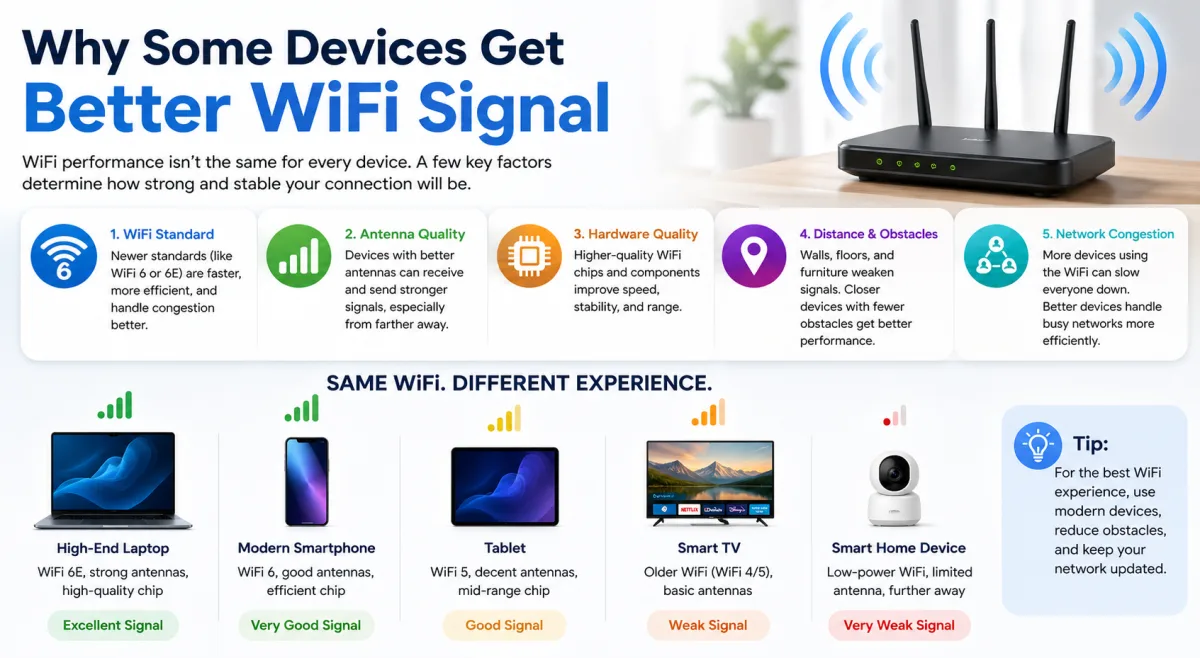
Here's where it gets interesting. Wi-Fi operates on radio frequencies, specifically 2.4 GHz and 5 GHz bands. These airwaves are a battleground. Everything from your neighbor's Wi-Fi router, cordless phones, Bluetooth devices, microwave ovens, and even certain LED lights emits electromagnetic waves that can interfere with your Wi-Fi signal. This interference degrades signal quality, leading to slower speeds, dropped connections, and increased latency. Your router and device then have to work harder, retransmitting corrupted packets, further reducing effective throughput. Ethernet, by contrast, transmits data over shielded copper cables, or even fiber optic cables, which are almost entirely immune to external electromagnetic interference. This physical isolation means that what's happening in your neighbor's house, or even in the next room, has no bearing on your wired connection's performance. The signal stays clean and strong from your device to your router. A 2020 study commissioned by the Federal Communications Commission (FCC) highlighted the increasing congestion in unlicensed spectrum bands, noting that the proliferation of Wi-Fi devices exacerbates interference issues, particularly in dense urban environments. This invisible "noise" is a constant drag on Wi-Fi performance that most users aren't even aware of. Want to know more about why some devices struggle with signal? Check out our article, Why Some Devices Get Better WiFi Signal.The Battle for Bandwidth: A Crowded Spectrum
The 2.4 GHz Wi-Fi band, in particular, is incredibly crowded. It offers only three non-overlapping channels (1, 6, and 11), meaning that in any apartment building or residential area, multiple Wi-Fi networks are often competing for the same limited airwaves. Even the 5 GHz band, while offering more channels and faster speeds, still suffers from competition and is more susceptible to physical obstructions like walls and furniture. When your Wi-Fi device detects interference or a weak signal, it doesn't just slow down; it often "steps down" to a lower, slower transmission rate to maintain a stable connection. This adaptive behavior is crucial for reliability but comes at a direct cost to speed. A device might theoretically support 800 Mbps, but in a real-world, noisy environment, it might only operate at 100-200 Mbps, or even less, for sustained periods. This silent degradation is a stark contrast to an Ethernet connection, which maintains its negotiated speed regardless of the surrounding electromagnetic environment.Protocol Overhead: More Than Just Bits in the Air
Beyond the physical transmission, the way data is packaged and managed also contributes to the performance disparity. Both Wi-Fi and Ethernet have protocol overhead—extra data that isn't part of your actual file but is necessary for networking functions like error correction, addressing, and security. However, Wi-Fi's overhead is significantly higher. Wireless communication, being inherently less reliable than wired, requires more robust error correction and acknowledgment mechanisms. Every packet sent wirelessly needs more metadata to ensure it arrives correctly and to confirm its reception. If a packet gets corrupted due to interference, it needs to be resent, adding further overhead and delay. Additionally, Wi-Fi encryption (like WPA2 or WPA3) adds another layer of processing that consumes valuable bandwidth and CPU cycles on both the router and the client device. This isn't to say wired connections are insecure; rather, their physical isolation reduces the need for constant, packet-level encryption *just for transmission integrity*, though application-layer encryption is always recommended. This additional overhead means that a Wi-Fi connection's theoretical raw data rate translates into a lower effective application throughput compared to an Ethernet connection with the same theoretical raw speed.Dr. Andrea Goldsmith, Professor of Electrical Engineering at Stanford University and a leading researcher in wireless communications, emphasized this distinction in a 2022 IEEE symposium: "The fundamental challenge for wireless is the shared, dispersive, and noisy channel. While advancements like MIMO and beamforming push theoretical limits, they can never fully escape the laws of physics that dictate signal degradation over the air. Ethernet's dedicated physical medium offers an inherent advantage in signal integrity and consistency that is incredibly difficult for wireless to replicate under real-world conditions, particularly in terms of guaranteed low latency and absence of interference."
The Unyielding Consistency of Copper: Ethernet's Physical Advantage
The physical cable itself is Ethernet's ultimate trump card. A Category 6 (Cat6) Ethernet cable, for instance, provides a dedicated, shielded pathway for data. This physical isolation means the signal remains strong and clean over its entire length (up to 100 meters for copper cables). It's a point-to-point connection, designed for reliability and minimal signal degradation. Modern Ethernet cables (Cat5e, Cat6, Cat6a, and Cat7) support speeds from 1 Gigabit per second (Gbps) up to 10 Gbps and even 40 Gbps, with future standards pushing higher. These speeds are not just theoretical; they're consistently achievable in practice because the medium is controlled and immune to most external factors. Consider data centers, where even a microsecond of downtime or a drop in throughput can cost millions. These facilities rely almost exclusively on wired Ethernet and fiber optic connections. Hospitals using high-resolution medical imaging, like MRI or CT scans, also depend on wired networks to quickly and reliably transfer massive image files, where data integrity and speed are paramount. The ability of Ethernet to maintain its signal integrity, deliver data with minimal error, and provide a stable, predictable connection is unmatched by any wireless technology, regardless of its generation.Beyond Speed Tests: It's About Stability and Reliability
Many users glance at a speed test result and conclude their Wi-Fi is "fast enough." But speed tests often measure short bursts of optimal performance. They don't always capture the sustained throughput, the consistency of latency, or the impact of environmental factors over time. Here's the thing: a speed test might show your Wi-Fi hitting 500 Mbps, but if that speed fluctuates wildly or drops to 50 Mbps during peak hours due to congestion or interference, your real-world experience suffers. Ethernet, on the other hand, delivers what it promises, consistently. If you have a Gigabit Ethernet connection, you can reliably expect near-Gigabit speeds for sustained periods, with minimal latency variation. This unwavering reliability is crucial for tasks like backing up large files to a network-attached storage (NAS) device, hosting a live stream, or participating in a critical video conference. When you need a connection that simply works, without question or compromise, Ethernet is the undisputed champion. Understanding how bandwidth is shared across your network can further illuminate these differences. Read more here: How Bandwidth Is Shared in a Household.Why Ethernet Is Faster Than WiFi: The Future of Connectivity
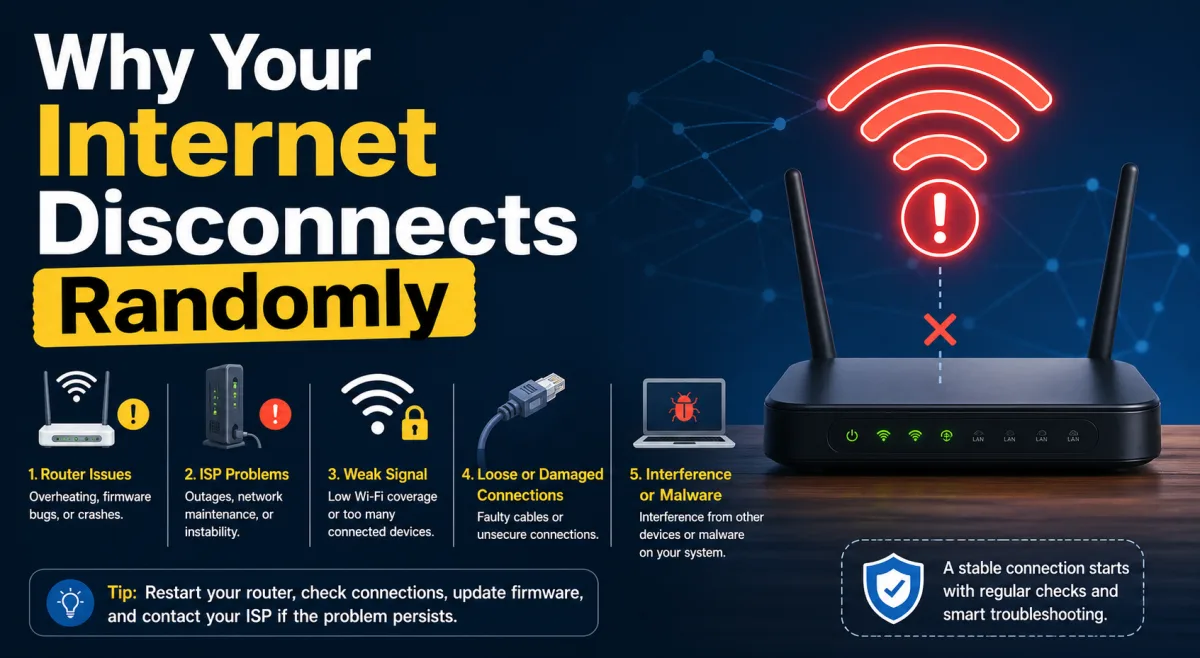
Even with the advent of Wi-Fi 6 (802.11ax) and the upcoming Wi-Fi 7 (802.11be), which boast multi-gigabit theoretical speeds, the fundamental physical limitations of wireless persist. While Wi-Fi 7 might achieve theoretical peak speeds of over 40 Gbps, these are under ideal, laboratory conditions, with perfect signal strength, no interference, and advanced channel bonding techniques that aren't practical for most home users. In the real world, these speeds will be significantly lower and far more susceptible to the issues we've discussed. Meanwhile, wired Ethernet continues to evolve. 10 Gigabit Ethernet (10GbE) is becoming increasingly common in prosumer and small business environments, offering dedicated, symmetrical 10 Gbps speeds. Even faster 25GbE and 40GbE standards are already deployed in data centers. The gap between theoretical wireless speeds and reliable, real-world wired performance remains, and in many critical respects, it widens when you consider consistency and latency. So what gives? It’s not a knock on Wi-Fi's incredible convenience, but rather a frank assessment of its physical limitations when compared to the rock-solid foundation of a wired connection. If your internet keeps disconnecting randomly, a wired connection might be the solution. Find out why here: Why Your Internet Disconnects Randomly.| Network Standard | Max Theoretical Speed | Typical Real-world Throughput | Average Latency (ms) | Interference Susceptibility |
|---|---|---|---|---|
| Ethernet (Cat5e) | 1 Gbps | 900-950 Mbps | 1-2 | Very Low |
| Ethernet (Cat6) | 1 Gbps | 900-950 Mbps | 1-2 | Very Low |
| Ethernet (10GbE) | 10 Gbps | 9-9.5 Gbps | <1 | Very Low |
| Wi-Fi 5 (802.11ac) | 1.3 Gbps | 300-600 Mbps | 10-30 | Moderate-High |
| Wi-Fi 6 (802.11ax) | 9.6 Gbps | 500-1200 Mbps | 8-25 | Moderate-High |
How to Maximize Your Network Speed: Actionable Steps
- Connect Stationary Devices with Ethernet: Prioritize wired connections for desktop PCs, gaming consoles (PlayStation, Xbox), smart TVs, streaming boxes (Apple TV, Roku), network-attached storage (NAS) devices, and work-from-home setups. These devices don't move, so they gain immense benefit from the stability of a cable.
- Upgrade Your Ethernet Cables: Ensure you're using at least Category 5e (Cat5e) or Category 6 (Cat6) cables for Gigabit Ethernet speeds. For 10 Gigabit Ethernet, you’ll need Cat6a or Cat7. Older Cat5 cables might bottleneck your connection.
- Optimize Your WiFi Channel: Use a Wi-Fi analyzer app to identify less congested channels in your 2.4 GHz and 5 GHz bands and manually configure your router to use them. This can reduce interference from neighboring networks.
- Position Your Router Centrally: Place your Wi-Fi router in a central location, away from obstacles like thick walls, large metal objects, and appliances that emit electromagnetic interference (e.g., microwaves, cordless phones).
- Update Router Firmware: Regularly update your router's firmware to ensure you have the latest performance enhancements, security patches, and bug fixes.
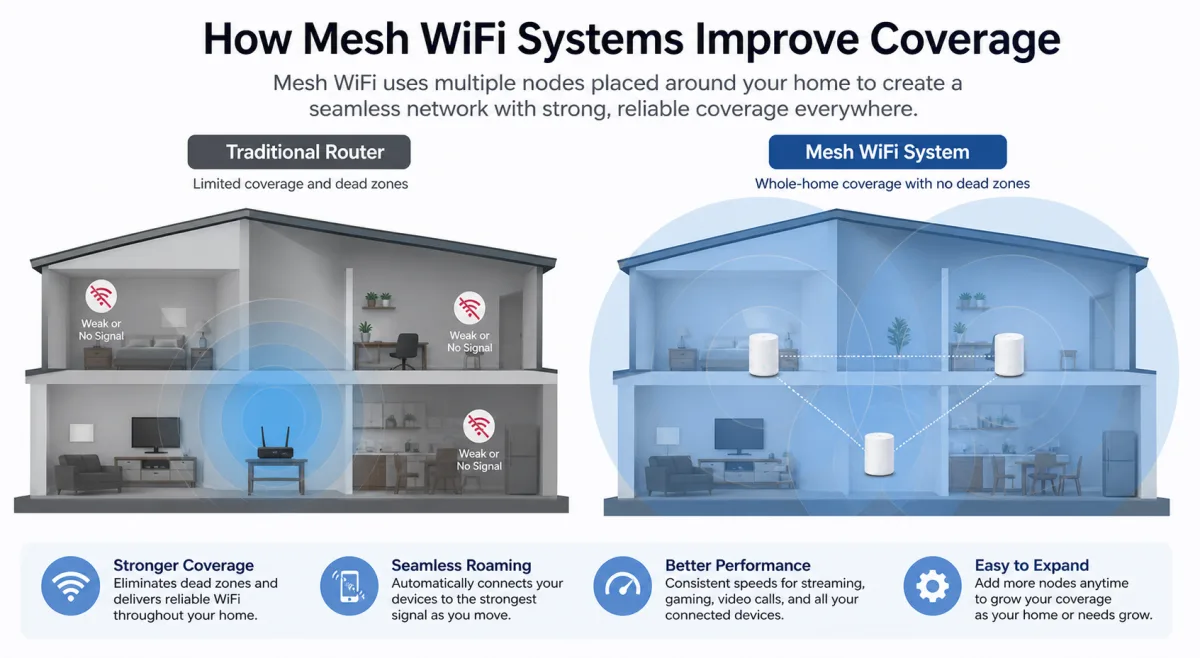
- Consider a Mesh Wi-Fi System (for coverage, not raw speed): If you have a large home with dead zones, a mesh Wi-Fi system can improve coverage, but remember it still operates under Wi-Fi's inherent limitations regarding raw speed and latency compared to a direct wired link.
- Disable Unused Router Features: Turn off any router features you don't use, like guest networks or old security protocols, to free up resources and reduce potential vulnerabilities.
A 2022 study by Ookla found that while average fixed broadband download speeds were 200 Mbps globally, average mobile broadband was only 79 Mbps, highlighting the fundamental difference in delivery mechanisms and the challenges inherent in wireless transmission compared to fixed-line infrastructure. (Ookla, 2022)
Despite significant advancements in wireless technology, the core physics of radio transmission impose unavoidable limitations on Wi-Fi that Ethernet, with its dedicated physical medium, inherently bypasses. The data consistently demonstrates that while Wi-Fi offers unparalleled convenience, it cannot match Ethernet's consistent throughput, minimal latency, and immunity to interference in real-world, high-demand scenarios. For any application where speed, stability, and reliability are paramount – from competitive gaming to critical business operations – a wired connection remains the superior choice.