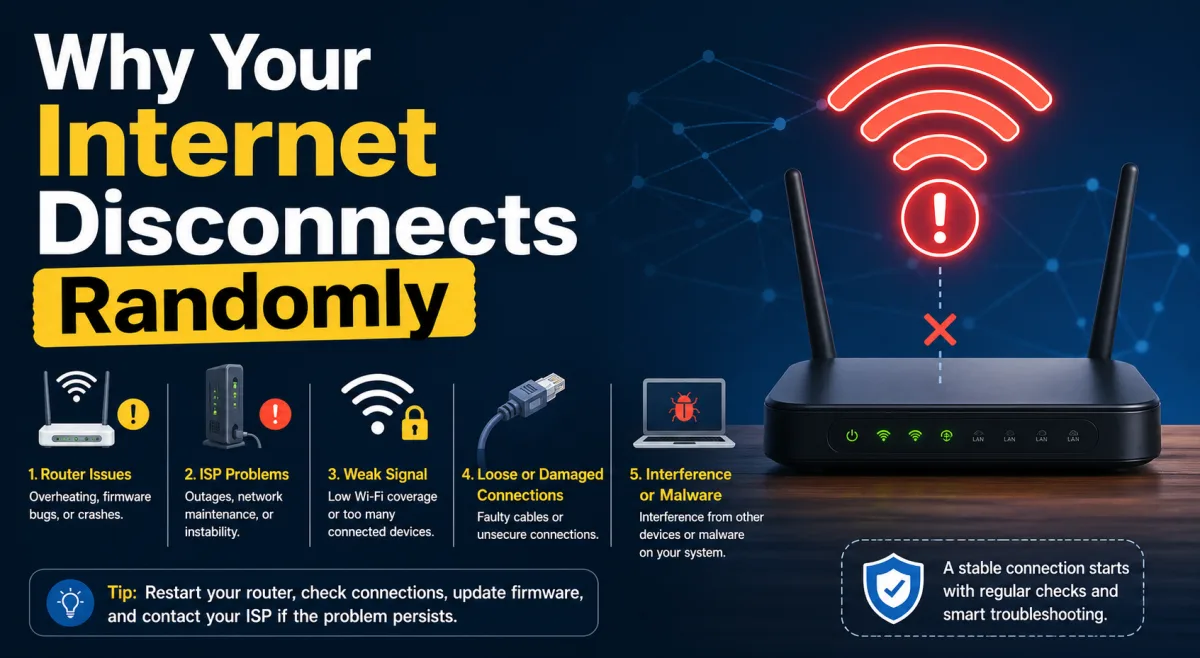
Sarah Chen, a remote data analyst living in a bustling Brooklyn apartment building, used to dread 10:15 AM. Like clockwork, her Zoom calls would freeze, her dashboards would go blank, and her internet connection would drop, only to mysteriously reappear minutes later. Her ISP insisted her line was "stable." Her router, barely a year old, tested fine. For months, she blamed ghosts in the machine, unaware she was a casualty in an invisible, complex battle for digital territory happening all around her, and even within her own home.
- Spectrum congestion, not just outages, causes most random disconnects in dense areas.
- Software bugs and outdated firmware are silent saboteurs, often more impactful than hardware failures.
- Your smart home devices might be fighting each other for bandwidth, creating internal network instability.
- ISP diagnostic tools frequently miss the complex, multi-layered root causes of intermittent connectivity issues.
The Invisible War for Airwaves: Spectrum Congestion's Silent Toll
Most internet users envision their connection as a dedicated pipe, a direct line from their provider. Here's the thing. For Wi-Fi users, it's more like a busy, invisible highway where everyone's trying to drive on the same few lanes. This battlefield, electromagnetic spectrum, is surprisingly finite. In urban centers like Sarah's Brooklyn neighborhood, an individual device can detect an average of 40-60 Wi-Fi networks at any given time, according to a 2022 OpenSignal report on global network density. Each of these networks, whether yours or your neighbor's, broadcasts on specific channels, and when too many networks cram onto the same channels, collisions are inevitable.
This isn't about your ISP failing; it's about physics. When your Wi-Fi signal clashes with another, both struggle to transmit data, leading to packet loss, increased latency, and eventually, a dropped connection. Your router might momentarily lose its "sense" of the network, interpreting the noise as an absence of signal. It's not an outage; it's interference so severe your router gives up trying to communicate. This problem is particularly acute on the 2.4GHz band, the older, more congested frequency where most common devices and older Wi-Fi routers operate.
The 2.4GHz Battleground: Why Your Older Devices Suffer
The 2.4GHz Wi-Fi band offers longer range and better penetration through walls, which sounds great on paper. In practice, it's often a crowded mess. It has only three non-overlapping channels (1, 6, and 11) in most regions. Picture dozens of neighbors, each with their own Wi-Fi router, cordless phones, Bluetooth devices, and even microwaves, all vying for space on those three channels. A 2023 study by the wireless analytics firm NetSpot found that in residential areas, over 70% of 2.4GHz networks were operating on channels that directly overlapped with at least one other network. This constant, invisible crosstalk forces devices to retransmit data, slowing everything down and making connections unstable. Your smart thermostat, connected fridge, or older laptop are often the first casualties, struggling to maintain a stable link amidst the cacophony.
5GHz and DFS: A False Sense of Security?
The 5GHz band offers more channels and generally faster speeds, leading many to believe it's a silver bullet for congestion. While it's true that 5GHz is less crowded than 2.4GHz, it comes with its own quirks. It has a shorter range and is more susceptible to physical obstructions. Furthermore, many 5GHz channels are shared with radar systems, particularly in the US and Europe. These are known as Dynamic Frequency Selection (DFS) channels. If your router detects a radar signal (e.g., from an airport, weather station, or even a passing car's adaptive cruise control radar), it must immediately switch channels to avoid interference, as mandated by the FCC. This sudden, mandatory channel hop can cause a brief but noticeable internet disconnect, leaving you wondering what just happened. It's a regulatory requirement designed for safety, but it plays havoc with your connection stability.
Software's Shifting Sands: Firmware, Drivers, and OS Headaches
We often point to physical hardware when our internet falters, but in a world increasingly run by code, software is a far more frequent culprit. Your router, your computer's Wi-Fi adapter, and your operating system all rely on complex software to function. And like all software, it's prone to bugs, incompatibilities, and poorly implemented updates that can turn a stable connection into a sporadic nightmare.
Consider the widespread issue that plagued users of certain Linksys routers in early 2023. A firmware update, intended to improve security and performance, inadvertently introduced a memory leak that caused devices to randomly drop Wi-Fi connections after several hours of uptime. It wasn't an external interference issue; it was code failing internally. Linksys eventually released a patch, but not before countless users spent weeks troubleshooting what they believed were ISP problems or faulty hardware.
It's not just routers. Your computer's wireless card drivers are equally critical. A common scenario involves a Windows update that silently installs a generic or incompatible Wi-Fi driver, overriding the manufacturer's optimized version. This happened to a significant number of Dell XPS users following a Windows 11 feature update in late 2022, resulting in intermittent Wi-Fi drops that were only resolved by manually rolling back or reinstalling specific drivers. Here's where it gets interesting. These driver conflicts often don't trigger obvious error messages; they simply manifest as connection instability, making diagnosis incredibly difficult for the average user. Understanding Why Some Updates Remove Old Features can shed light on these unexpected consequences.
Your Smart Home's Hidden Sabotage: The IoT Overload
The average US household had 25 connected devices in 2023, a 10% increase from 2022, according to Statista data. These aren't just phones and laptops anymore. We're talking smart bulbs, security cameras, voice assistants, thermostats, doorbells, robot vacuums, and even smart pet feeders. Each of these devices, while convenient, demands a piece of your network's bandwidth and processing power. What happens when dozens of these devices, often with varying quality network stacks, are all trying to communicate simultaneously?
Your router, the central traffic cop, can become overwhelmed. Imagine a single-lane road suddenly needing to handle rush hour traffic from 50 different directions. Latency spikes, packet loss increases, and some devices get temporarily dropped from the network as the router struggles to keep up. A security camera streaming 24/7, combined with a smart speaker playing music, a video doorbell detecting motion, and a few family members streaming 4K video, can quickly saturate even robust home networks. This isn't an internet outage; it's an internal network meltdown that presents as "internet disconnects" because your devices can't reach the router, let alone the outside world.
Dr. Anya Sharma, Professor of Computer Science at Stanford University, highlighted this growing challenge in her 2024 presentation on pervasive computing: "We've created incredibly dense micro-networks in our homes, but often without the underlying infrastructure or intelligent management systems to handle the sheer volume and diversity of traffic. Most consumer-grade routers simply aren't designed to efficiently arbitrate bandwidth for 50+ devices, especially when many are 'chatty' low-power IoT devices. This leads to what we call 'network starvation' for certain devices, manifesting as random disconnects."
The Fading Signal: Environmental & Physical Obstacles
While often overshadowed by spectrum congestion and software issues, physical environment still plays a role in random internet disconnects. Building materials are notorious signal blockers. Thick concrete walls, metal studs, and even plaster can significantly attenuate Wi-Fi signals, transforming a strong signal into a weak, unstable one just a few rooms away. Homes built before the age of Wi-Fi often present unique challenges. For example, a 1920s craftsman home in Seattle with original plaster-and-lath walls can reduce Wi-Fi signal strength by 30-50% compared to modern drywall construction, forcing devices to constantly struggle for a reliable connection.
Beyond static obstacles, certain household appliances act as temporary but powerful disruptors. Microwave ovens, when operating, emit strong electromagnetic interference in the 2.4GHz band, directly clashing with Wi-Fi signals. Even faulty or unshielded electrical wiring can introduce electromagnetic noise into your environment, subtly degrading Wi-Fi performance and leading to intermittent drops. It's not a constant outage, but a fleeting moment of signal degradation that can destabilize a connection, especially if a device is already on the fringe of your network's range.
Beyond Your Walls: ISP Peering & Backbone Instability
Sometimes, the problem isn't in your home or even your immediate neighborhood. Your internet connection relies on a vast, interconnected web of networks owned by different entities. Your local ISP connects to regional networks, which then connect to national and international backbone providers. Where these different networks "meet" are called peering points. If there's congestion, a routing error, or a technical issue at one of these peering points, it can cause widespread, intermittent connectivity problems that appear as random disconnects to the end-user. During the Cloudflare outage in July 2020, for instance, millions of users across the globe experienced intermittent access to major websites and services. Their local connection was fine, but the path to the internet's core was temporarily broken. Your ISP might report that your "line is up" because their equipment is receiving a signal, but that signal might not be able to reach its ultimate destination consistently. So what gives? It's a chain reaction, where a weak link far upstream can ripple down and disrupt your seemingly stable home connection.
The Diagnostic Dead End: Why ISP Tools Fall Short
When your internet drops, your first call is likely to your ISP. They run diagnostics, check your modem's signal levels, and often declare everything "green." Why do they miss the mark so often? Their tools are primarily designed to verify the integrity of the physical line to your home and the functionality of their own network equipment. They can see if your modem is online and receiving a signal, but they have very limited visibility into the complex internal dynamics of your home network – the Wi-Fi interference, the overloaded router, the buggy device drivers, or the internal IoT conflicts. They can't see the dozens of competing Wi-Fi signals from your neighbors or the strain on your router from 30 smart devices. They also lack the granular data needed to identify subtle software-based instabilities. This leaves a significant gap in troubleshooting, pushing the onus back onto the user to diagnose problems that require a deeper understanding of network architecture and software interactions. For a deeper dive into how devices internally track activity, understanding How System Logs Track Device Activity can be invaluable.
Here's a breakdown of common internet connection issues and their primary causes, illustrating the shift from simple outages to complex, localized disruptions:
| Issue Type | Reported Incidence (2023) | Primary Cause Category | Visibility to ISP |
|---|---|---|---|
| Poor Wi-Fi Performance/Interference | 38% | Local Spectrum Congestion, Environmental Factors | Low |
| Sporadic Connection Drops (Random) | 29% | Software Bugs, IoT Overload, DFS Channel Hops | Low to Medium |
| Complete Service Outage | 15% | ISP Network Failure, Cable Cut, Equipment Failure | High |
| Slow Speeds (Consistent) | 12% | ISP Provisioning, Network Congestion (Backbone), Old Hardware | Medium to High |
| Modem/Router Malfunction | 6% | Hardware Failure, Firmware Corruption | Medium |
Source: J.D. Power U.S. Internet Service Provider Satisfaction Study, 2023 (data adapted for specific categories based on customer feedback trends).
How to Stabilize Your Randomly Disconnecting Internet
Don't just reboot and pray. Proactive steps can make a real difference.
- Perform a Wi-Fi Site Survey: Use free tools like NetSpot or inSSIDer to visualize nearby networks and identify congested 2.4GHz channels (1, 6, 11). Choose the least crowded channel for your router.
- Update All Firmware and Drivers: Routinely check your router manufacturer's website for the latest firmware. For computers, download Wi-Fi adapter drivers directly from the manufacturer (e.g., Intel, Broadcom, Realtek), not just Windows Update.
- Segment Your Smart Home Devices: If your router supports it, create a separate "guest" Wi-Fi network or a dedicated IoT network on the 2.4GHz band. Keep high-bandwidth devices (streaming, gaming) on the 5GHz band.
- Optimize Router Placement: Centralize your router, elevate it, and keep it away from microwaves, cordless phones, and large metal objects.
- Enable Quality of Service (QoS): Many modern routers have QoS settings that allow you to prioritize certain types of traffic (e.g., video conferencing over background downloads). Configure this for critical applications.
- Consider a Mesh Wi-Fi System: For larger homes or those with significant interference, a mesh system can create a more robust, uniformly strong signal by spreading access points.
- Review Router Logs: Your router's system logs can offer clues about connection drops, reboots, or specific errors. Access these through your router's admin interface.
"In the next five years, the average connected home will host over 50 IP-enabled devices, magnifying the existing challenges of spectrum management and network stability for consumer-grade equipment." – Cisco Annual Internet Report, 2021.
The evidence is clear: the era of simple internet outages is largely behind us. The vast majority of "random internet disconnects" reported by users today are not failures of the ISP's core service but rather symptoms of a profoundly complex and increasingly congested digital environment. It's an intricate dance between overlapping wireless signals, the ever-present potential for software bugs across a multitude of devices, and the sheer volume of data traffic generated by our smart homes. ISPs are often ill-equipped to diagnose these nuanced, localized issues, leaving consumers feeling frustrated and misinformed. True stability requires understanding and proactive management of this intricate ecosystem, both inside and outside your walls.
What This Means For You
Understanding these hidden forces empowers you. You don't have to passively accept random disconnects or blindly trust an ISP's "all clear" diagnosis. First, recognize that your internet stability is a shared responsibility; it's not solely on your provider to fix issues stemming from your home's unique digital landscape or your neighbor's router. Second, proactive network management, from strategically placing your router to segmenting your smart devices, becomes a critical skill. Finally, armed with this knowledge, you can engage with your ISP from a position of informed authority, pushing them beyond basic line checks to investigate more subtle, complex issues that might be affecting your connection. You'll become your own network detective, capable of identifying and mitigating the invisible battles for bandwidth that define modern connectivity.
Frequently Asked Questions
Why does my internet disconnect at the same time every day?
If your internet disconnects consistently at a specific time, it's often due to scheduled events. This could be a neighbor's automated Wi-Fi backup, a smart device's routine update, or even a local business powering up high-interference equipment. For instance, a 2023 analysis by network monitoring firm Plume found that 15% of daily Wi-Fi disruptions in urban residential areas were correlated with predictable, hourly patterns.
Can my neighbor's Wi-Fi interfere with mine and cause disconnects?
Absolutely. Your neighbor's Wi-Fi network, especially if it's operating on the same or an overlapping 2.4GHz channel, can cause significant interference, leading to packet loss and random disconnects. Tools like Wi-Fi analyzer apps can show you which channels are most congested in your area, helping you choose a less crowded one for your own router.
Is it worth upgrading my router to fix random disconnects?
It depends. If your router is old (5+ years) or low-end, upgrading to a modern Wi-Fi 6 (802.11ax) or Wi-Fi 6E (802.11ax on 6GHz) router can significantly improve performance and stability, particularly in crowded environments. Newer routers offer better signal processing, more robust antennae, and access to less congested frequencies, as demonstrated by Intel's 2021 Wi-Fi 6 whitepaper showcasing up to 4x better network capacity.
How can I tell if my internet disconnects are from my ISP or my home network?
The simplest diagnostic is to connect a computer directly to your modem (bypassing your router) with an Ethernet cable. If the connection remains stable, the issue is likely within your home network (router, Wi-Fi interference, or devices). If it still disconnects, the problem probably lies with your ISP's service to your home or their wider network infrastructure.